Loading media Compa II series
38 Operating manual 07.15
7. Turn transfer ribbon rewinder (1) counter clockwise to smooth out
the feed path of the transfer ribbon.
8. Turn lever (4) clockwise to lock the printhead.
NOTICE!
As for the electrostatic unloading the thin coating of the thermal
printhead or other electronic parts can be damaged, the
transfer ribbon should be antistatic.
The use of wrong materials can lead to printer malfunctions
and the guarantee can expire.
5.5 Setting feed path of transfer ribbon
Transfer ribbon wrinkling can lead to print image errors. Transfer
ribbon deflection can be adjusted so as to prevent wrinkles (see
section Head locking system, page 34).
NOTICE!
The adjustment is best carried out during printing.
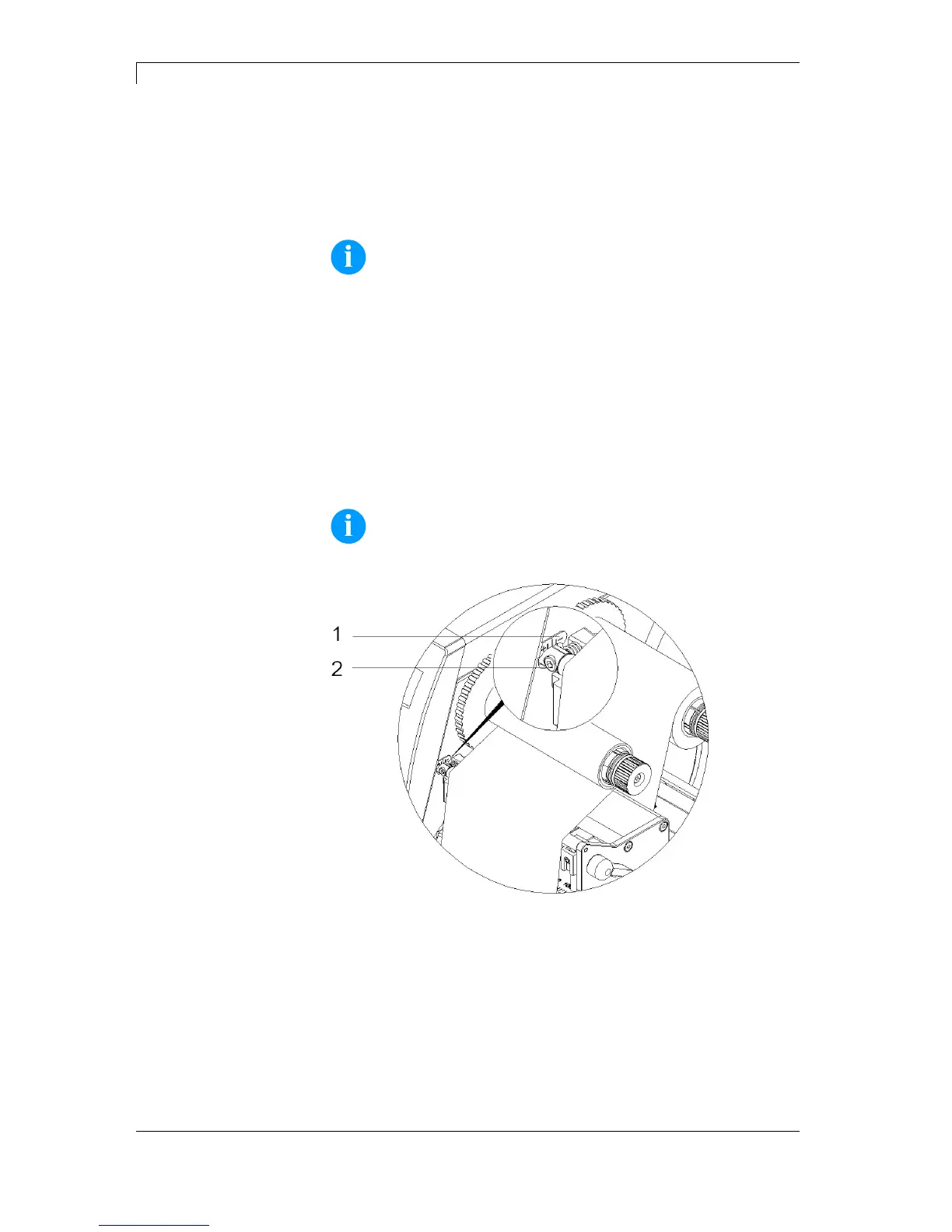
Figure 18
1. Read current setting on the scale (1) and record if necessary.
2. Turn screw (2) with hexagonal wrench and observe the behaviour
of the ribbon.
In + direction, the inner edge of transfer ribbon is tightened, and
the outer edge is tightened in the − direction.



 To Next Page