Compa II series Maintenance and cleaning
07.15 Operating manual 87
9.6 Replacing the print roller and rewind assist roller
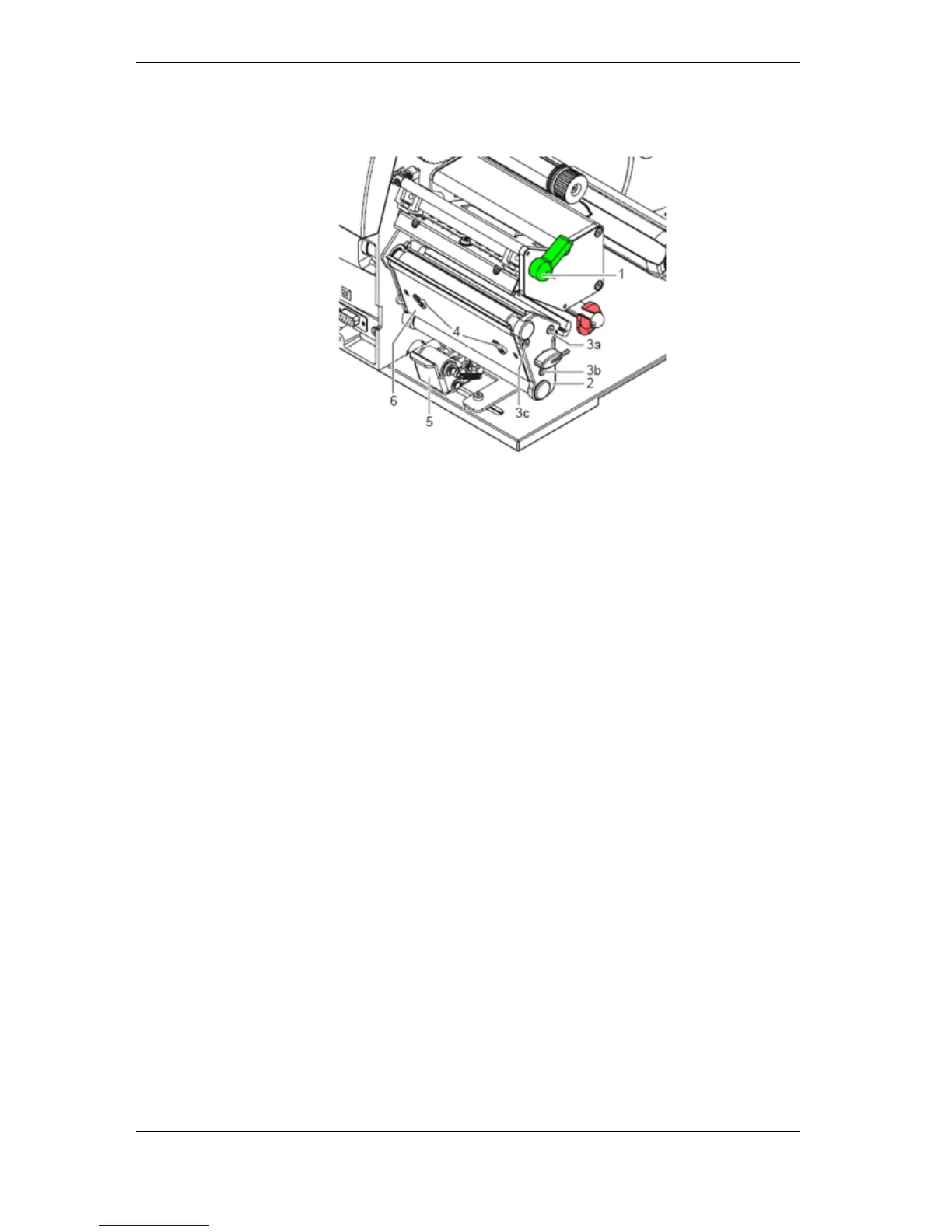
Figure 24
1. Turn lever (1) counter clockwise to lift up the printhead.
2. Lift the pinch roller (5) off the rewind assist roller.
3. Remove labels and transfer ribbon from the label printer.
4. Loosen screws (4) on plate (6) with hexagonal wrench by several
turns and remove plate (6).
5. Unscrew screws (3a, b, c) of the side plate (2) with hexagonal
wrench.
6. Remove side plate (2).
Removing the
side plate



 To Next Page