Compa II series Maintenance and cleaning
07.15 Operating manual 85
9.5 Replacing the printhead
NOTICE!
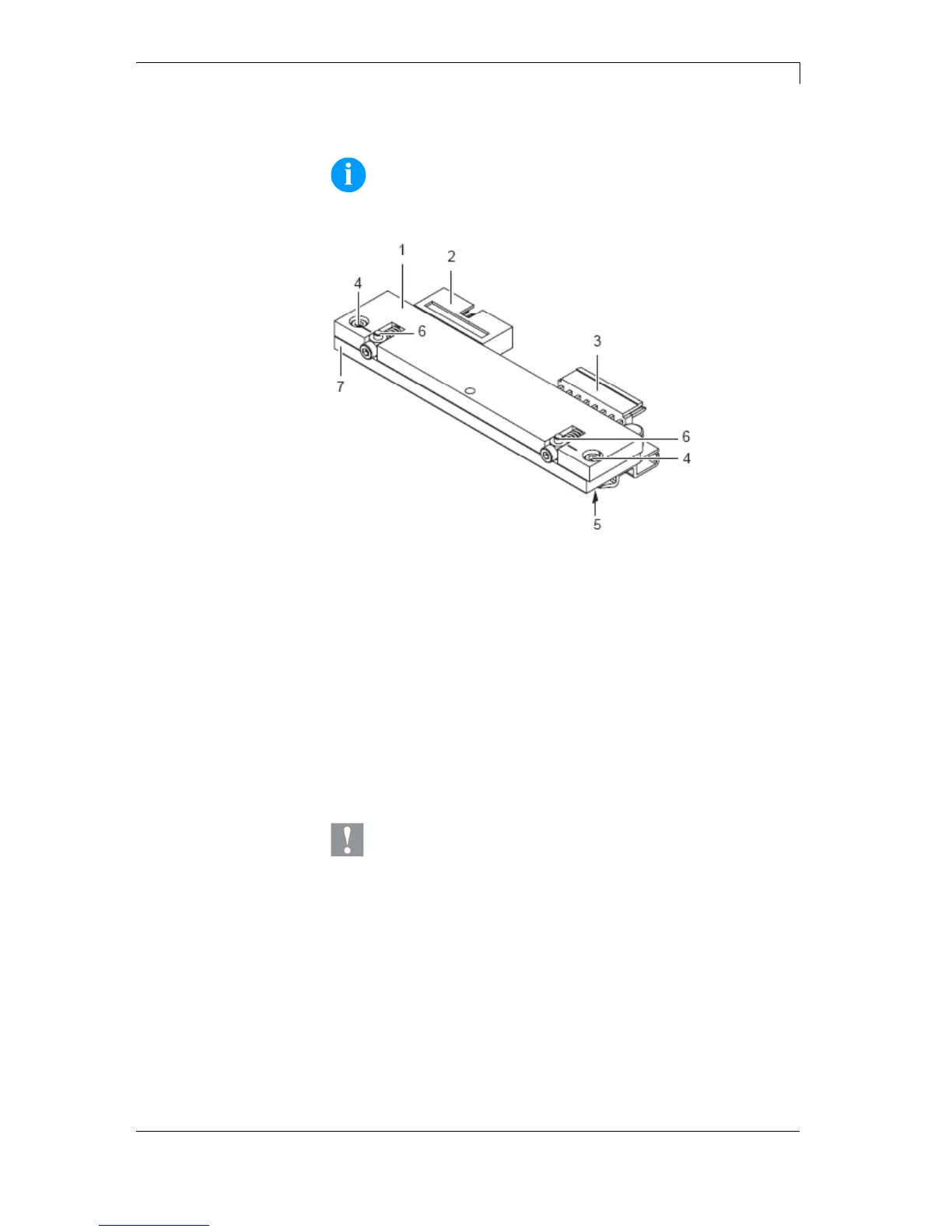
The printhead (7) is preinstalled on a head plate (1) and
aligned at the factory.
Figure 22
1 = Head plate
2 = Plug connection
3 = Plug connection
4 = Screw
5 = Printing line
6 = Pins
7 = Printhead
CAUTION!
The printhead can be damaged by static electricity
discharges and impacts!
Set up printer on a grounded, conductive surface.
Ground your body, e.g. by wearing a grounded
wristband.
Do not touch contacts on the plug connections (2, 3).
Do not touch printing line (5) with hard objects or your
hands.



 To Next Page