Compact Flash Card / USB Memory Stick Compa II series
72 Operating manual 07.15
8.3 Navigation
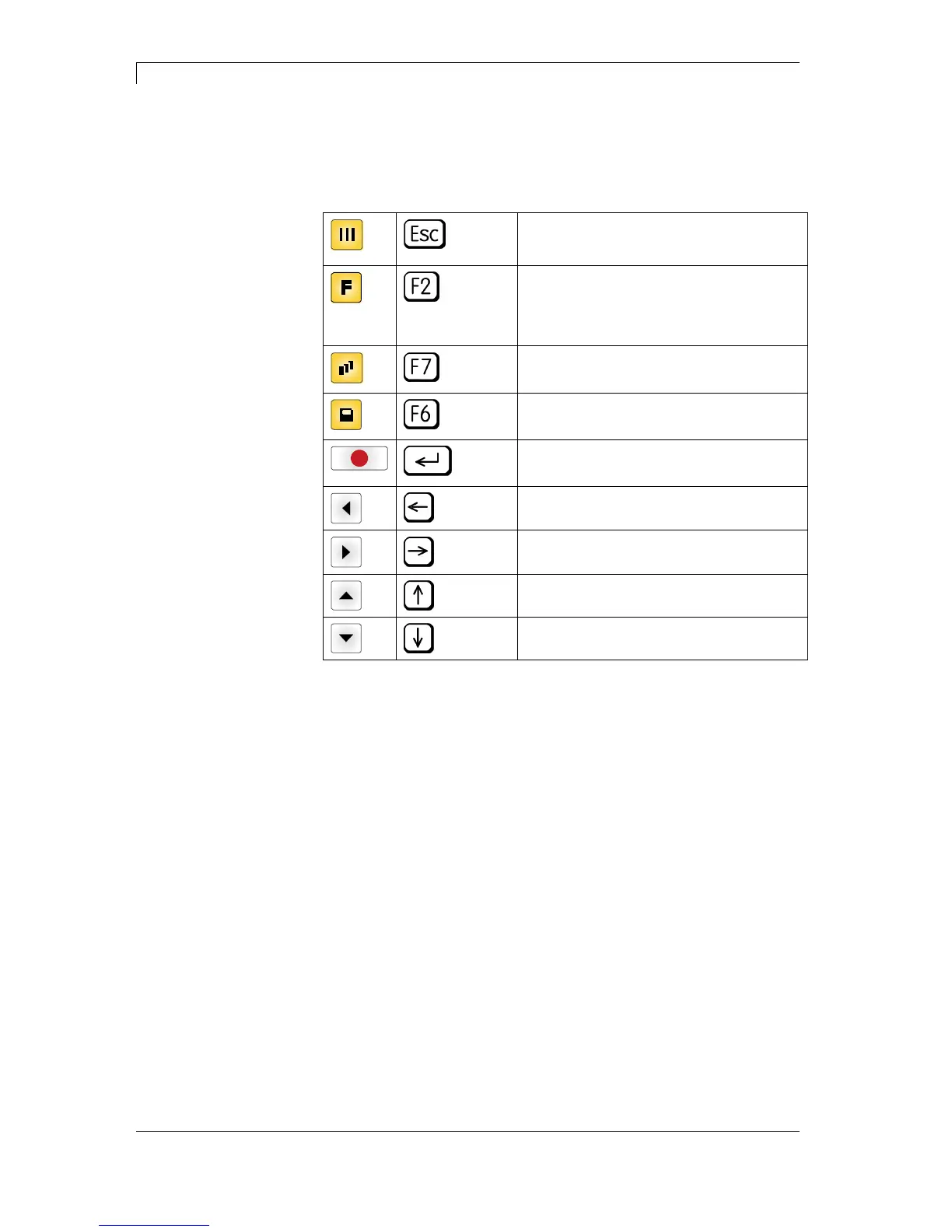
The memory menu is operated with the keys of the foil keyboard of
the control unit or with different function keys of an attached USB
keyboard.
Return to the previous menu.
Function Load layout: Change to the File
Explorer.
File Explorer: Change to the 'context
menu'.
Select a file/directory if a multiple
selection is possible.
Main menu: Access to the memory menu.
File Explorer: Create a new file.
Start the current function for the active
file/directory.
Change to the superordinate directory.
Change to the currently marked directory.
In the current directory scroll upwards.
In the current directory scroll downwards.



 To Next Page