Maintenance and cleaning Compa II series
88 Operating manual 07.15
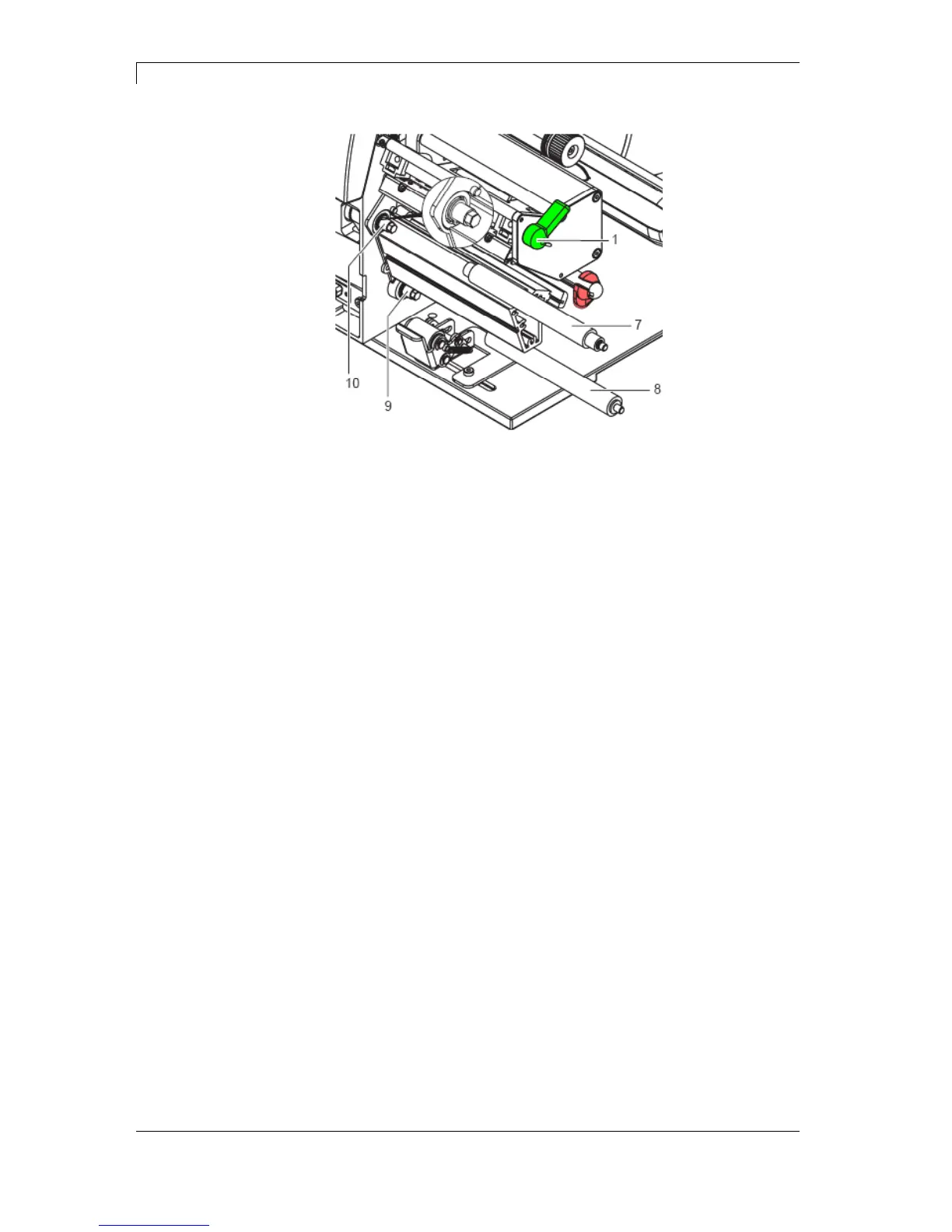
Figure 25
1. Pull print roller (7) and rewind assist roller (8) from the shafts (9,
10) on the housing.
2. Clean shafts (9, 10) of the rollers (see expanded view at shaft 10).
3. Slide print roller (7) and rewind assist roller (8) onto their
respective shafts and turn slightly until the hexagon of the shaft
engages in the hexagon socket of the print roller.
4. Set side plate (2, Figure 24) in place and screw it down with the
screws (3a, b, c, Figure 24) by tightening all the screws in order
a-b-c.
5. Set plate (6, Figure 24) in place and tighten screws (4, Figure 24)
with hexagonal wrench.
Removing and
installing rollers



 To Next Page