Compa II series Loading media
07.15 Operating manual 31
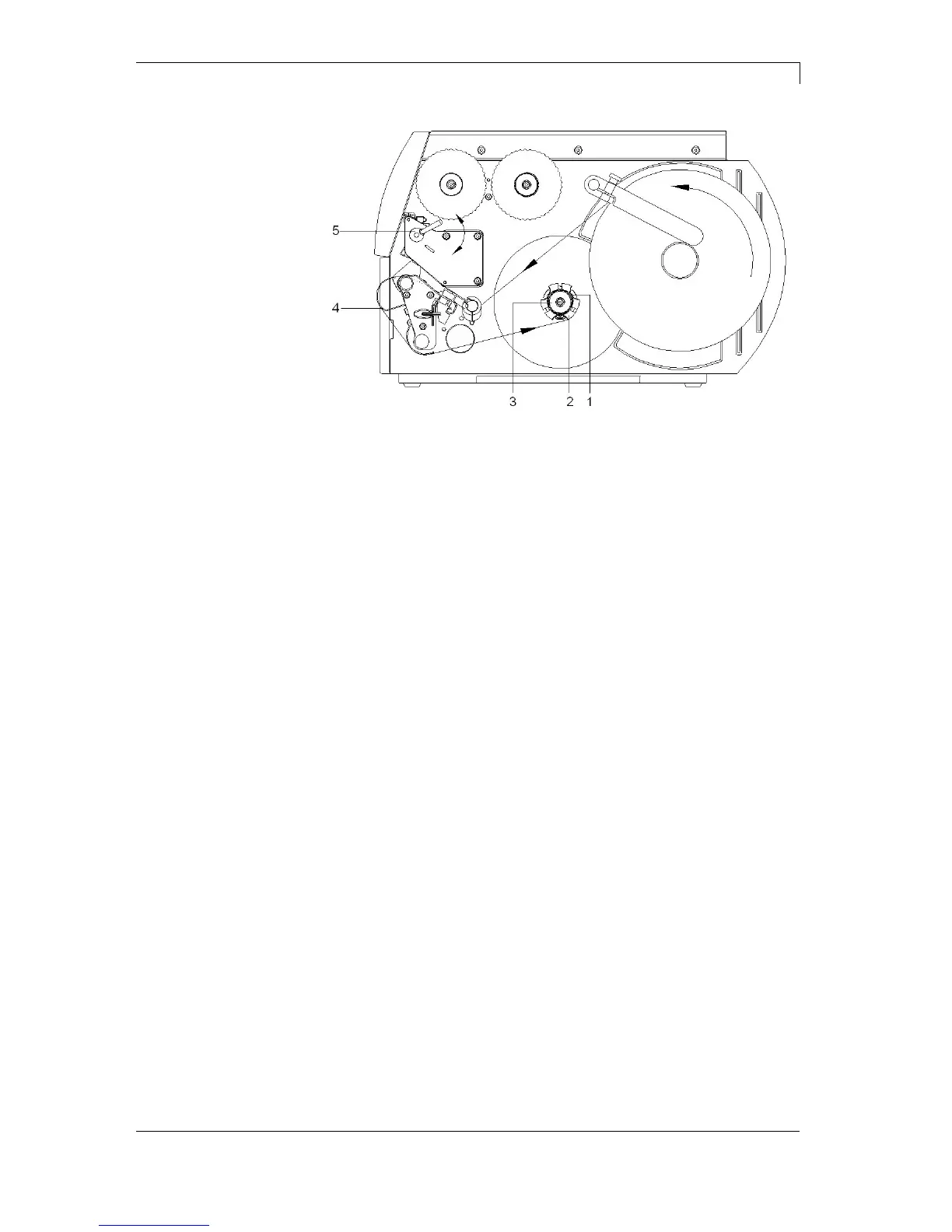
Figure 11
In rewind mode the labels are wound up internally after printing for
later use.
1. Guide label strip around the deviating shaft (4) to the internal
rewinder (2).
2. Hold rewinder (2) firmly and turn knob (3) clockwise until it stops.
3. Push label strip under a bracket (1) of the rewinder and turn knob
(3) counter clockwise until it stops.
4. Turn rewinder (2) counter clockwise to tighten the label strip.
5. Turn lever (5) clockwise to lock the printhead.
Loading label roll in
rewind mode



 To Next Page