REM Alarm (two tones)
Operating Room Troubleshooting
Force 2 User’s Guide 5-3
4. Apply a third patient REM pad.
a. Apply a third return electrode to the patient, selecting the next best,
well vascularized, convex area close to the surgical site.
b. Place the generator in the ready mode.
c. Connect the plug of the return electrode to the generator.
d. If the REM alarm has not been cleared, place the generator in the
standby mode.
e. Unplug the patient return electrode from the generator.
f. Proceed with step 5.
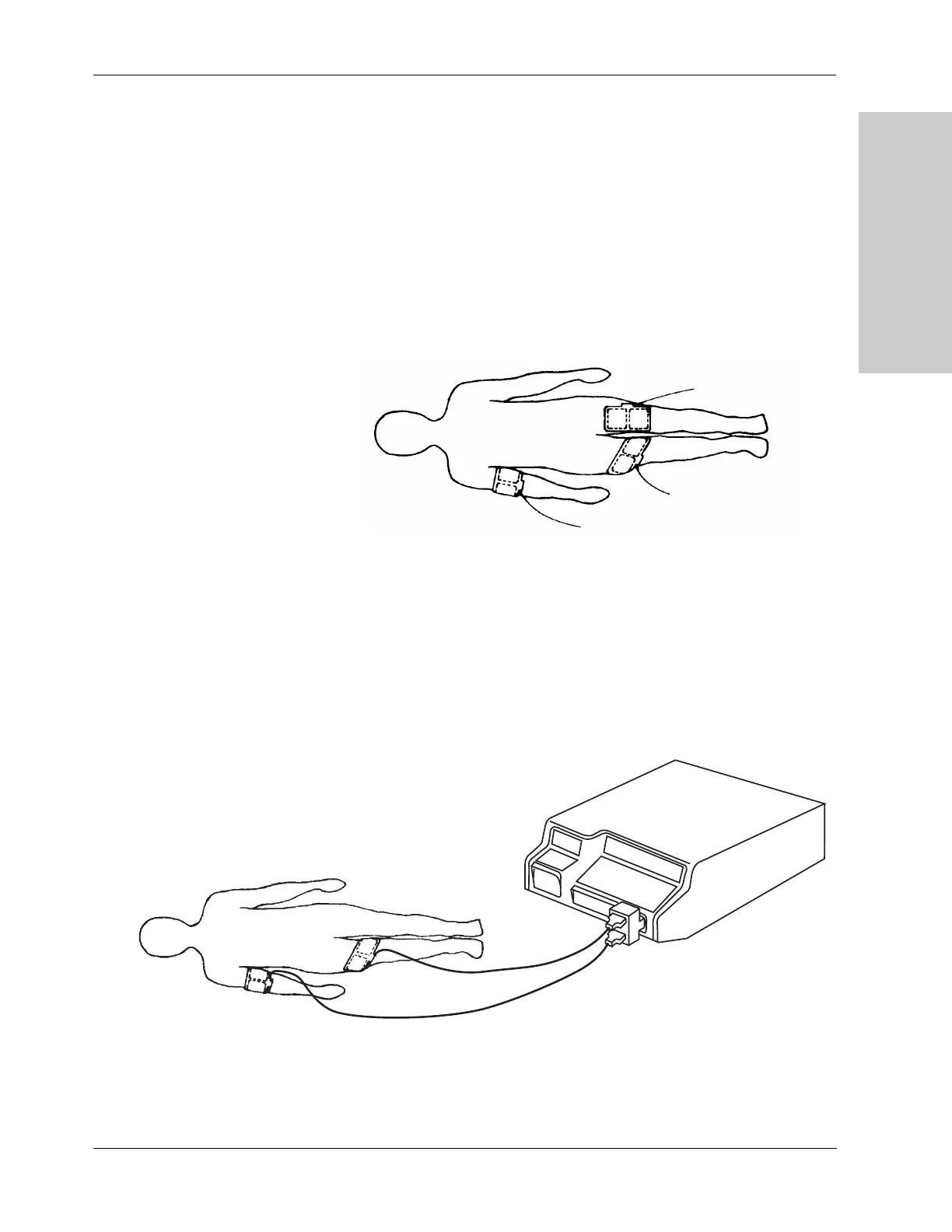
5. Use a Multiple Return Adapter.
a. Insert a Valleylab Multiple Return Adapter into the Patient
receptacle.
b. Place the generator in the ready mode.
c. Insert the plugs of two patient return electrodes which have
already been applied into the adapter. Choose the two return
electrodes which are on the most vascularized, convex areas, in
closest proximity to the surgical site.
Original application
Application 2
Application 3
Original
application
Application 2











 To Next Page