4. Imaging System Overview
Green Smart User Manual 31
ENGLISH
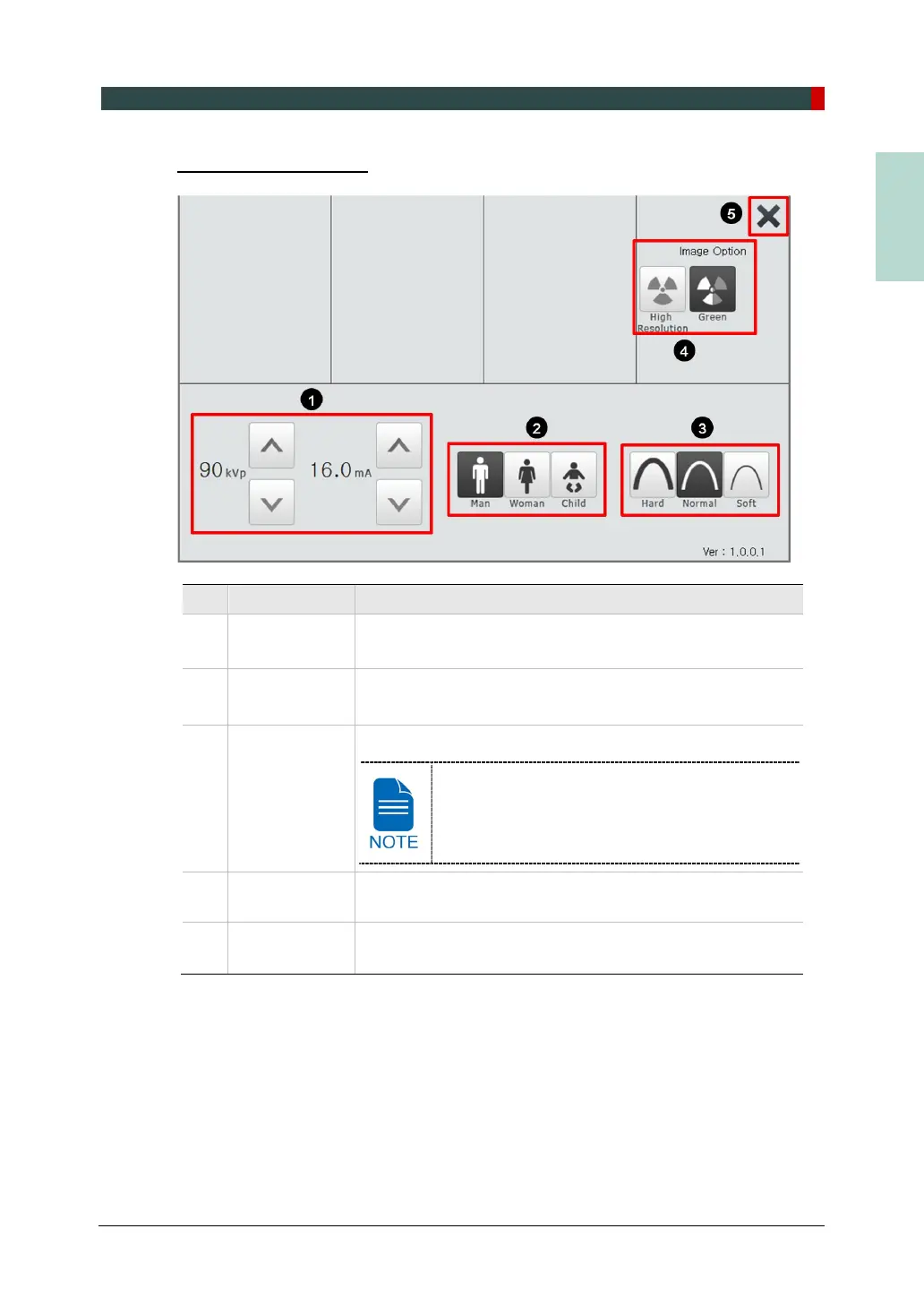
CEPH Settings Screen
No. Function Description
1
kVp / mA
control button
Adjusts Tube voltage (kVp) and Tube current (mA).
2
Gender / Age
Selects patient's Gender / Age group.
3 X-ray intensity
Selects X-ray intensity.
Depending on the circumference of the patient’s
head, X-ray intensity may be classified as Hard,
Normal, or Soft :
Soft ≤ Normal ≤ Hard
4 Image Option
Selects between “High Resolution” and “Green.”
(Image quality: High Resolution > Green)
5 EXIT button
Closes the Settings Screen and moves back to CEPH Main
Screen.














 To Next Page