7. Acquiring PANO Images
Green Smart User Manual 71
7.3.2 SPECIAL Examination Mode (TMJ / Sinus)
<TMJ Open Mode (L AT / PA)>
The TMJ Close image can be acquired after the TMJ Open image is acquired.
Steps for TMJ Mode
Patient positioning for TMJ Open > Laser Beam Aligning > X-ray
Exposure > Patient positioning for TMJ Close > Laser Beam Aligning > X-
ray Exposure
Patient Positioning
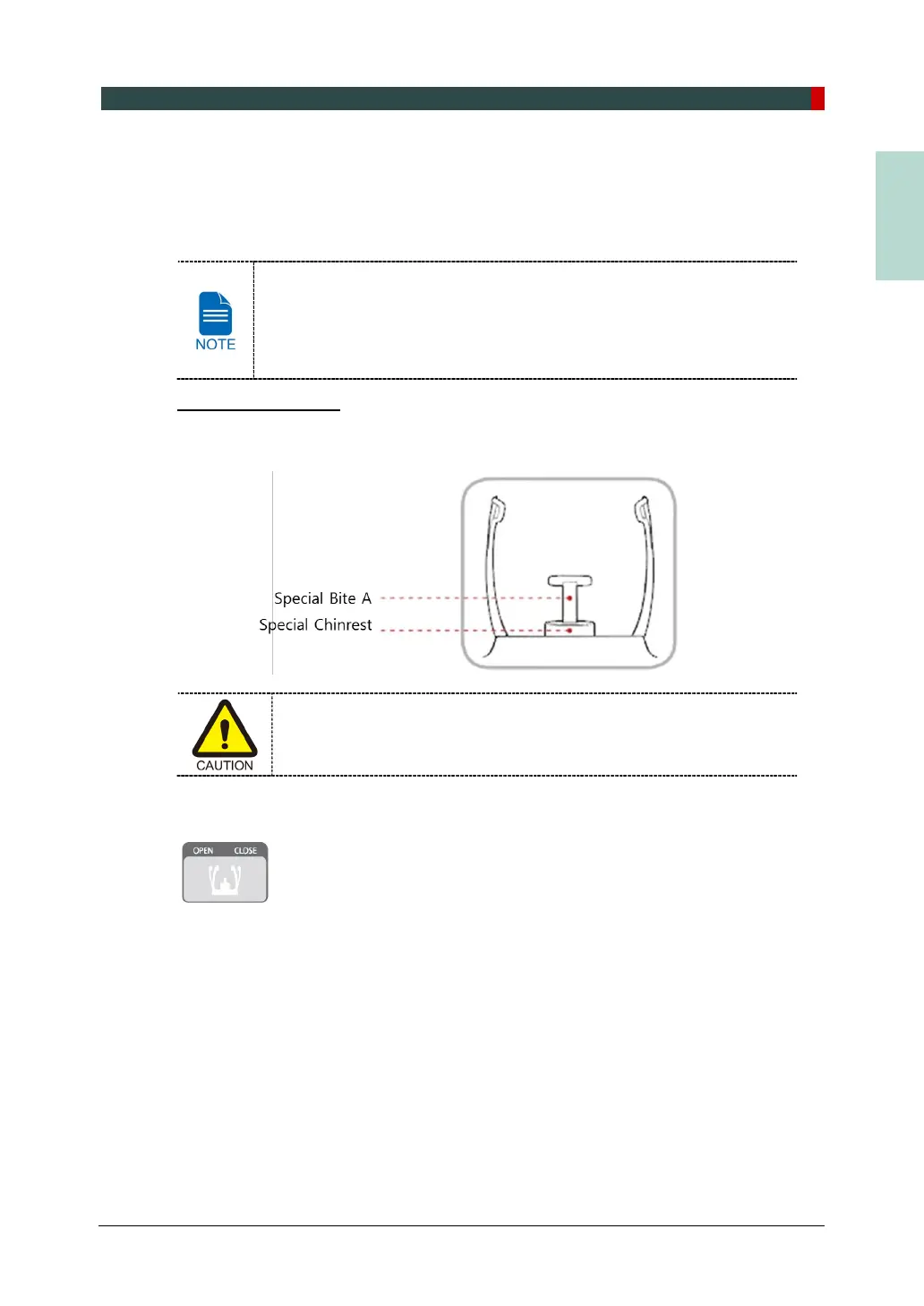
1. Remove the Normal Chinrest and insert the Special Chinrest into the equipment.
2. Insert the Special Bite A into the Special Chinrest
Clean the Chinrest and the Bite with ethanol and wipe with a dry towel
before the next patient.
3. Use the Temple Supports Open/Close button on the control panel to widen the Temple
Supports.
4. Guide the patient to the equipment.
5. Use the Vertical Frame UP/DOWN button or switch option to adjust the height of the
equipment so that the patient's chin reaches the Chinrest.
6. Guide the patient to stand in the center of the equipment and direct them to remain in the
position outlined below.
Hold the handles tightly.
Press the chest against the equipment.
Keep both feet close to the inside of the base.
Keep both shoulders parallel.
Straighten the Cervical Spine and stand still.














 To Next Page