5. Getting Started
50
I
PaX-i3D Smart
5.3
Initiating the Console Software
For a new patient, first register the patient information.
❚
EasyDent
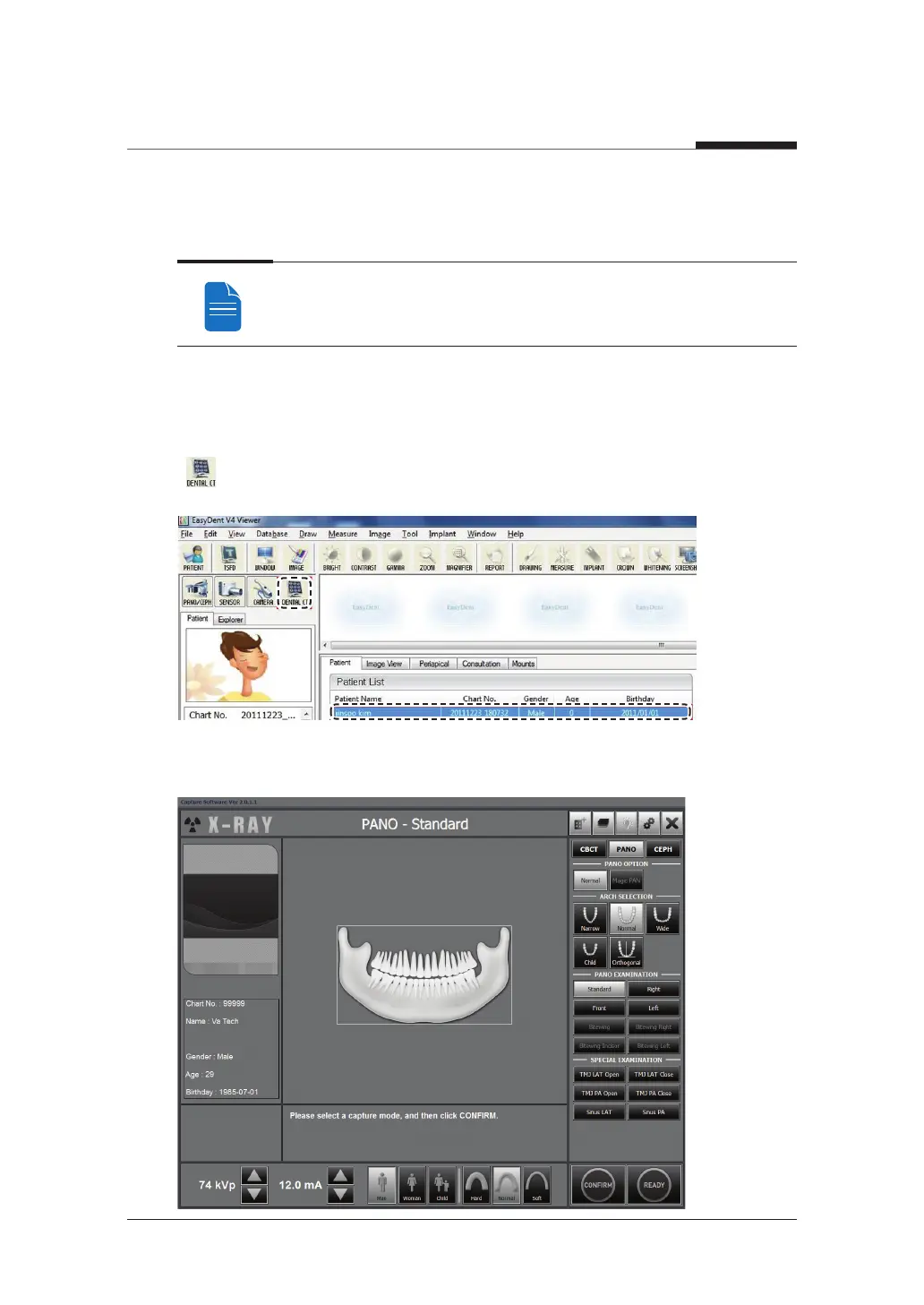
A. First, click the patient information in the patient list, and click the Dental CT icon
(
) in the upper left corner of the EasyDent’s main window to open the imaging
program.
B. The following imaging program window opens. The sole purpose of this window is to
control equipment settings and acquire images.












 To Next Page