11.3,
TEMPERATURE.
• Access user programming until the following is shown on the display:
TEMPERATURE
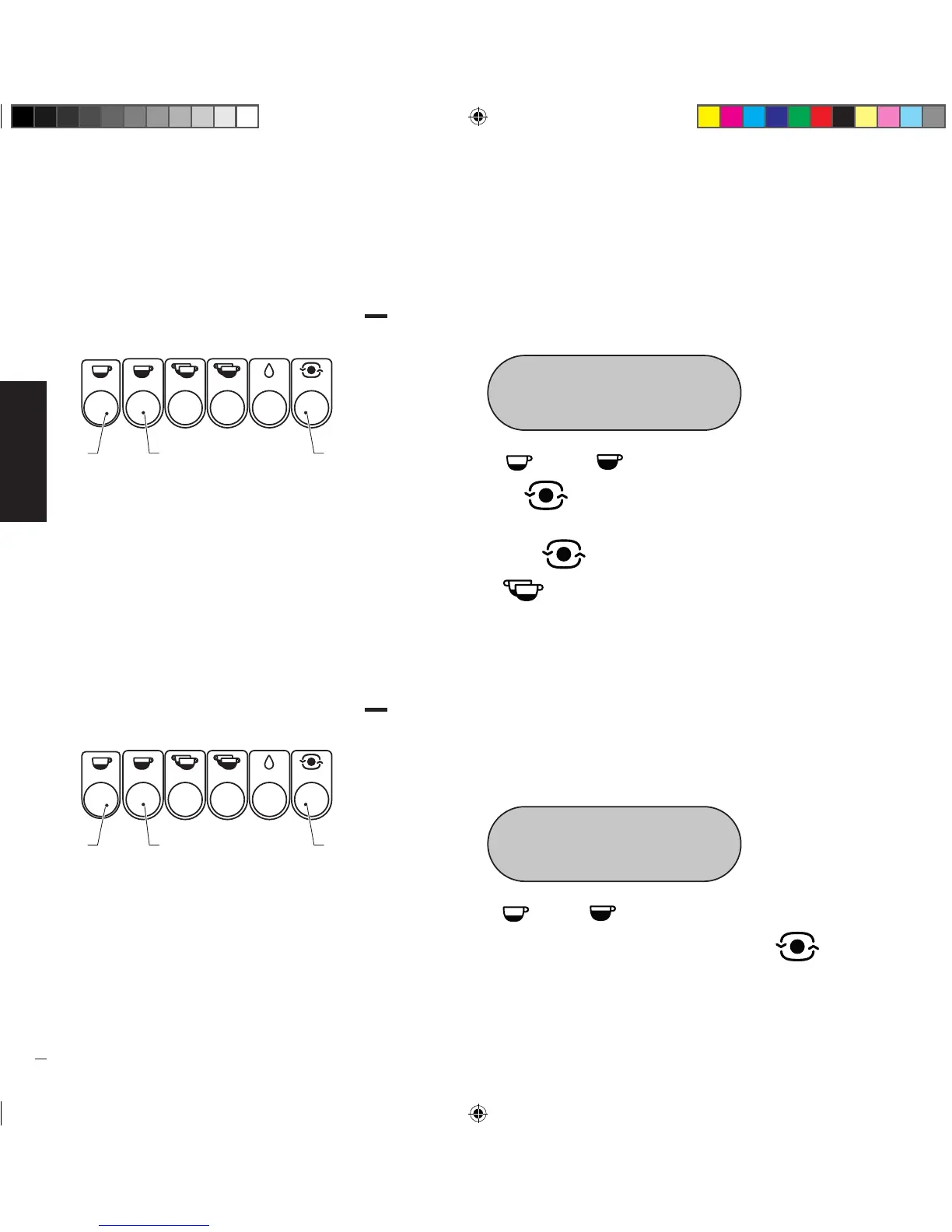
• Press the button “ ” (1) or ” ” (2) to change the degree scale (°C or
°F); press the button “ ” (3) to confirm and go to the next function.
• After setting the temperature of the last unit, scroll the remaining items of the
menu using the button “ ” until OFF is shown on the display and then
press the button “ ” to reactivate the units.
11.4,
UNIT 1 TEMP..
• This function allows you to set the temperature of each unit on the machine
starting from the first unit on the left; the number 1, 2, 3 or 4 after Unit
indicates the unit on which you are changing the temperature.
• Access user programming until the following is shown on the display:
UNIT 1 TEMPerature
99°c
• Press the button “ ” (1) or “ ” (2) to change the temperature of Unit 1.
Once you have set the desired temperature, press the button “ ” (3) to
confirm and go to temperature setting of the next unit (up to a maximum of 3
units).
Manuale_Replica2B Elettronica_Rev0_5lingue_03-2016.indd 34 19/04/16 17:28


 To Next Page