11.1,
LANGUAGE.
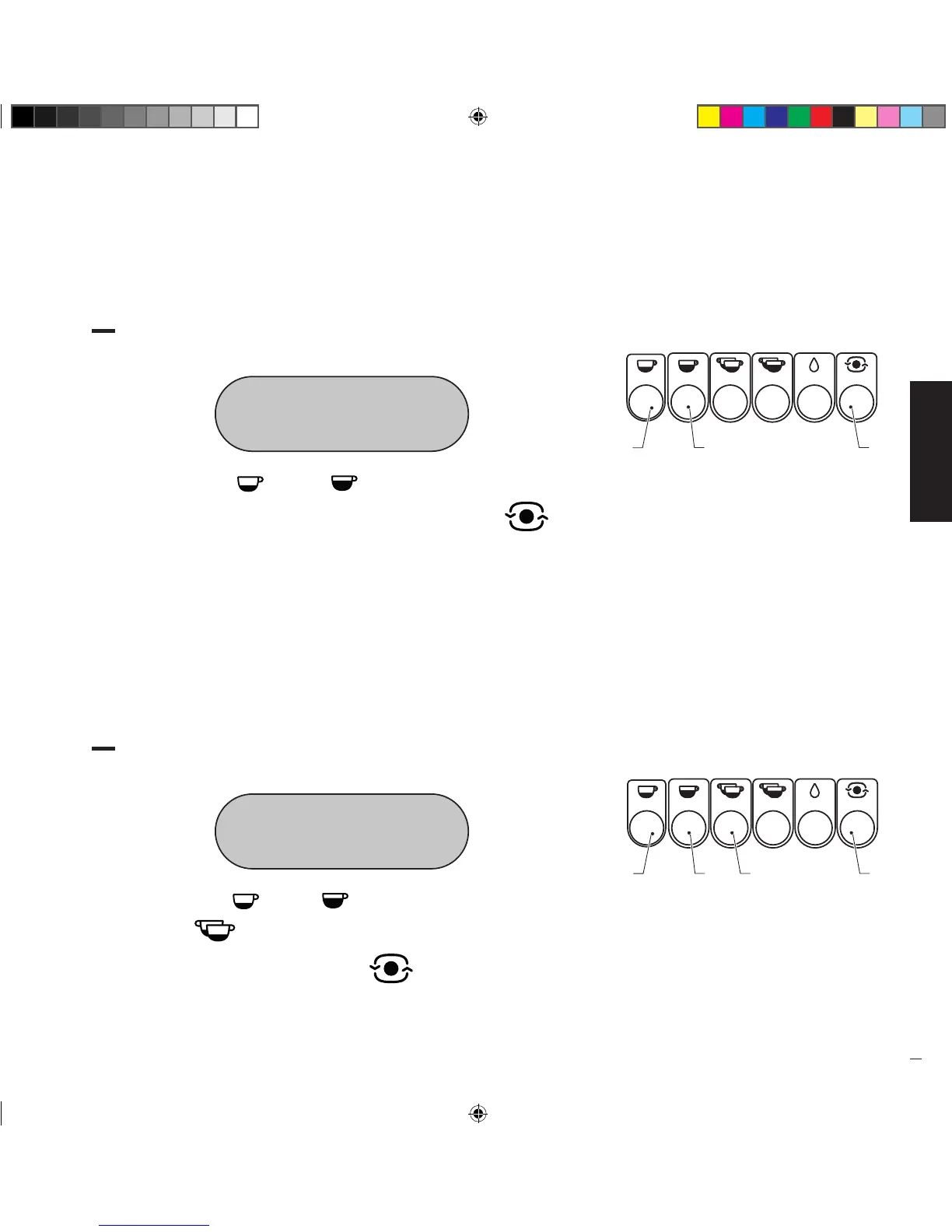
• Access user programming until the following is shown on the display:
LANGUAGE
ENGLISH
• Press the button “ ” (1) or “ ” (2) to scroll the available languages.
Once you have selected the desired language, press the button “ ” (3) to
confirm and go to the next function.
• The available languages are:
Italian, English, French, German, Spanish, Dutch, Portuguese.
11.2,
SERVICE TEL..
• Access user programming until the following is shown on the display:
SERVICE TEL.
02 66 01 66 91
• Press the button “ ” (1) or “ ” (2) to set the first digit and then press
the button “ ” (3) to confirm and go to the second digit. Once you have
composed the number, press the button “ ” (4) to confirm and go to the
next function.
Manuale_Replica2B Elettronica_Rev0_5lingue_03-2016.indd 33 19/04/16 17:28


 To Next Page