29
Handing and cleaning the screen surface/cabinet of the TV set
Optional Equipment
Be sure to unplug the AC power cord connected to the TV set form AC power outlet
before cleaning.
To avoid material degradation or screen coating degradation, observe the following
precautions.
To remove dust form the screen surface/cabinet, wipe gently with a soft cloth of dust is
persistent, wipe with a soft cloth slightly moistened with a diluted mild deter
Never use any type of abrasive pad, alkaline/ acid cleaner, scouring powder, or volatile
solvent, such as alcohol, benzene, thinner or insecticide. Using such materials or main-
taining prolonged contact with rubber or vinyl materials may result in damage to the
screen surface and cabinet material .
When adjusting the angle of the TV set, move it slowly so as to prevent the TV set form
moving or slipping off from its table stand.
Keep optional components or any equipment emitting electromagnetic radiation away
from the TV set. Otherwise picture distortion and/or noisy sound may occur.
tilation.
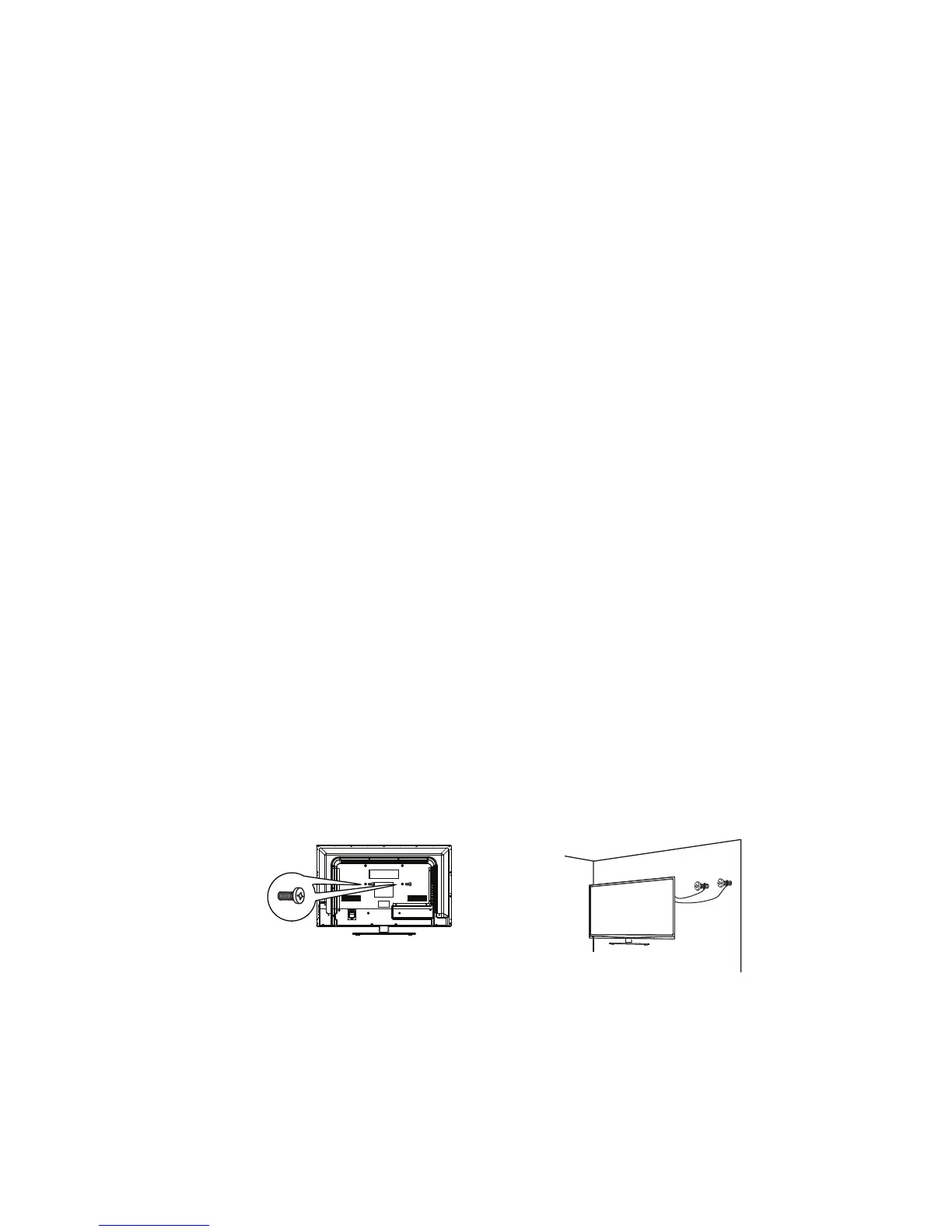
SafetyStrap
Caution:Pushing,pullingorclimbingontheTVmaycausetheTV falling.Donotletchildren
climborhangontheTV.AlwaysplacetheTV onasturdy,level,stablesurfacethatcanholdthe
weightofTV.Andif possible,securetheTVaccordingtotheinstructionbelow(Note:The
fasteningcomponentssuchasscrewsarenotsuppliedwithTV).
Stepone:InserttheM6mountingscrewsintotheuppertwowall mountingscrewholesandfasten
them(FigureA).
Steptwo:Insertanchorstowallandconnecttheboltsandanchors withropesorchains(FigureB).
FigureA
FigureB
M6Screws
Wall



 To Next Page