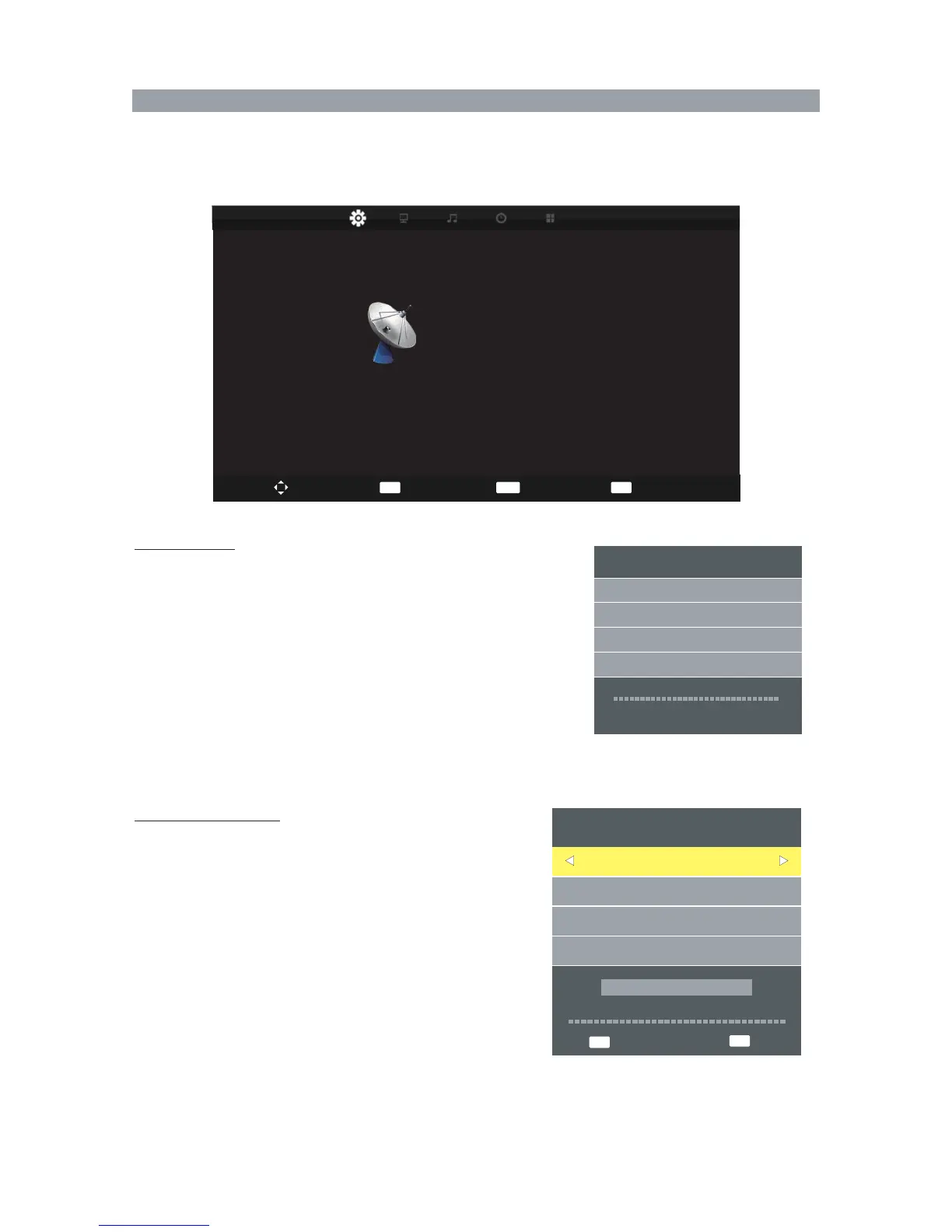
Press MENU and ◀▶ buttons to select the CHANNEL.
Press ▲ ▼ button to select the items.
Press ENTER or ▶ button to enter the submenu.
Auto Tuning
Press ▲ ▼ buttons to select Auto Tuning.
Press ENTER button to enter Auto Tuning, the TV will
search channels automatically.
All channels will be saved once searching finished.
In the course of auto searching, you can press " EXIT" to
stop the searching process.
Channel Tuning
ATV : 4 Programme
DTV : 0 Programme
0%
(TV)
Channel Menu
DTV Manual Tuning (only available in DTV mode)
You can also set program list again one by one by DTV
Manual Tuning function.
Press ◀▶ button to select channel.
Press ENTER button to search.
When a channel is found, the searching process will stop ,
the channel will be saved with current channel number.
If the program is not your expected one, please press
◀▶ button to continue the searching.
Press EXIT button to exit.
NO SIGNAL
Bad
Freq: 482.00MHz
Good
DTV Manual Tuning
UHF CH 21
35
Radio : 0 Programme
Please press MENU key to exit
208.25 MHz
Auto Tuning
DTV Manual Tuning
ATV Manual Tuning
Programme Edit
Schedule List
CHANNEL
Move
MENU
ENTER
Back
Select
EXIT
Exit
EXIT
Exit
MENU
Return
Signal Information



 To Next Page