31
Remote Control
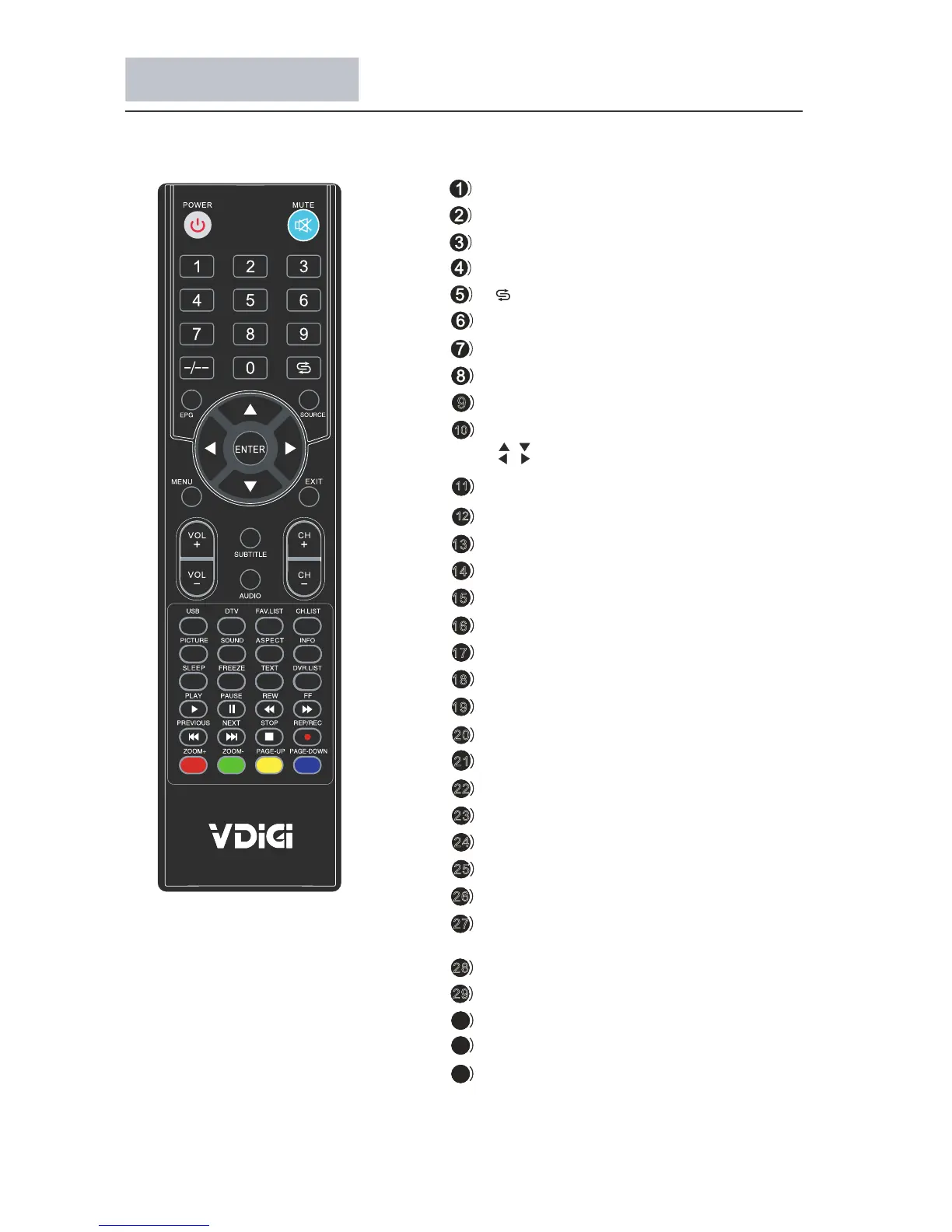
Description of television of remote control
18
9
13
14
15
16
17
19
20
21
22
23
24
25
26
27
28
29
POWER:Switch between working status and standby status
MUTE: Turn on/off audio
0-9: Press to select channel
-/--:Channel digit setup button
:Switch to the last channel
INFO: Show channel program information
SOURCE:Input source conversion button
MENU:Show the main menu
EXIT: Exit the OSD menu
VOL+/-: Change sound volume
CH+/-: Change channel
PICTURE: Select the picture mode
SOUND: Select the sound mode
CH.LIST:Show channel list
ASPECT: Adjust image display proportion
SLEEP: Set the timer turn off TV automatically
FREEZE: Freeze the picture
FAV.LIST: Display/Define favorite channel
USB: Select USB source input
DTV: Select DTV source input
DVR.LIST: Show the Schedule List
TEXT: Not available
SUBTITLE: Select language of subtitle
AUDIO: Select audio output
ZOOM+/-: Zoom the size of screen(multimedia)
REP/REC: Personal video record button
PAGE-UP: Page up
PAGE-DOWN: Page dowm
COLOR BUTTONS: Follow the on-screen instruction
PLAY/PAUSE/REW/FF/STOP/PREVIOUS/
10
11
12
/
/
ENTER: Confirm selection
: Navigate on menu
EPG:Show electronic program guide
30
31
32
NEXT: Available in multimedia



 To Next Page