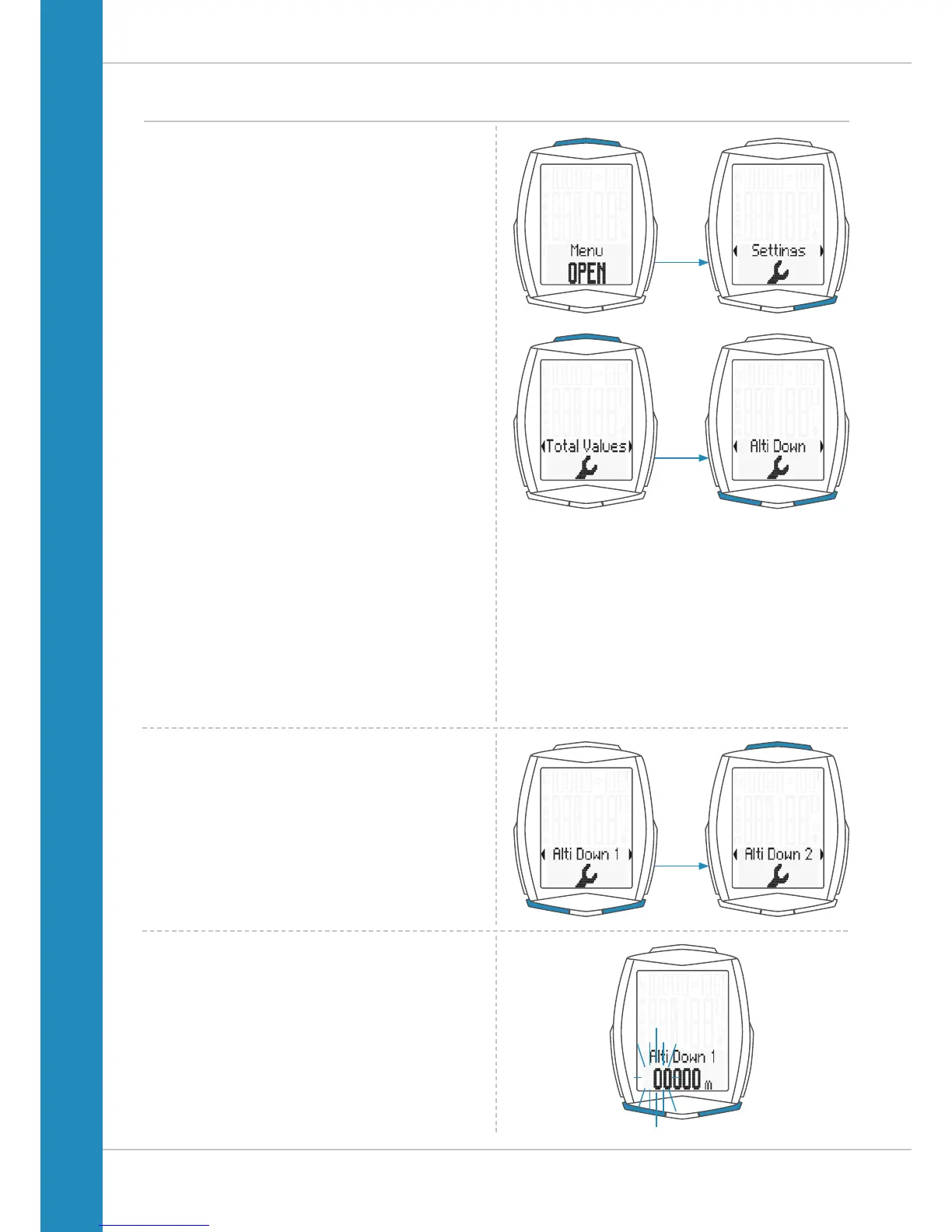
Settings – total values – altitude loss
You can set the altitude loss covered in the M6 at any time.
For example, you can set this value at the start of the next
cycling season. You can set the values separately for bike 1
and bike 2.
ATTENTION: the M6 has a data memory.
No data is lost when the battery is replaced.
How to set the total altitude loss:
Press and hold the SET button until the settings menu
opens.
Press the BIKE button to move from Memory to Settings.
Press the SET button to open the settings.
“Language” appears on the display.
Press the BIKE or TPC button to scroll to the settings
for the total values.
Press the SET button to open the settings.
Press the BIKE or TPC button to scroll to the settings
for Alti Down (altitude loss).
Press the SET button to open the settings.
Now press the BIKE or TPC button to select whether you
want to set the altitude loss for bike 1 or bike 2
.
Press the SET button to open the settings.
The left digit in the settings flashes and is ready to be set.
Press the BIKE or TPC button to set the value of this digit.
Press the SET button to confirm your setting.












 To Next Page