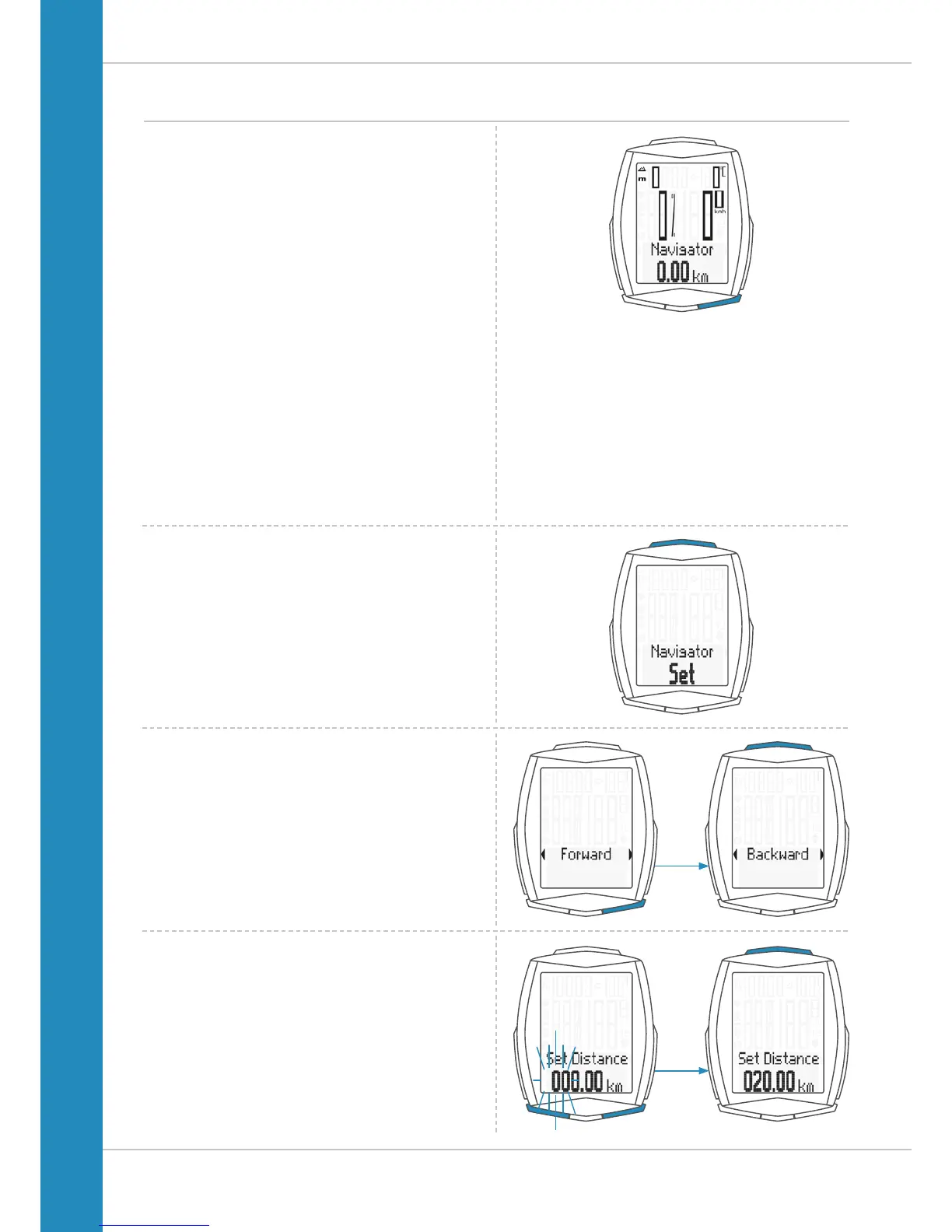
Setting the navigator
The navigator is a second, completely independent
trip distance counter.
The navigator can:
– be reset to zero any number of desired times during a trip
– be set to a distance value
– count forwards or backwards from the set distance value.
How to set the navigator:
Press the BIKE button to display the navigator function.
Once the navigator function is on the display, press
and hold the SET button until the settings menu opens.
First select whether the navigator should count forwards or
backwards from the set value.
Press the BIKE button to make the selection.
Press the SET button to confirm your selection.
The screen for setting the navigator’s distance value is
opened. The first digit on the left flashes.
Press the BIKE or TPC button to change this digit.
Press the SET button to confirm the entry.












 To Next Page