G-6
Part #1169256 09/2008
ALIGNMENT CHECKS
REFRIGERATION AREA CHECK:
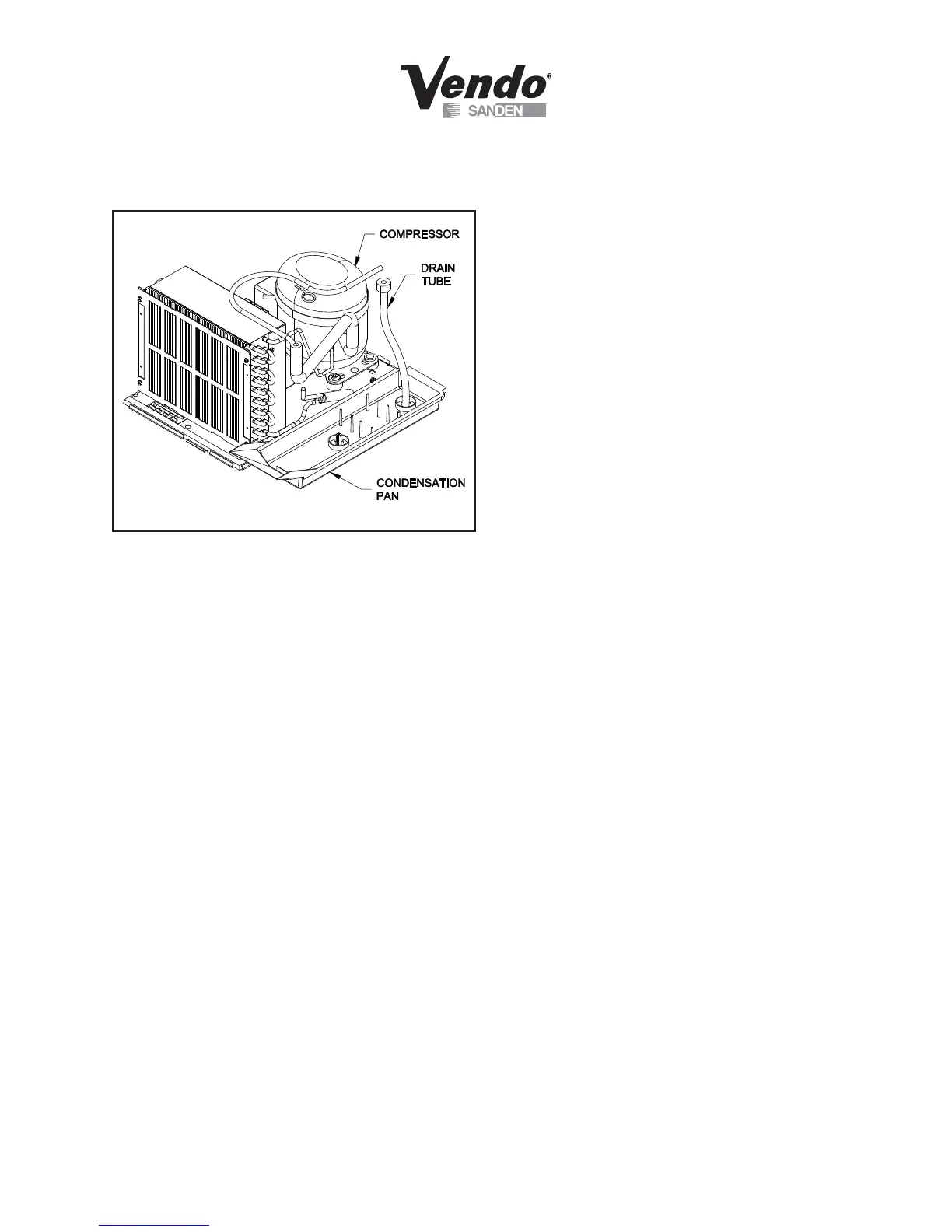
Check the position of the condensation pan (see Figure 5). The correct position of the
pan is on the right hand side of the vendor with the ramp of the pan just outside the
right hand air dam. Be sure the drain tube is attached to the pan and is free of kinks. A
water trap is installed into the condensation pan and will prevent warm, moist air from
reaching the evaporator area.
LOADING INSTRUCTIONS
BASIC LOAD SET-UP (see Figure 6 on next page):
The V21 machine is capable of vending a variety of products. For specifi c information,
refer to the product set-up label on the machine inner door or contact the Technical Ser-
vices Department of the SandenVendo America, Inc. offi ce in your area.
Load product evenly. Product is to be loaded differently depending on the type of
product being vended. Use the directions in Figure 6 in the PRODUCT LOADING
section to determine how to load a specifi c product.
To maintain the integrity of the stack, never move a vending machine when it is loaded.
FIGURE 5



 To Next Page