- 12 -
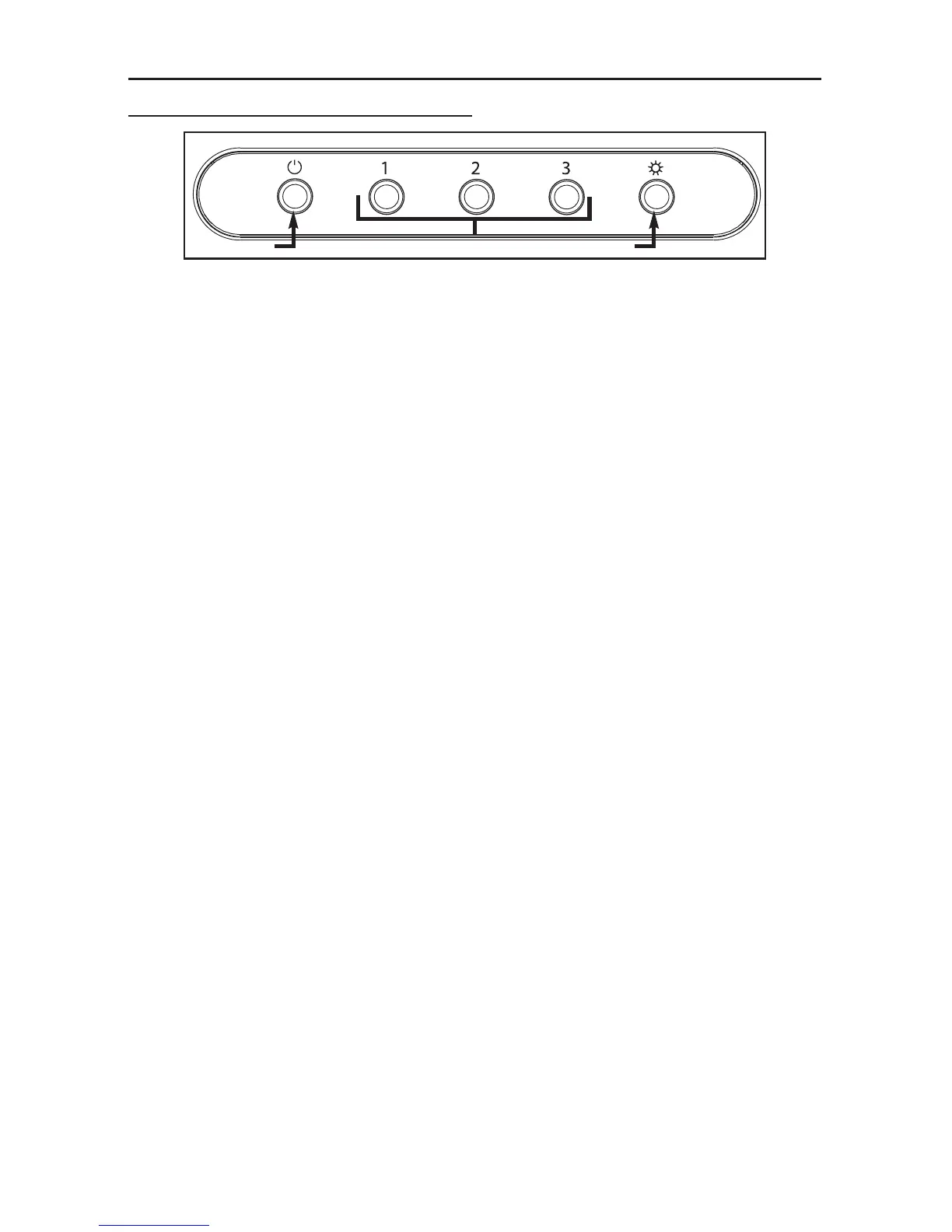
MECHANICAL PUSH-BUTTON CONTROL
A. OFF BLOWER SWITCH:
Press on this switch to stop the blower operation.
B. SPEED BLOWER SWITCHES:
Press on left switch (1) to turn on the blower on low speed, on middle switch (2) to turn on the
blower on medium speed, and on right switch (3) to turn on the blower on high speed.
C. ON/OFF LIGHTING SWITCH:
Press on this switch to turn on the lights, and press again to turn them off.



 To Next Page