13
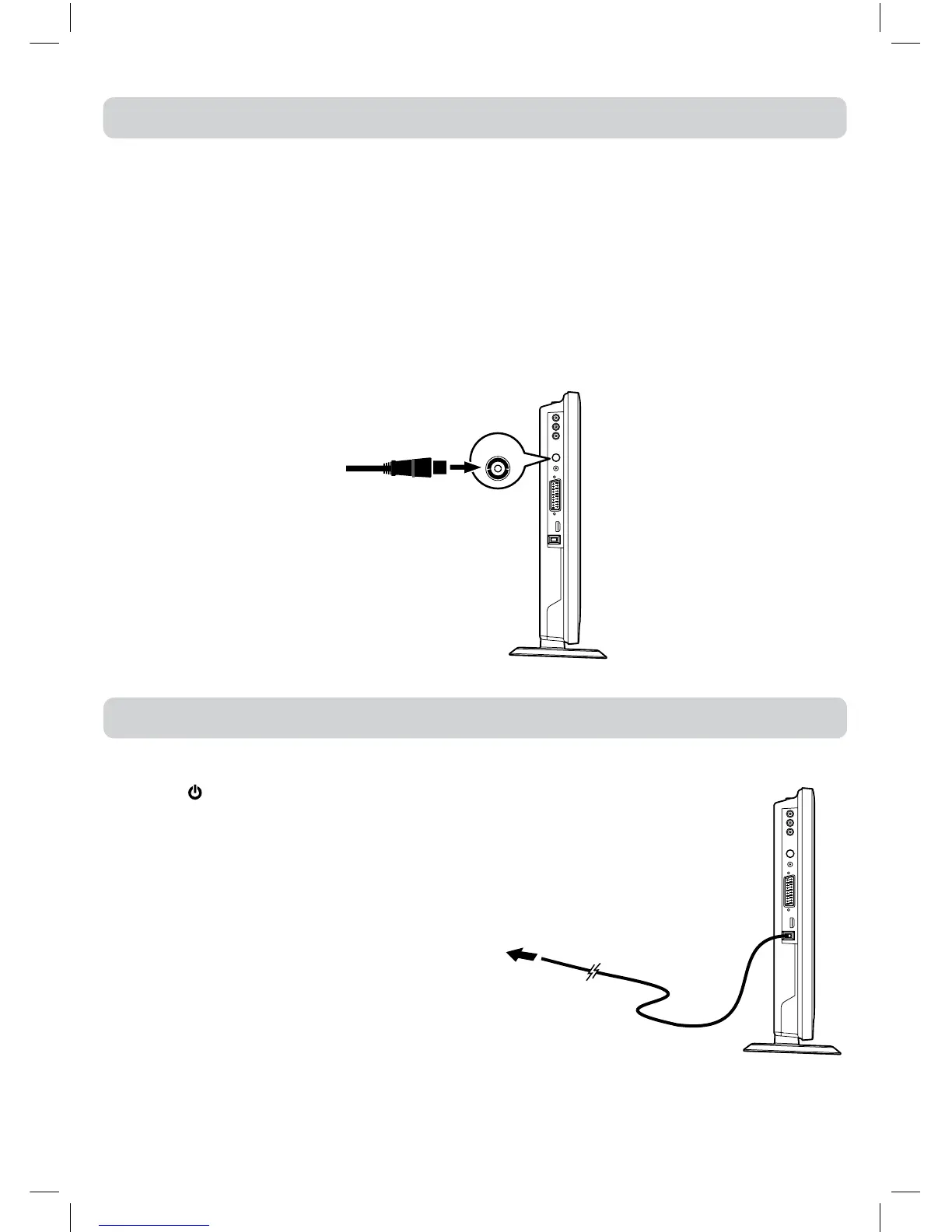
Satellite / Cable RF Out or
TV antenna cable to
TV AERIAL CABLE Terminal
(cable not included)
TV
AERIAL
CONNECTING A TV ANTENNA/CABLE/SATELLITE
Toviewtelevisionchannelscorrectly,asignalmustbereceivedfromoneofthefollowingsources:
-Anindoororoutdooraerialantenna
-RFoutputofacablesystem
-RFoutputofasatellitesystem
Note:
For receivingover-the-airTV broadcasts, we recommend thatyouuse anexternal xed antenna.
Shouldyourequiretheuseofatemporaryantenna,pleaseensurethatyoupurchaseanantennawith
sufcientabilitytoreceiveinweaksignalareas.Onlywhenyouareincloseproximitytoatransmitter
willatemporaryantennareproduceasignalasstronglyasaxedantenna.
•ConnecttheACpowercordintoawalloutlet.
•Pressthe
/Ibuttonontheunitorremotecontrol
toturntheTVon.
Note:
•BesuretheACpowercordisdisconnectedandthe
TVisswitchedoffbeforemakingconnections.
•Makesurethatallthecomponentsareconnected
correctly.
•Whenyouarenotgoingtousetheunitforalong
periodoftime,disconnectthepowercord.
•Themainsplugisusedasthedisconnectingdevice.
It should remain readily accessible and should
not be obstructed during use.To be completely
disconnected from the supply mains, the mains
plugoftheTVshouldbedisconnectedfromthe
mainssocketoutletcompletely.
CONNECTING A TV ANTENNA
CONNECTING A POWER CORD
To wall
outlet


 To Next Page