24
PLAYING A DISC
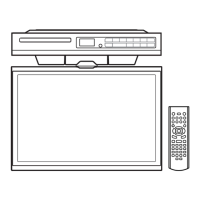
1.Pressthe / Ibuttontoturntheuniton.
2.PresstheFUNCTIONbuttonrepeatedlytoselectDVDmodeordirectlytopressDVD buttonon
theremote.
See CUSTOMISING THE FUNCTION SETTINGS before proceeding to step 3.
3.Pushdownthe
knobtoopenthediscdoor.
4.Holdthediscbyitsedgeandgentlypushitontothespindle,withthelabelsidefacingthefront,
untilyouheara“click”.
5.Pushdiscdoorgentlytocloseit.
Ittakesashortwhileforyourunittoloadthedisc.Afterloading,theunitwillautomaticallyeither
bringyoutothemainmenuofDVD,orstartplayingtheDVD.Iftheunitdoesnotautomatically
startplayingtheDVD,pressthe
PLAY button.
PLAYING A PICTURE FILE DISC
ThisunitcanplaypicturelesrecordedonCD-RandCD-RWdiscs.
1.Pushdownthe
knobtoopenthediscdoor.
2.Holdthediscbyitsedgeandgentlypushitontothespindle,withthelabelsidefacingthefront,
untilyouheara“click”.
3.Push the door gently to close it.The picture les on the disc will be displayed one by one
automatically.
4.Pressthe STOPbuttontogotothefolderlist.
5.Pressthe
or buttontohighlightaletoplay.Pressthe PLAYbuttontostartplayback.
Note:
•Youcanpressthe
PAUSEbuttontointerruptplayback,andpressthe PLAYbuttontoresume
playback.
•Youcanpress or tolistthepreviousornextblockofles.
•Youcanusethenumberedbuttonstoentertheimagenumbertoquicklyselectanyimage.
•PresstheANGLEbuttonontheremotecontroltorotatethepictureby90°.
This instruction manual explains the basic instructions of this unit. Some DVDs are produced with limited
operation during playback. For example, many DVDs do not allow users to skip government warnings, or in
some cases previews or other features. This is not a defect in the unit. Refer to the instruction notes of discs.
“
” may appear on the screen during operation. A “ ” means that the desired operation is not permitted
by the unit or disc.
CD / DVD OPERATION
PAUSING PLAYBACK (STILL MODE)
Pressthe PAUSEbutton.Toresumenormalplayback,pressthe PLAYbutton.Eachtimeyoupress
the PAUSE button,thepictureadvancesoneframeonDVD.
STOPPING PLAYBACK
Pressthe STOPbuttonatthelocationwhereyouwanttointerruptplayback.Toresumeplaybackat
thepositionwherethediscwasstopped,pressthe
PLAYbutton.
Ifyoupressthe
STOPbuttontwice,theunit’smemorywillbeclearedandpressingthe PLAY
buttonwillresetthedisctothebeginning.
SKIPPING TO A DIFFERENT TRACK
•Pressthe PREVbuttontogobacktoprevioustitles/chapters/tracks.
•Pressthe
NEXTbuttontoadvancetitles/chapters/tracks.
•ForanaudioCD,usethenumberbuttonsontheremotecontroltogodirectlytothedesiredtrack
numberandpress
PLAY.



 To Next Page