17
ANALOGUE TV / DTV SETUP
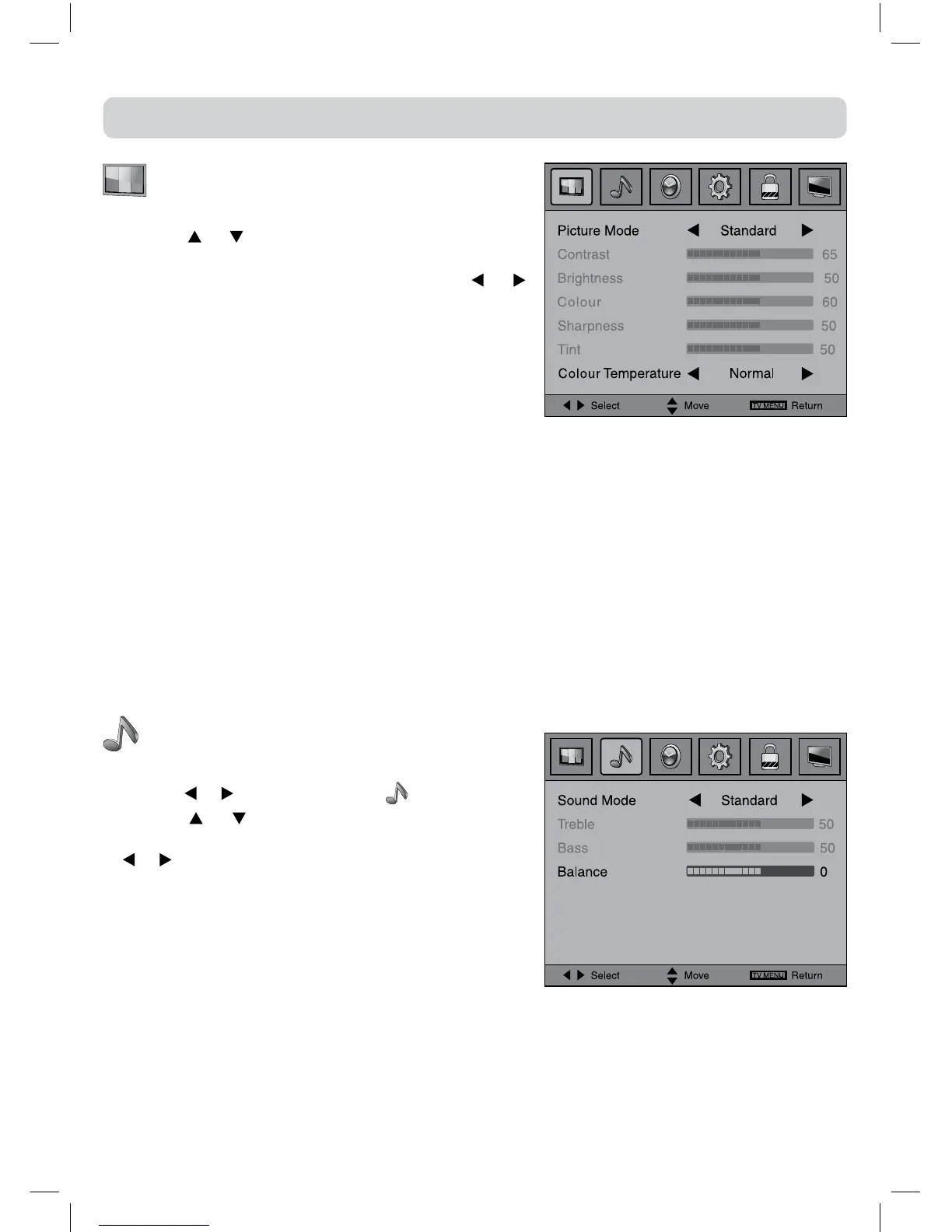
PICTURE MENU
1.PresstheTV MENUbutton.
2.Usethe or buttontoselecttheoptions(Picture
Mode, Contrast, Brightness, Colour, Sharpness, Tint,
Colour Temperature), adjust them using the or
button.Theadjustmentsonlyworkin'personal'mode.
TintonlyworksforNTSCvideo.
3.PresstheTV MENUbuttontoreturntopreviousmenu.
4.Toexitthesetupmenuandreturntothenormalscreen,
presstheEXITbutton.
• PictureMode:Selectfromfourpresetscreendisplay
settings(Standard,Soft,DynamicandMovie),orselectPersonalinwhichyourownsettingsof
Contrast,Brightness,ColourandSharpnessarestored.
• Contrast:Adjustthecontrastofthepicture.Theblackportionsofthepicturebecomericherin
darknessandthewhitebecomebrighter.
• Brightness:Adjustthebrightnessofthepicture.
• Colour:Adjustthecolourofthepicture.
• Sharpness:Adjustthesharpnessleveltoimprovedetailinthepicture.
• Tint(only for AV mode with NTSC signal) :Adjustthetintofthepicture.
• Colour Temperature : Select the colour temperature of the picture. Select Normal (balanced)/
Warm(redwhite)/Cool(bluewhite)mode.
Note:
YoucanalsoselectPictureModesimplybypressingthePICTURE buttonontheremotecontrol.
SOUND MENU
1.PresstheTV MENUbutton.
2.Usethe
or buttontoselectthe .
3.Use the
or button to select the options (Sound
Mode, Treble, Bass, Balance),adjustthemusingthe
or button.
4.PresstheTV MENUbuttontoreturntopreviousmenu.
5.To exit the setup menu and return to the normal
screen,presstheEXITbutton.
Experiment with different sound settings until you find
the settings you prefer.
• SoundMode:Selectfromfourpresetsoundsettings
(Standard,Music,TheatreandVoice),orselectPersonalinwhichyourownsettingsofTreble,
BassandBalancearestored.
• Treble:Adjustthetreblerange.
• Bass:Adjustthebassrange.
• Balance:Adjustthebalanceleveltowardtheleftorrightspeakers.
Note:
YoucanalsoselectSoundModesimplybypressingtheSOUNDbuttonontheremotecontrol.



 To Next Page