How to Navigate Menus
Before using the TV follow the steps below to learn how to navigate the menu in order to select and
adjust different functions. The access step may differ depending on the selected menu.
1. Press the MENU button to display the main menu.
2. Press the / button to cycle through the main menu.
3. Press the / button to select the desired sub item.
4. Press the OK button to access the submenu.
5. Press the / / / button to select the desired value. The adjustment in the OSD may differ
depending on the selected menu.
6. Press the MENU button to return to the previous menu.
7. Press the EXIT button exit from the menu.
Auto Tuning
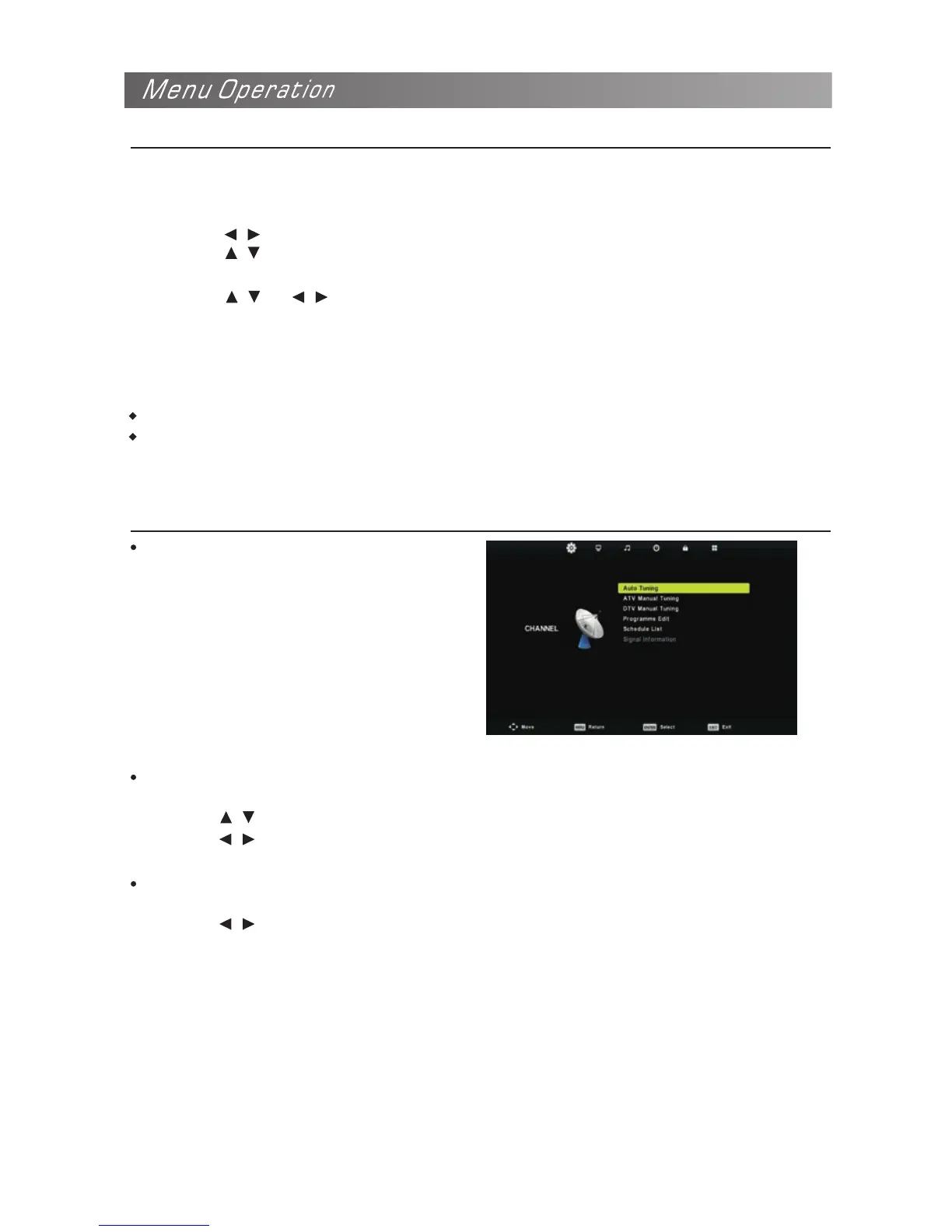
Configuring the Channel Menu
Select the OK button to start Auto Tuning.
1. Select the country and tune type for
channels.
2. The TV will begin memorizing all of the
available channels. Once the progress
bar is full, the found channels will be
stored and the unit will proceed to the
search for TV, DTV, Radio and Data.
If you press the MENU button in TV
searching, the Auto Tuning will skip to DTV searching as the above picture shows.
NOTE
When an item in MENU is displayed grey, it means that the item is not available or cannot be adjusted.
Buttons on the TV have the same function as corresponding buttons on the remote control. If your
remote control is lost or couldn’t work, you may use the buttons on the TV to select menus. This manual
focuses on operation of the remote control.
ATV Manual Tuning
Manual store for ATV channels.
Press the / button to select items.
Press the / button to adjust it.
Press the EXIT to exit.
DTV Manual Tuning
Manual store for digital channels.
Press the / button to select channel.
Press the OK button to search.
Press the EXIT button to exit.


 To Next Page