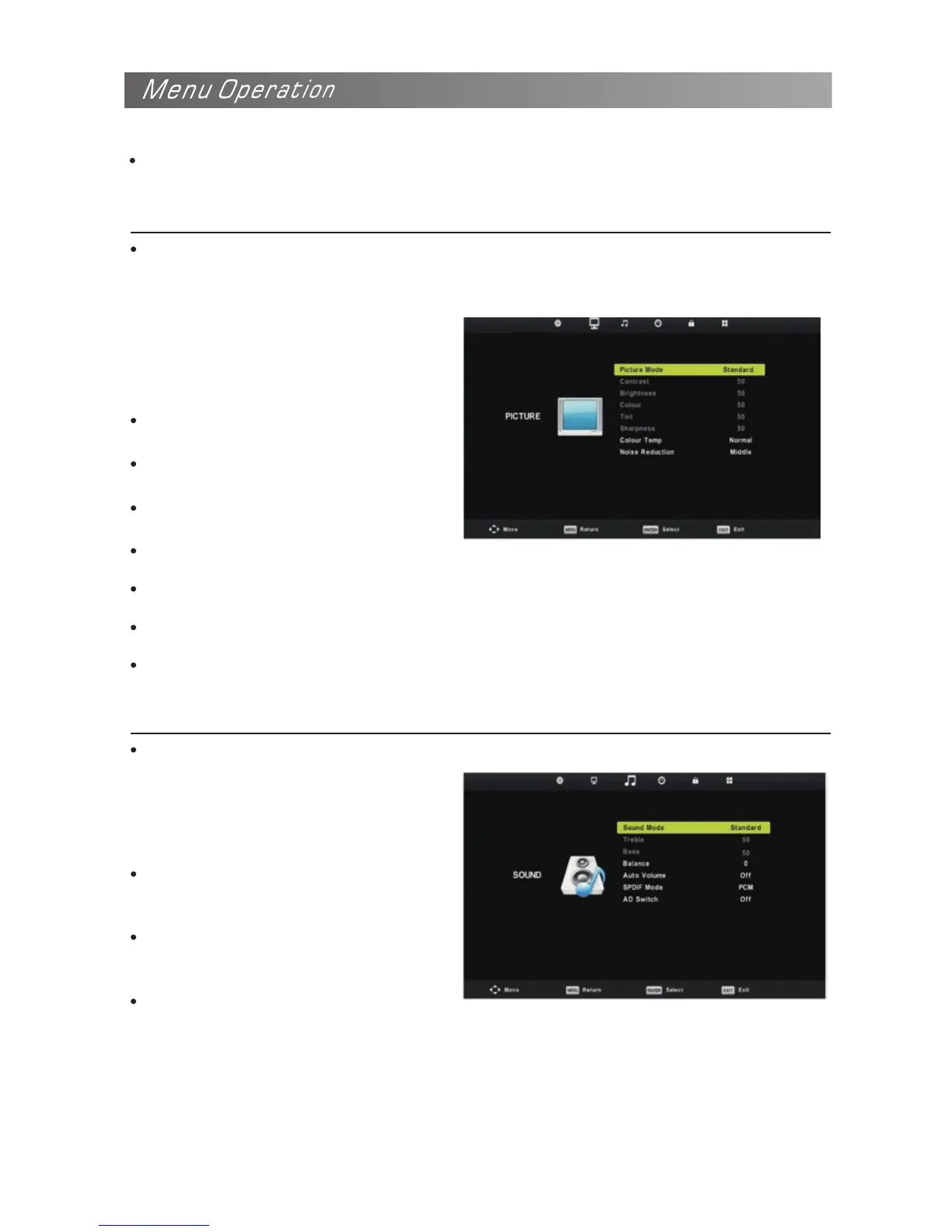
Configuring the Picture Menu
Picture Mode
You can select the type of picture
which best corresponds to your
viewing requirements.
You can change the value of
Contrast, Brightness, Colour, Tint
and sharpness when the picture is in
Personal mode.
Signal Information(In DTV mode)
Display the current Signal Information.
Contrast
To adjust the picture’s contrast.
Brightness
To adjust the picture’s brightness.
Colour
Adjust intensity of all colours.
Tint(only in the NTSC mode)
To adjust the tint of the picture.
Sharpness
To adjust the picture’s sharpness.
Colour Temp
Select the colour temperature of the picture.
Noise Reduction
Reduces screen noise without compromising video quality.
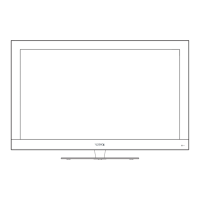
Sound Mode
Configuring the Sound Menu
You can select a sound mode to suit
your personal preferences.
You can change the value of Treble and
Bass when the sound is in Personal
mode.
Treble
To adjust the accompanying sound’s
treble.
Bass
To adjust the accompanying sound’s
bass.
Balance
You can adjust the sound balance of the speakers to preferred levels.


 To Next Page