Auto Volume
Press / button to select Auto Volume, then press OK button to select On or Off. This item
used for reducing the difference between channel and program’s volume automatically. It made
the overall level to be even. This function will also reduce the fluctuation of the sound.
Clock
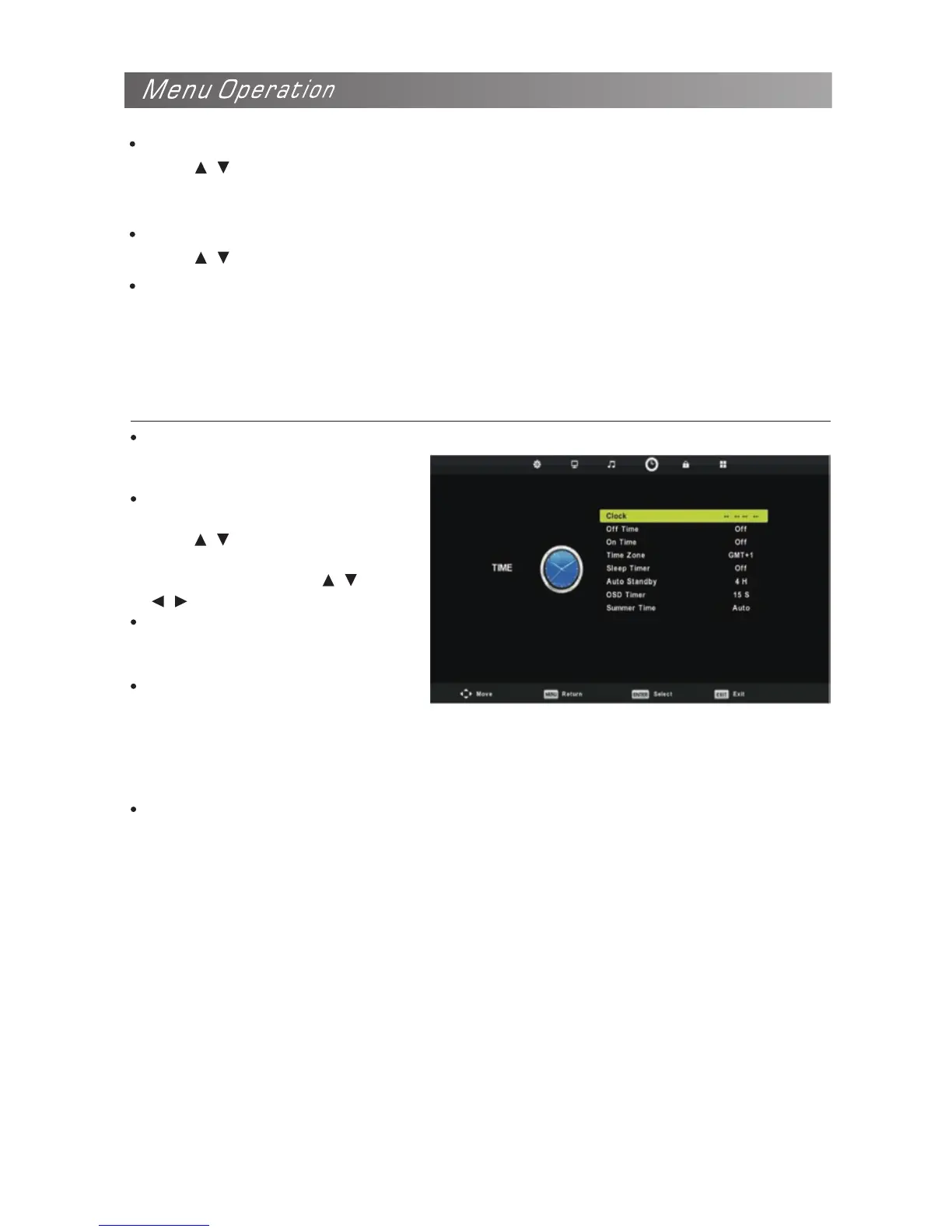
Configuring the Time Menu
Display the System time Recieved
from DTV signal stream.
Time Zone
Select your time zone.
Press / button to select.
Time Zone, then press OK button
to enter sub-menu. Press / /
SPDIF Mode
Press / button to select SPDIF Mode, then press OK button to select Auto. Off or PCM.
AD Switch(In DTV mode)
This is an auxiliary audio function that provides an additional audio track for visually challenged
persons. This function handles the Audio Stream for the AD(Audio Description),when it is sent
along with the main audio from the broadcaster. Users can turn the Audio Description On or Off
and control the volume.
/ button to select time zone.
Sleep Timer
Select the time to turn the TV to
standby mode automatically.
Auto Standby
Select the Auto Standby time you
want. The TV will enter into standby
mode automatically when there is no
any operation in set time (the set time
is 4 hours when leave the factory).
OSD Timer
Select On Screen Menu displaying time.
NOTE:
The Clock will change with the area which you have selected in the Time Zone.


 To Next Page