Signal Information(In DTV mode)
Display the current Signal Information.
Program Edit
Press the / button select items.
Press the red button to deleted the channel.
Press the green button to rename the channel.(In ATV mode)
Press the yellow button to move the channel.(Except DTV channels with LCN)
Press the blue button to skip the channel.
Press the FAV button to set the favorite channel.
The CH+/CH- button can be used to select the following or preceding page.
Schedule List
Press the / button select Schedule List, then press OK button to enter sub-menu.
It is available under DTV source .
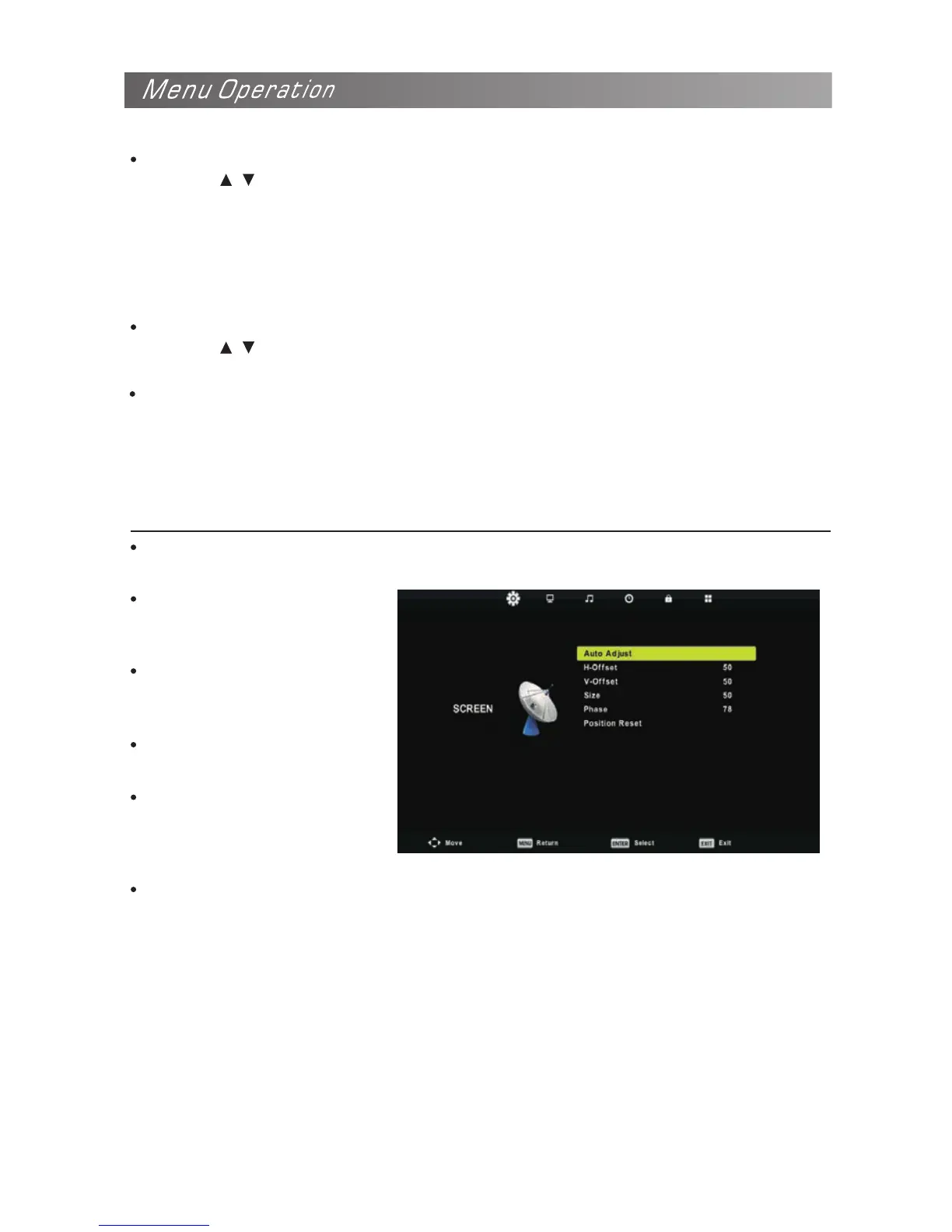
Auto Adjust
Adjust the image automatically.
Configuring the Screen Menu(In PC mode)
H-Offset
Centre the image by moving it
left or right.
V-Offset
Centre the image by moving it
up or down.
Size
Adjust the screen size.
Phase
Adjust when characters have
low contrast or when the image
fickers.
Position Reset
Resetting the Screen settings to the defaults.


 To Next Page