9
Operations & Maintenance Manual: Introduction
0900-5165 REV-00
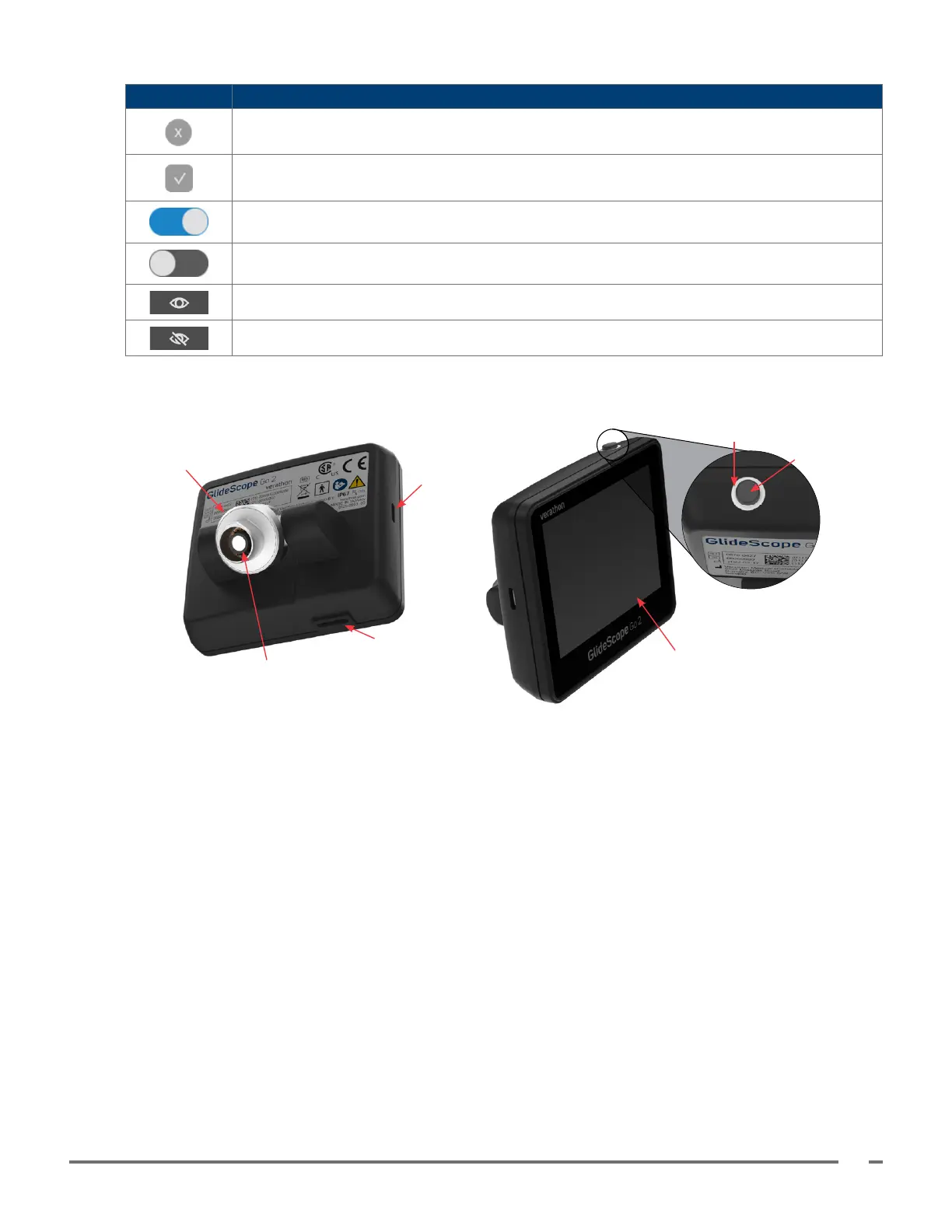
BUTTON FUNCTION
Cancel: Closes the current window or message, canceling any setting change that was in
progress.
Save or Conrm: Saves and closes the current setting or acknowledges and closes a
message.
Toggle (on): Indicates the associated setting is turned on.
Toggle (o): Indicates the associated setting is turned o.
Display text: Shows secure text while typing
Hide text: Hides secure text while typing
Figure 2. Go 2 Monitor
Connector arm
Blade/baton connector
LCD touch screen
Charger contacts
Indicator LED ring
Power button
USB Type-C data
and charging port













 To Next Page