10
0900-5165 REV-00
System Features
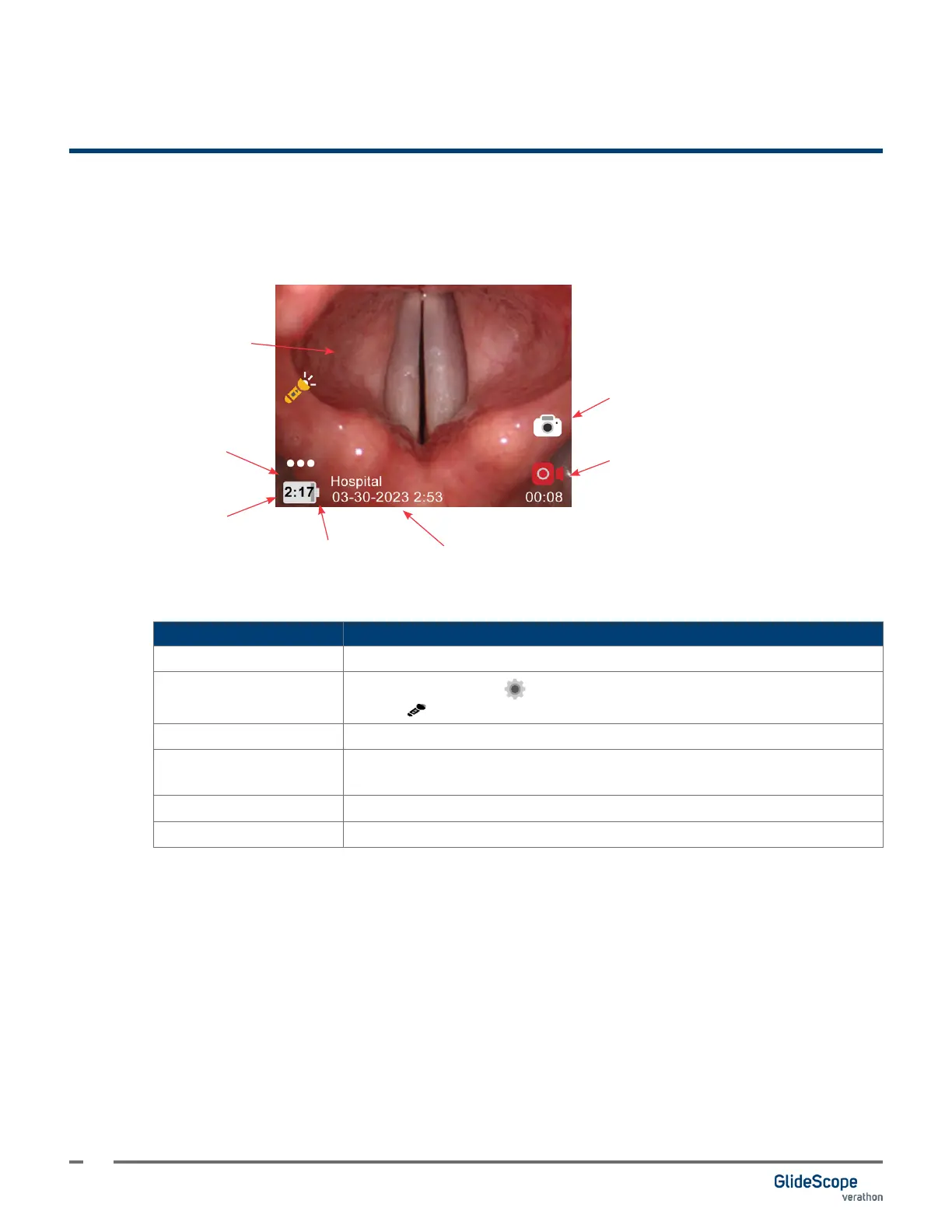
Home Screen
The Home screen displays system information and provides access to options and menus.
Snapshot
More
Video feed
Charge icon
Device information
Battery level indicator.
Record video
Table 4. Home Screen
FEATURE FUNCTION
Video feed Displays the video feed from the attached camera.
More
Contains the Settings button and, when available, the Dynamic Light
Control button.
Battery level indicator Displays the battery level and estimated time remaining.
Device information
Displays the device name, date, and time overlay. This information is
included on snapshots and video recordings.
Record video Start and stops video recording.
Snapshot Takes a photo of the video feed.













 To Next Page