12
0900-5165 REV-00
Procedure 2. Charge the Battery
Please read the Warnings & Cautions section before performing the following tasks.
The GlideScope Go 2 monitor includes an internal lithium battery. Verathon recommends that you charge
the battery fully prior to rst use.
Under normal operating conditions, a fully charged battery lasts approximately 100 minutes before it needs
to be recharged. For optimal battery life, ensure that the battery is fully charged before you use the monitor.
You should charge the battery at temperatures between 10 and 40°C (50 and 104°F).
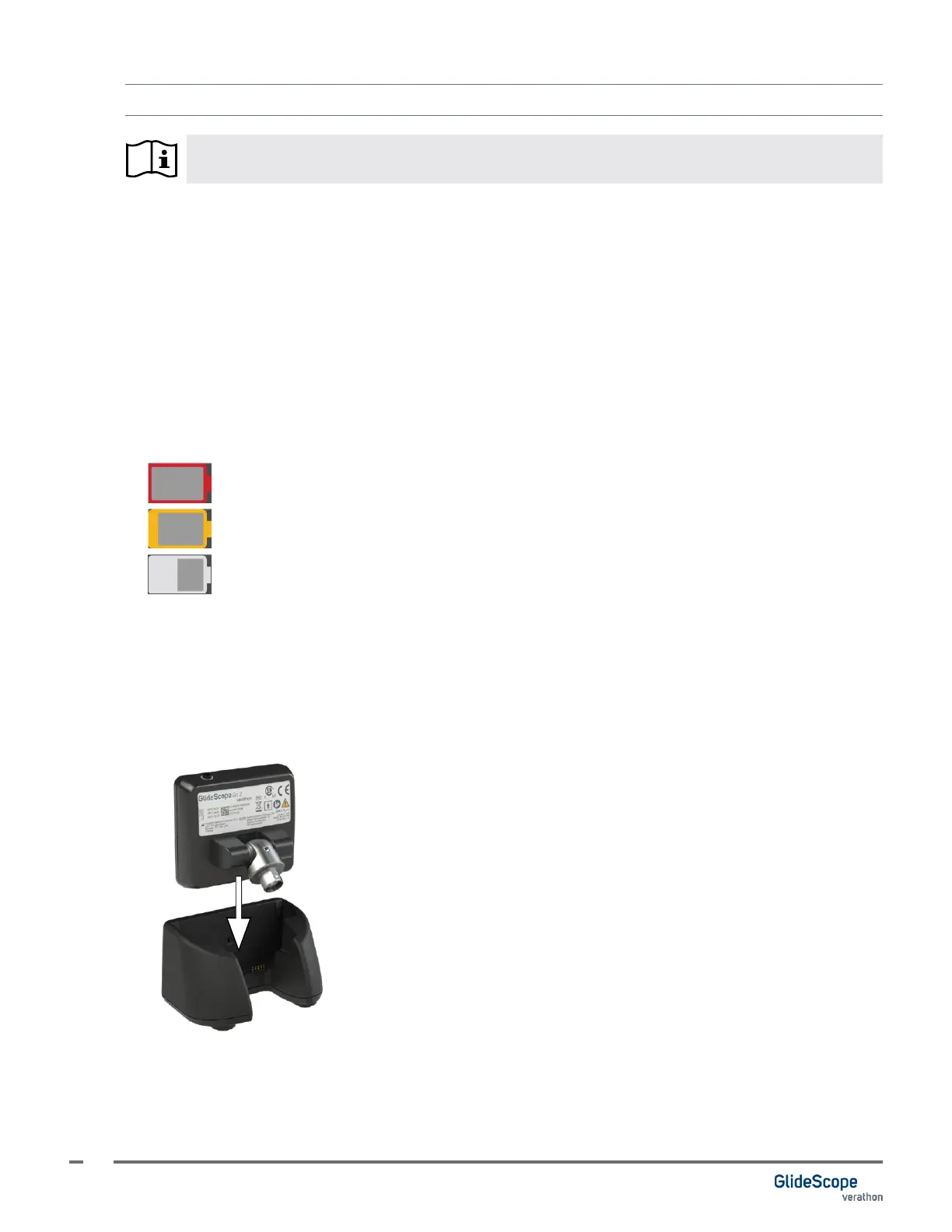
An estimate of the time remaining is shown on the battery icon. As the battery is depleted, the battery status
bar shrinks, changing color at certain levels.
For more about the battery and charging conditions, see Battery Specications on page 32.
Figure 3. Battery Status Icons
0:09
Red battery: Less than 10 minutes of battery life remaining.
0:24
Gold battery: 11 to 25 minutes of battery life remaining.
1:00
Gray battery: More than 26 minutes of battery life remaining.
1. If charging directly from the USB-C port, ensure the port on the monitor is dry, and then connect a
Verathon approved power adapter to the USB-C port on the monitor.
Note: Using an unapproved power adapter may not charge the battery correctly. Please replace the
unapproved power adapter with the power adapter provided with the system.
If charging with the charging cradle, ensure the cradle’s power adapter is connected to a hospital-grade
power outlet, and then place the monitor in the cradle.













 To Next Page