8
0900-5165 REV-00
Buttons, Icons, & Connections
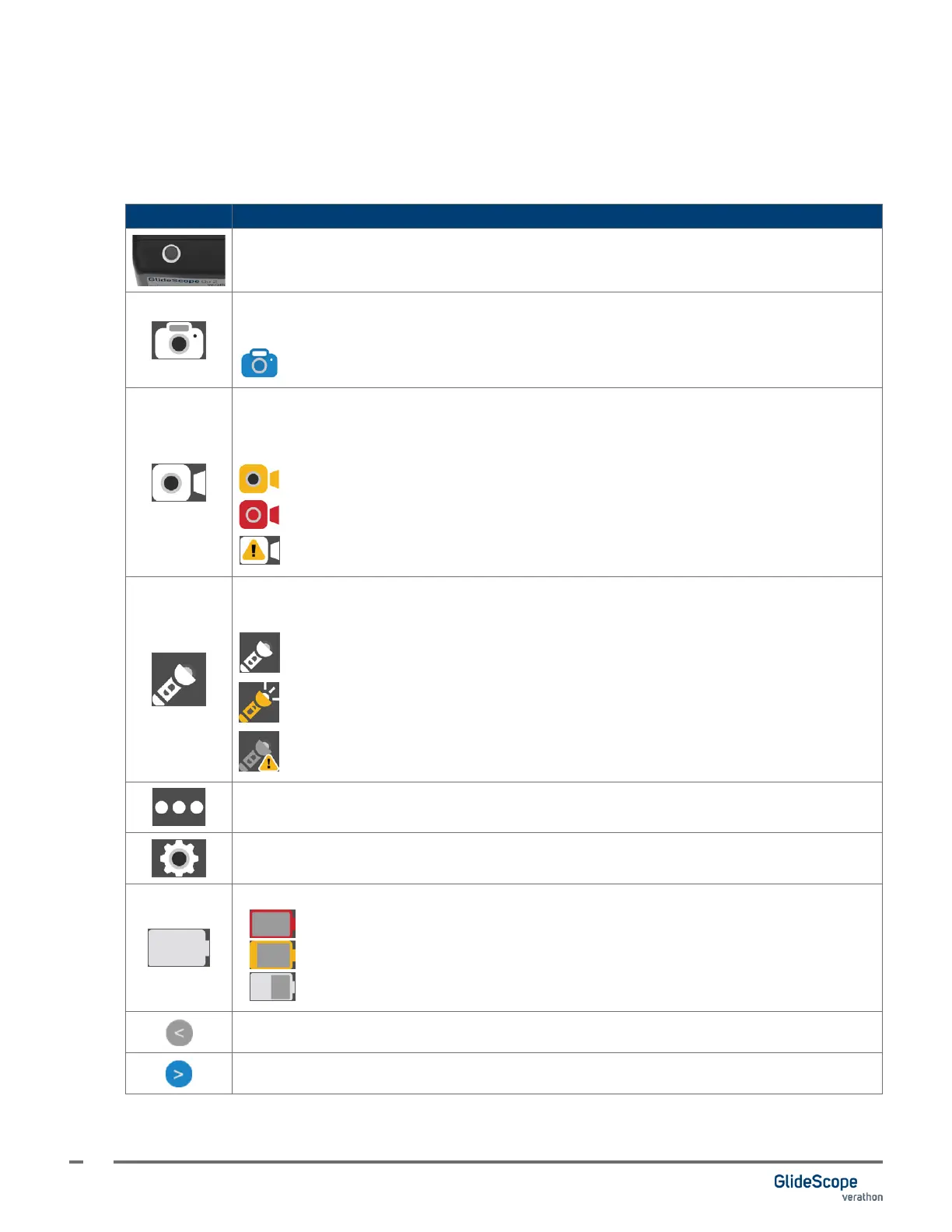
The following tables provide general information regarding the buttons and icons on the monitor.
Table 3. Monitor Buttons and Icons
BUTTON FUNCTION
Power: This is a physical button located on the top of the monitor.
Snapshot: Takes a photo of the video feed. While the photo is being saved, the icon
changes to the following icon:
Saving snapshot. Icon returns to standard Snapshot icon when complete.
Record (toggle): Records the video feed.
While recording, and depending on the recording status and mode, the record button’s icon
changes to one of the following:
Waiting for system. This can take up to 5 seconds.
Video is recording. Tap to end recording.
A recording error has occurred.
Dynamic Light Control (DLC): Toggles the DLC feature. Only displays when the attached
blade supports DLC.
DLC O: Dynamic Light Control is turned o.
DLC On: Dynamic Light Control is turned on.
DLC Error: An error occurred while setting the Dynamic Light Control.
More: Contains the Settings menu icon and DLC icon.
Settings: Opens the Settings menu.
2:00
Battery Status: Indicates the remaining battery power and the estimated time remaining.
0:09
Red battery: Less than 10 minutes of battery life remaining.
0:24
Gold battery: 11 to 25 minutes of battery life remaining.
1:00
Gray battery: More than 26 minutes of battery life remaining.
Back: Returns to the previous screen.
Forward: Moves to the next screen or setting.













 To Next Page