17
Operations & Maintenance Manual: Setting Up
0900-5165 REV-00
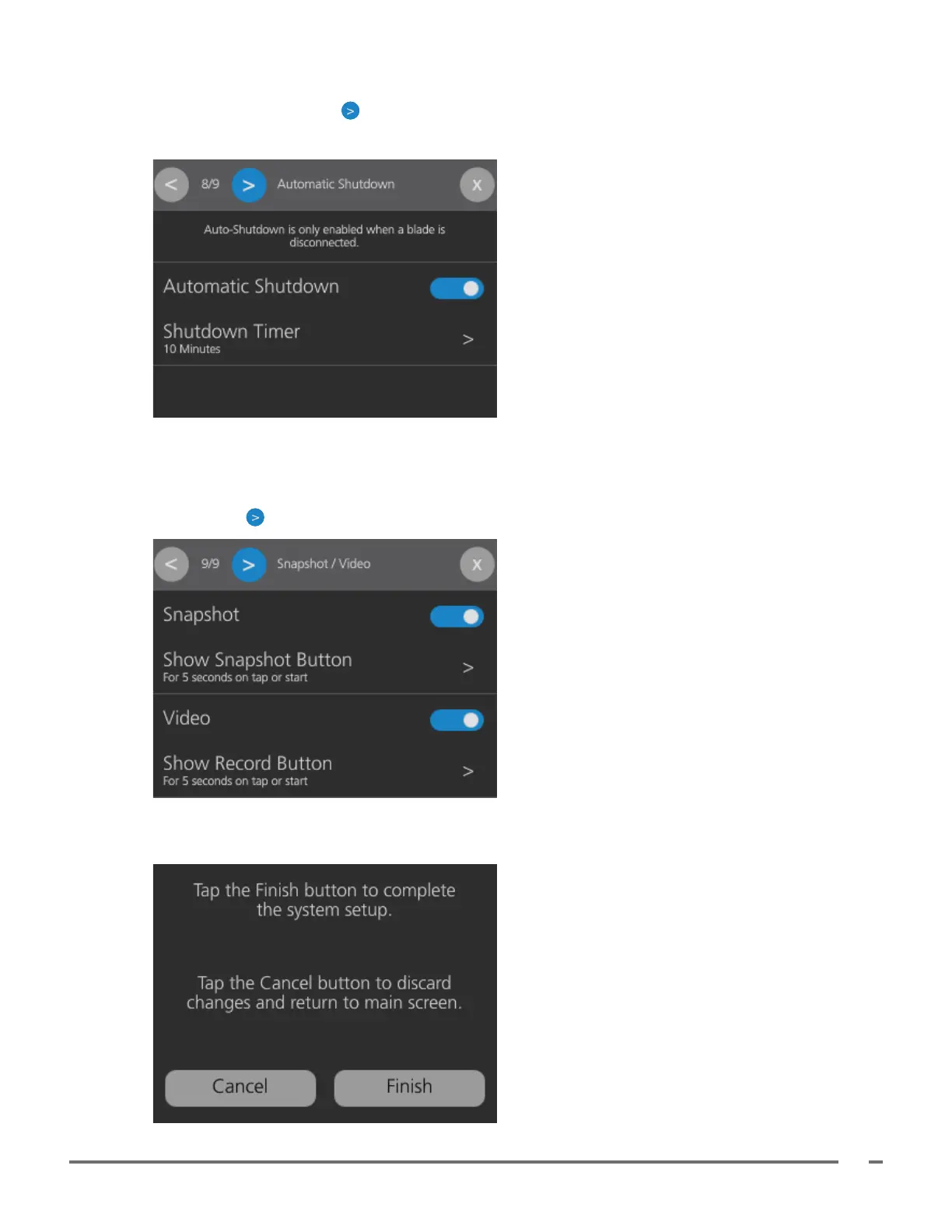
9. Tap the toggle to set the Automatic Shutdown preference. Tap Shutdown Timer to select the timer
duration. Tap the Forward button to continue.
Note: Automatic Shutdown is only active when the monitor does not have a blade attached.
10. Tap the toggles to set the Snapshot and Video preferences. When these toggles are on, the Snapshot
or Video buttons are displayed on the main window. Each setting has the option to display its button for
5 seconds when the screen is tapped or when the monitor is turned on, or to display it continuously. Tap
the Forward button to continue.
11. Tap Finish to save all settings and close the Setup Wizard or tap Cancel to discard all changes and
return to the main screen.













 To Next Page