4.6. ‘Engineers Mode’ Instructions
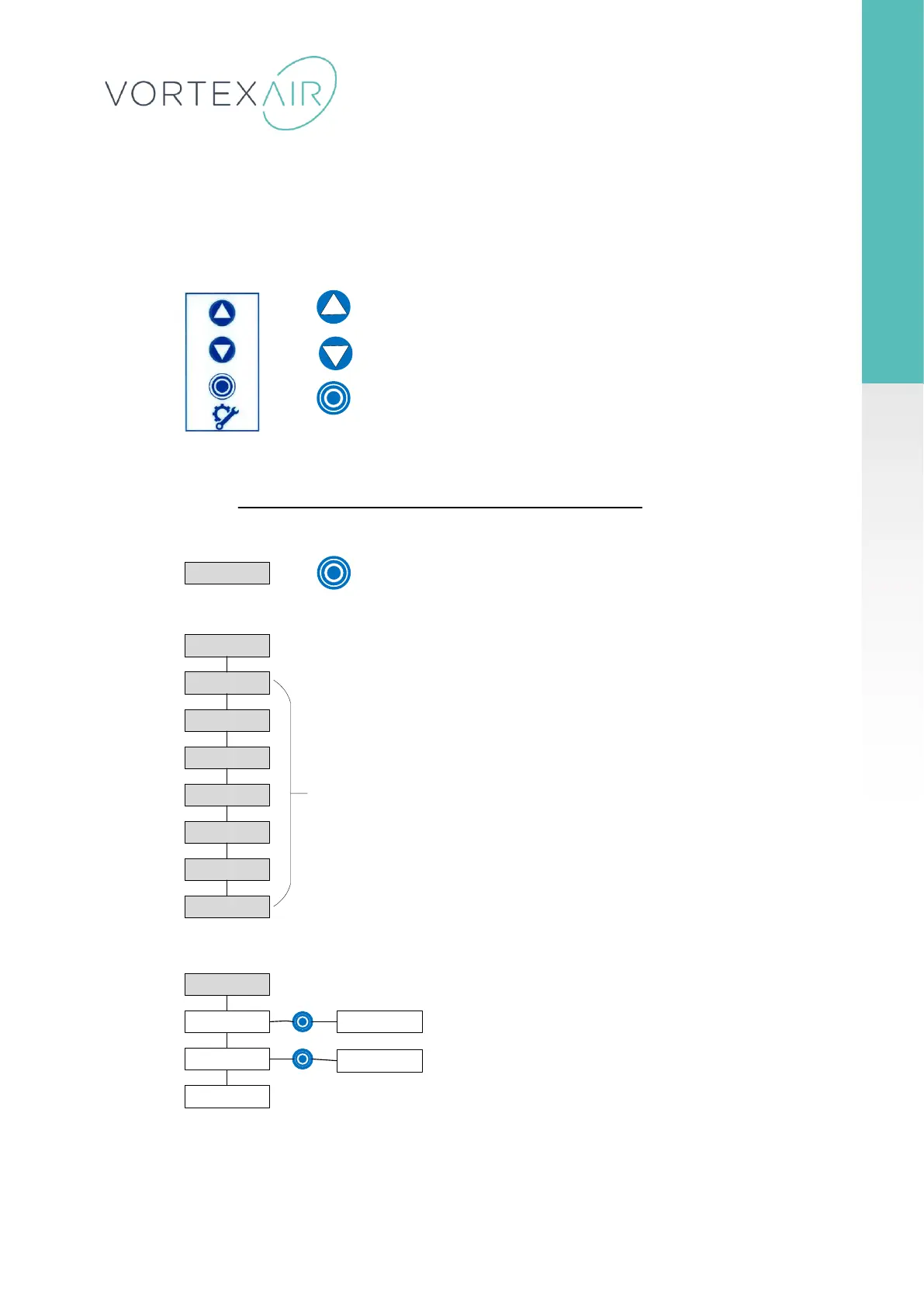
To access ‘ENGINEERS MODE’. Press and hold the blue button on the engineering membrane panel (below) for 5 seconds.
The engineers mode message should flash on the LCD display if done correctly.
Press & hold Enter button for 5 seconds to enter engineer s menu
Set time & date
Cycle settings
Comms Settings
Prime Pumps
Serial Number
Set language
Error Report
Save & Exit
Set time & date
Set time
Set Date
Back
Set Time HR:MM
00:00
Use up/down button to set hours. Press
enter then up/down to enter minutes.
Set Date D/M/Y
Use up/down button to select Day. Press
enter to set. Repeat for month & year.
Up – press to move up within menu items list
Down – press to move down within menu items list
Enter – press to select engineers mode or select menu items
Engineers
membrane panel
Use up/down button to navigate to required
menu item. Press enter to select sub menu.
Engineer Mode
NB- Not currently used



 To Next Page