EXS
User Manual 10H52260UM60 - Rev. 1 - 10/2017 59
5.6 Automatic Restart
In the event of a mains power failure, the UPS draws power from the battery in order to supply the load until the
batteries are discharged, at which point the UPS will shut down.
The UPS will restart automatically and resume supplying power to the load:
Once the mains power supply is restored.
If the UPS Auto Restart function is enabled.
After the Auto Restart delay has expired (default: 10s). During the Auto Restart delay, the UPS will charge the
ba
ttery in order to provide a safety margin for equipment shut-down if input power fails again.
If the Auto Restart function is disabled, you can restart the UPS manually by pressing the power button.
5.7 Language Selection
The LCD menus are available in two languages: Chinese, English.
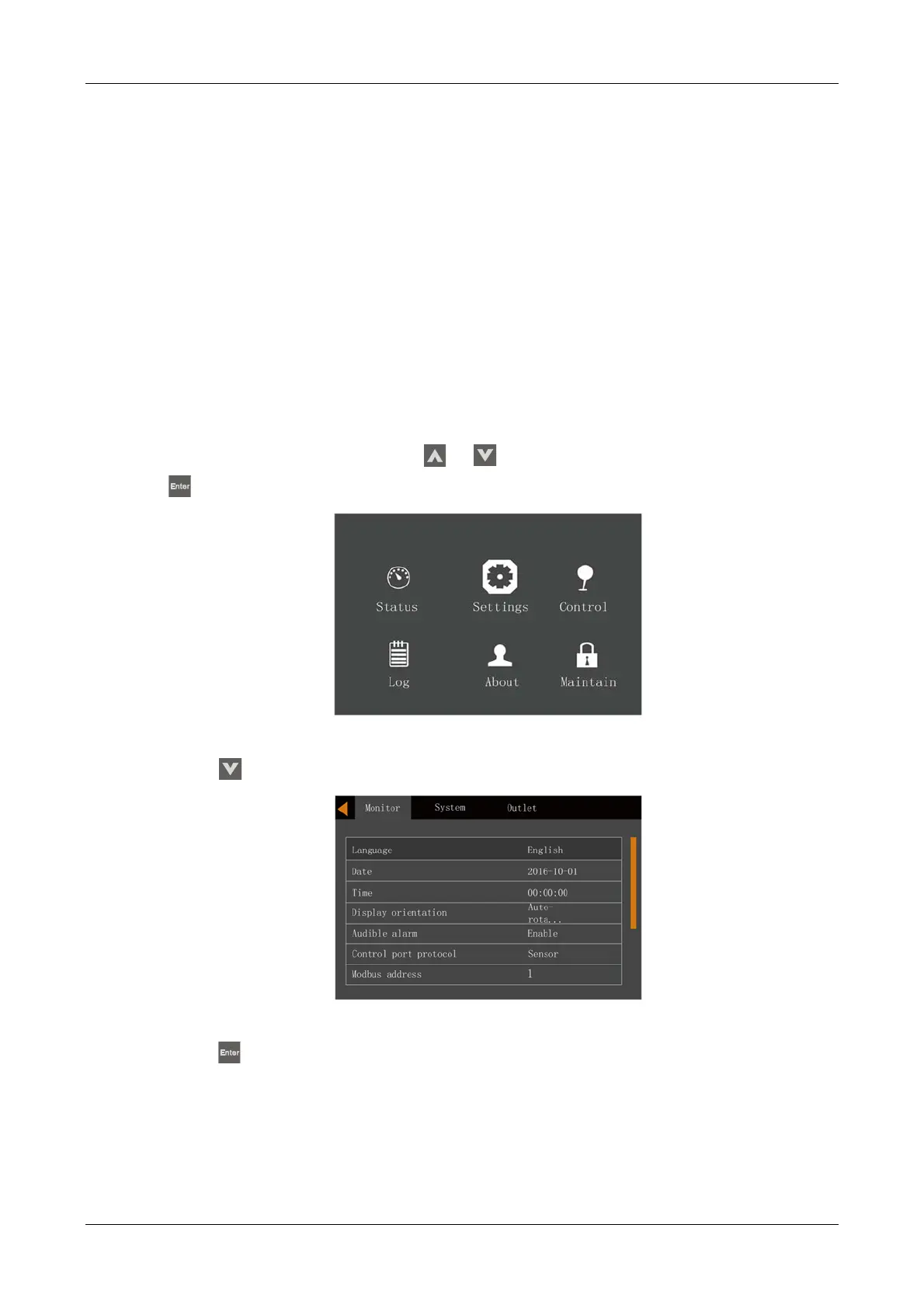
Language selection procedure:
1.
Access the main menu screen and press the or
key to switch the cursor to select 'Settings', then press
the key to confirm. See Figure 5-14.
Figure 5-14 Main menu
2. Press the key to move the cursor to 'Monitor', see Figure 5-15.
Figure 5-15 Monitor interface
3. Press the key to highlight the language, see Figure 5-16.










 To Next Page