EXS
User Manual 10H52260UM60 - Rev. 1 - 10/2017 71
2. Make sure that all the safety devices are present, in good condition and that they function correctly, and make sure that the
battery management parameter settings are correct
3. Measure and log the air temperature in the battery room.
4. Check to the battery terminals for damage or signs of heating, and that the battery enclosure and terminal shields are
intact.
For details, refer to 9.2 .
6.10 Disconnecting or Connecting Internal Battery Terminals
Warning
1. If you need to service the UPS, please be sure to disconnect cable connections between the UPS and batteries. Failure to
observe this condition may result in electric shock or battery arc risk.
2. Batteries may only be service by qualified personnel and the appropriate protective equipment and clothing must be used
at all times.
When the UPS has been fully shut down, if it is equipped with internal batteries the internal battery terminals will
remain live because there is no switch between the UPS and its internal batteries.
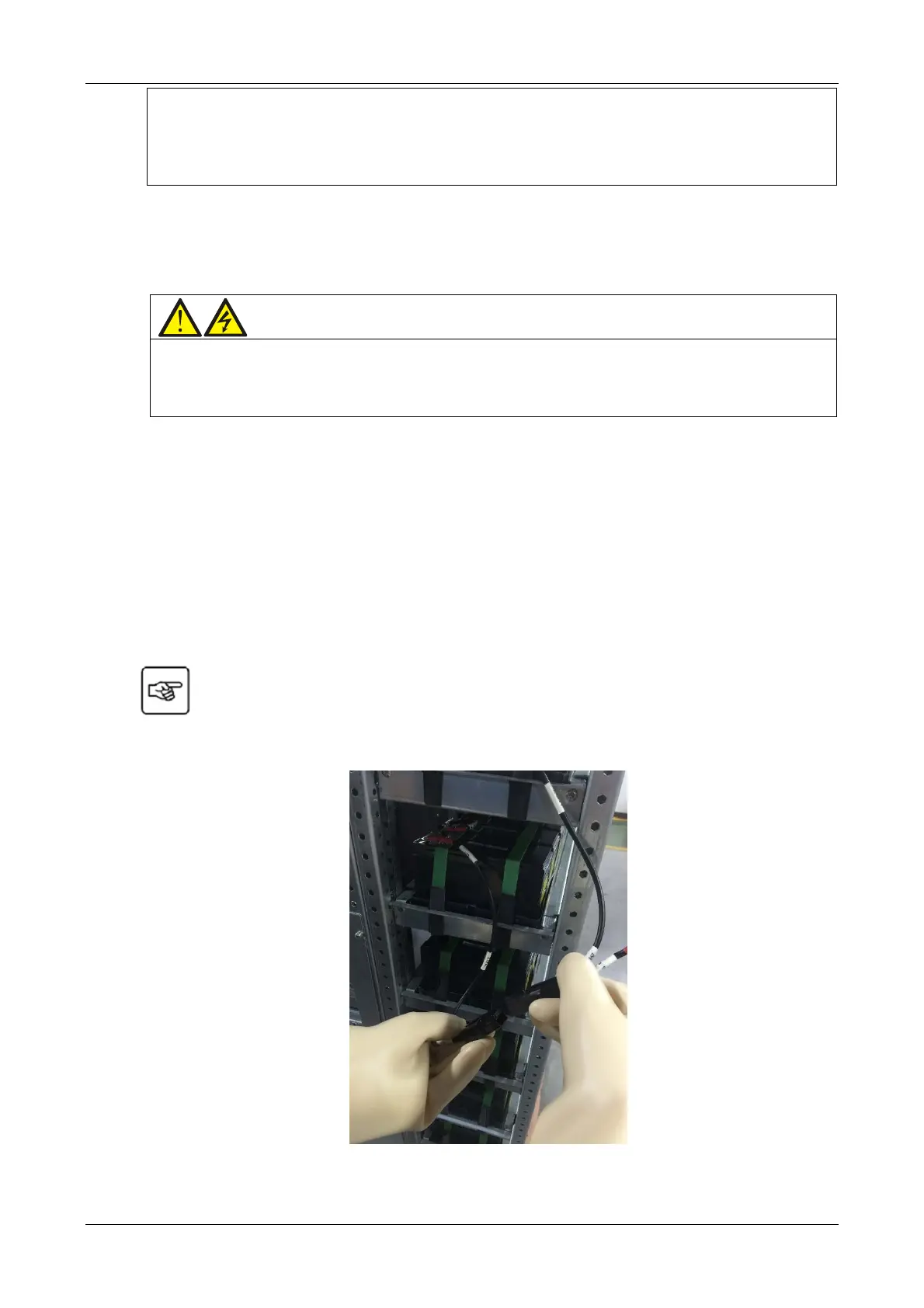
Use the appropriate tools to open the front cover of the battery compartment, and then disconnect the connection
between the UPS and its internal batteries. Refer to Figure 8-1 and Figure 8-3 for details. Wear arc protective gloves
and arc protective clothing when disconnecting the cabinet battery terminals and internal battery terminals. To
disconnect the internal batteries in the standard UPS, simply open the connection terminals between W101 and
W107, W102 and W106, W103 and W108; to disconnect the internal batteries in the UPS with side cabinet, simply
open the connection terminals between W101 and W107, W102 and W106, W103 and W108 first, and then open the
connection terminals between W201 and W207, W202 and W206, W203 and W208. Refer to Figure 6-2 for
instructions on disconnecting the terminals.
Once the above operations are complete, the UPS is no longer connected to its internal batteries. At
this point it is safe to carry out maintenance work on the UPS since the battery terminals are completely de-
energized.
Figure 6-2 Schematic diagram for disconnecting internal battery terminals










 To Next Page