EXS
88 User Manual 10H52260UM60 - Rev. 1 - 10/2017
1. Shut down the UPS completely.
a) Disconnect the load
b) Re
fer to 5.6.1 Procedures For Completely Shutting Down the UPS for single UPS module shut down, and 7.3.5 fo
r
par
allel system shut down.
c) All the LCDS are off, wait five minutes for the internal UPS DC bus capacitors to discharge fully
.
2
.
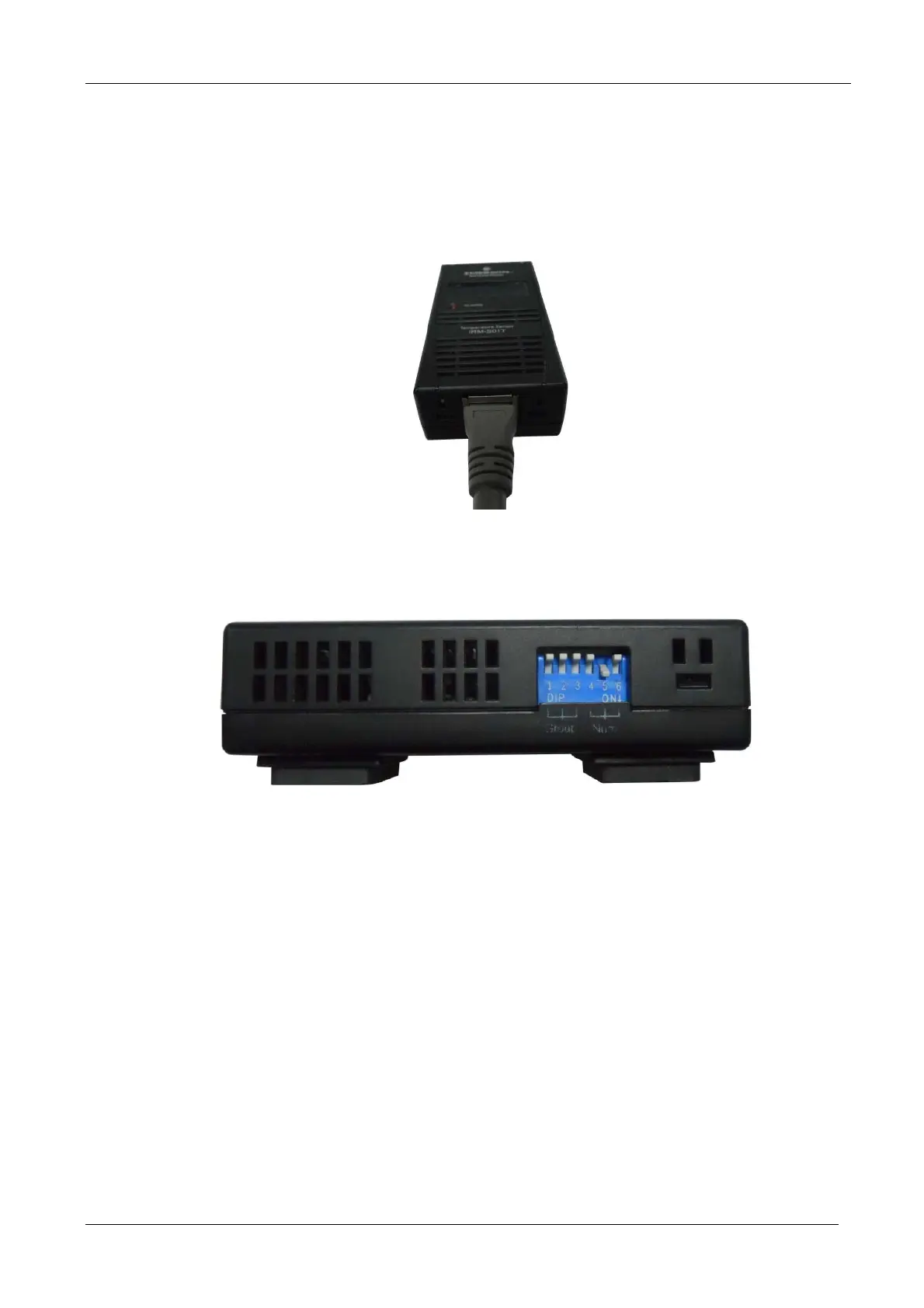
Connect one
end of the specified cable to either port of the battery temperature sensor, and the othe
r end to
either port
of the UF-RS485 card. See Figure 8-5.
Figure 8-5 Connecting the UF-RS485 card to the battery temperature sensor
3. As shown in Figure 8-6, set DIP switch 5 to 'ON', so that the temperature sensor indicator in the bottom left corner
of the L
CD screen displays 01 (or 02). If two temperature sensors are used together, the corresponding DIP switch
settings may not coincide.
Figure 8-6 Temperature sensor DIP switch settings
4. Remove the left side panel of the cabinet, place the battery temperature sensor in the position shown in Figure 8-
7, and use the cable tie to secure it in place.










 To Next Page