Vertiv | Liebert® DM | User Manual 76
Microprocessor Controller
1. The latest alarm number is the smallest number. When multiple alarms occur, press the scroll bar on the far
right to scroll up or down.
2. The alarm status record is automatically cleared when the system is powered O.
3. The unit provides the alarm self-diagnosis function. Click the alarm data to display the possible causes and
treatment measures.
• Alarm History
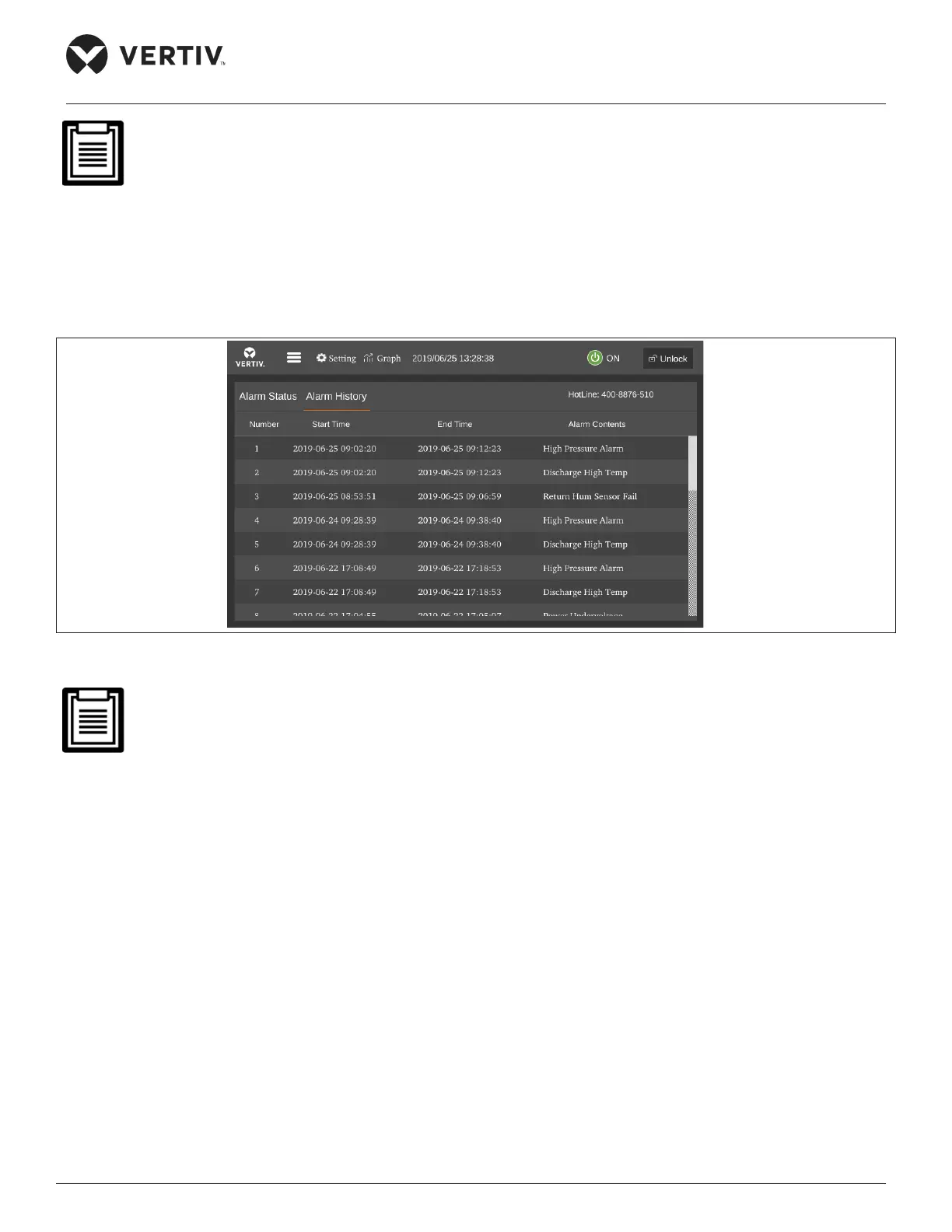
The Alarm History menu is used to view the historical alarm record of the unit, including alarm no., alarm start time and
alarm end time, and the alarm contents, as shown in Figure 5-13.
Figure 5-13 Historical Alarm Menu
• Press the Up or Down button to scroll through the historical alarm records if more than one alarm is
activated.
• Up to 999 historical alarm records can be stored. They will not be cleared upon system power-o.
5.4.5. Parameter Settings
Select Parameter Settings from the main menu to enter the interface as shown in Figure 5-14, including teamwork control
settings, alarm parameters, alarm properties, communication settings, time settings, password settings and display settings.
• Teamwork Settings
The Teamwork Setting menu interface is shown in Figure 5-14.










 To Next Page