ITEM DESCRIPTION
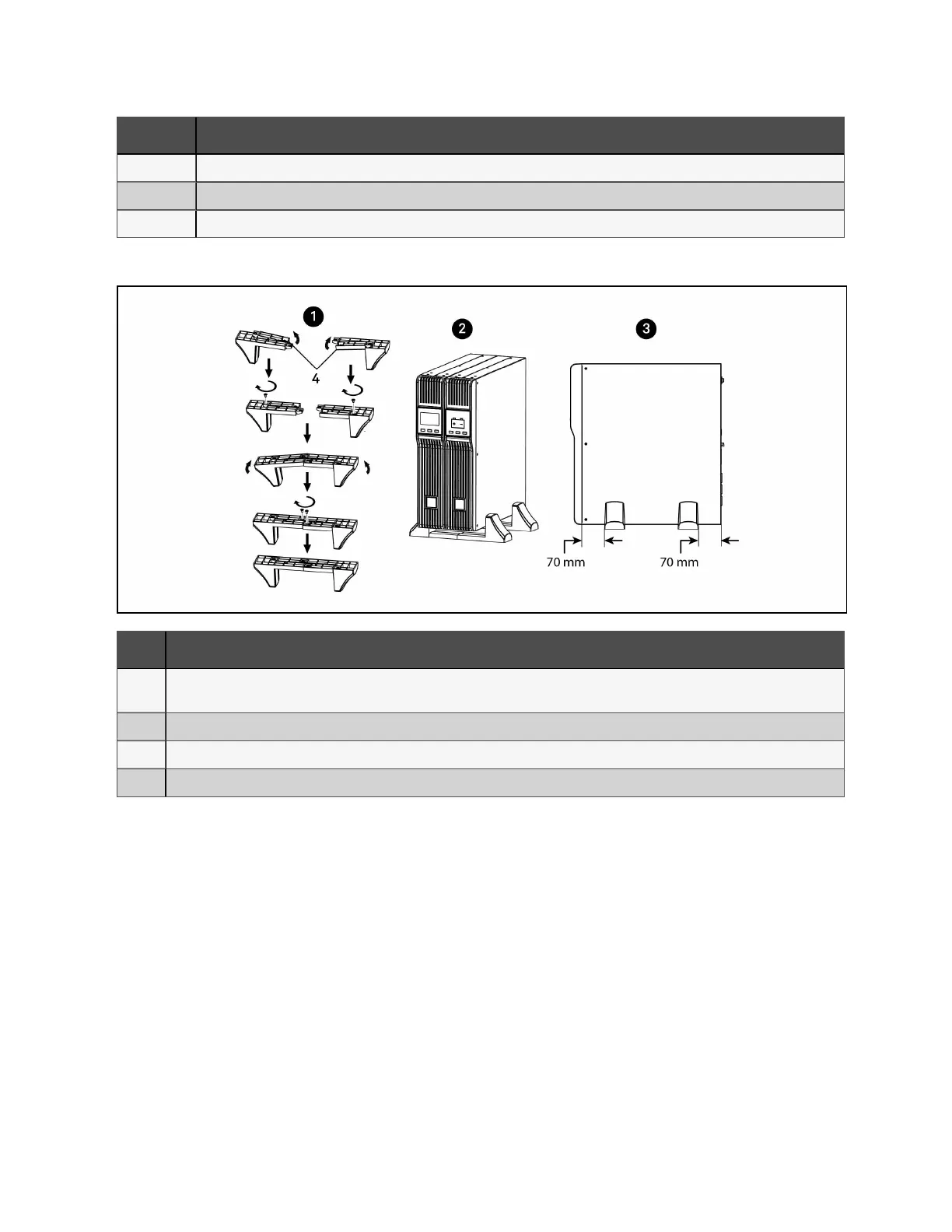
1 Connect the two halves of the stand together.
2 Place the UPS in the stands.
3 Make sure that the stands are installed 70 mm from the edge of the unit.
Figure 3.2 Attaching stands to the UPS and external battery
ITEM DESCRIPTION
1
Connect the two halves of the stand to the spacer, after installing the additional stand components shown in item 4, and
install the securing screws.
2 Place the UPS and external battery pack in the stands.
3 Make sure that the stands are installed 70 mm from the edge of the unit.
4 Insert the stand expansion components and install the securing screws.
3 Installation
9
Liebert® EDGE Installer/User Guide









 To Next Page