iPM 200 generator module
® Vetaphone March 2021 3401201GB
PRESETTING OF POWER LEVEL
Before pressing the ON-button the power level can be adjusted with the and buttons.
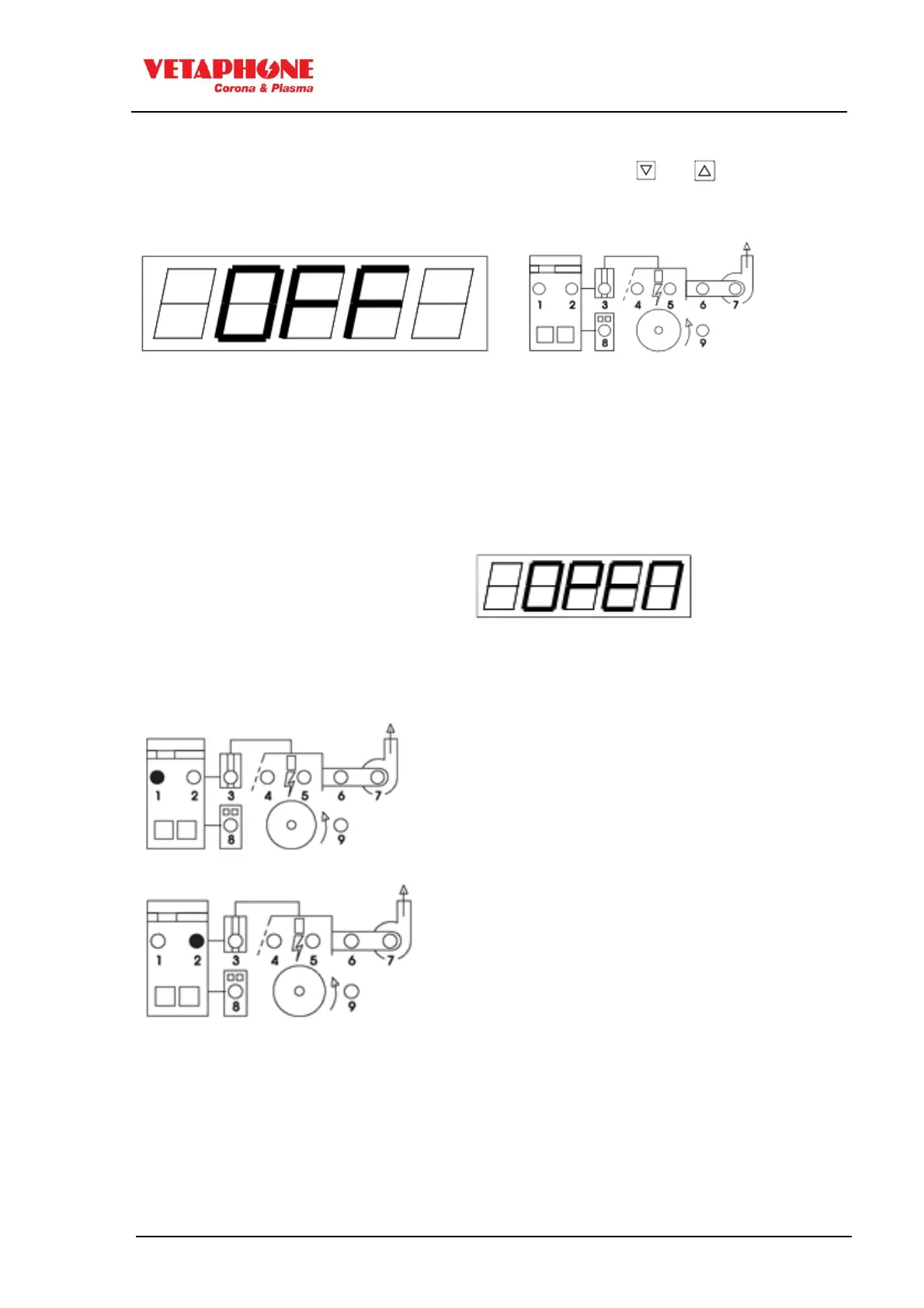
The generator is ready to start when OFF is displayed and all LED's are GREEN.
ERROR INDICATION – Red LED's indicate the following errors:
1) Generator, internal error
5) Station, HP-flashover to ground
2) Generator, external error
6-7) Fan, no ozone extraction
3) HP-transformer, missing feedback
4) Station open, or door switches not closed
9) Station, roll not rotating
For further information see "Control panel error messages AFTER start up" in separate
manual.
If the treater station is open the display
shows OPEN:
Control panel messages BEFORE start up
High temperature in power unit
Check that the internal cooling fans operate
correctly, and that they are not blocked with
dirt.
Check for high ambient temperature
Check for easy airflow around the generator.
Mains tolerance error
Mains input voltage is out of tolerance



 To Next Page