VAB-820 Linux BSP v3.2.0 Quick Start Guide
21
5.5. Configuring the VNT9271 USB Wi-Fi Dongle / EMIO-
1533 USB Wi-Fi Module
The VNT9271 USB Wi-Fi dongle and EMIO-1533 module support Wi-Fi function.
5.5.1. Connecting to the Internet
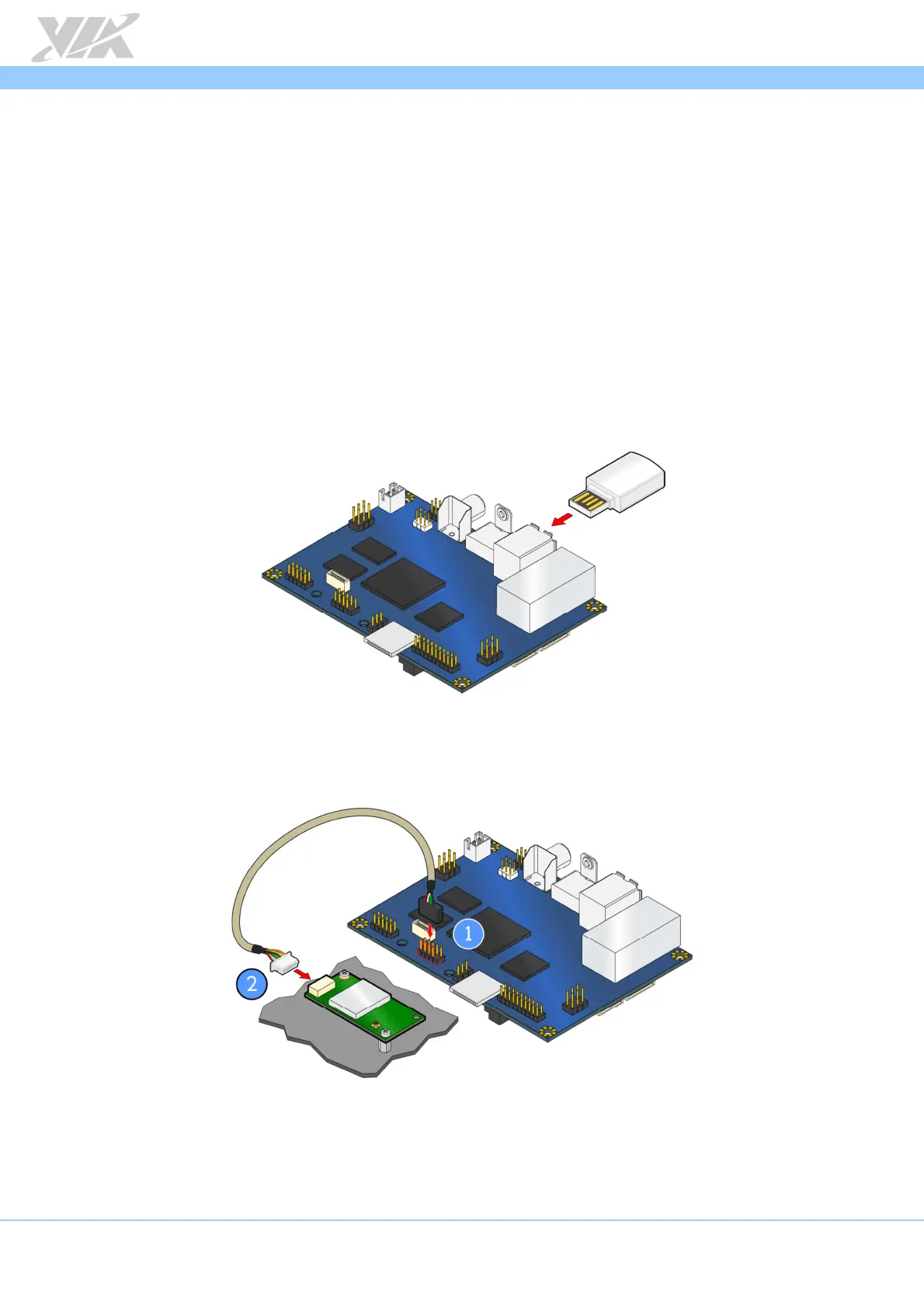
The first step is to insert the VNT9271 USB Wi-Fi dongle into a USB port or connect the
EMIO-1533 module to the onboard USB pin (J8) using the USB cable
(P/N 99G3-
190042)
. After installing the EMIO-1533 module, the antenna must be installed as well.
Next, make sure to unplug any LAN cables or other Wi-Fi/3G modules you have
installed. Finally, power on the VAB-820.
Inserting the VNT9271 USB Wi-Fi dongle
Connecting the EMIO-1533 module














 To Next Page