VAB-820 Linux BSP v3.2.0 Quick Start Guide
4
2.
Image Development
This section explains the setup requirements for booting from a Micro SD card or the SPI
ROM.
A precompiled image is provided in the “EVK” folder of the BSP.
2.1. Booting from a Micro SD Card
The
via-image-gui-imx6qvab820.sdcard
image allows the system to run entirely from the
Micro SD card.
The first step is to copy this image onto a Micro SD card. Insert a Micro SD card into
your Linux host machine and make sure it is not mounted. Copy the SD Card image onto
the Micro SD card with the command below, replacing <device name> with the correct
value for the card, for example “sdb”.
Important:
Make sure you are writing to the correct device or the host system
environment could be damaged.
$ sudo dd if=via-image-gui-imx6qvab820.sdcard of=/dev/<device name> bs=1M conv=fsync
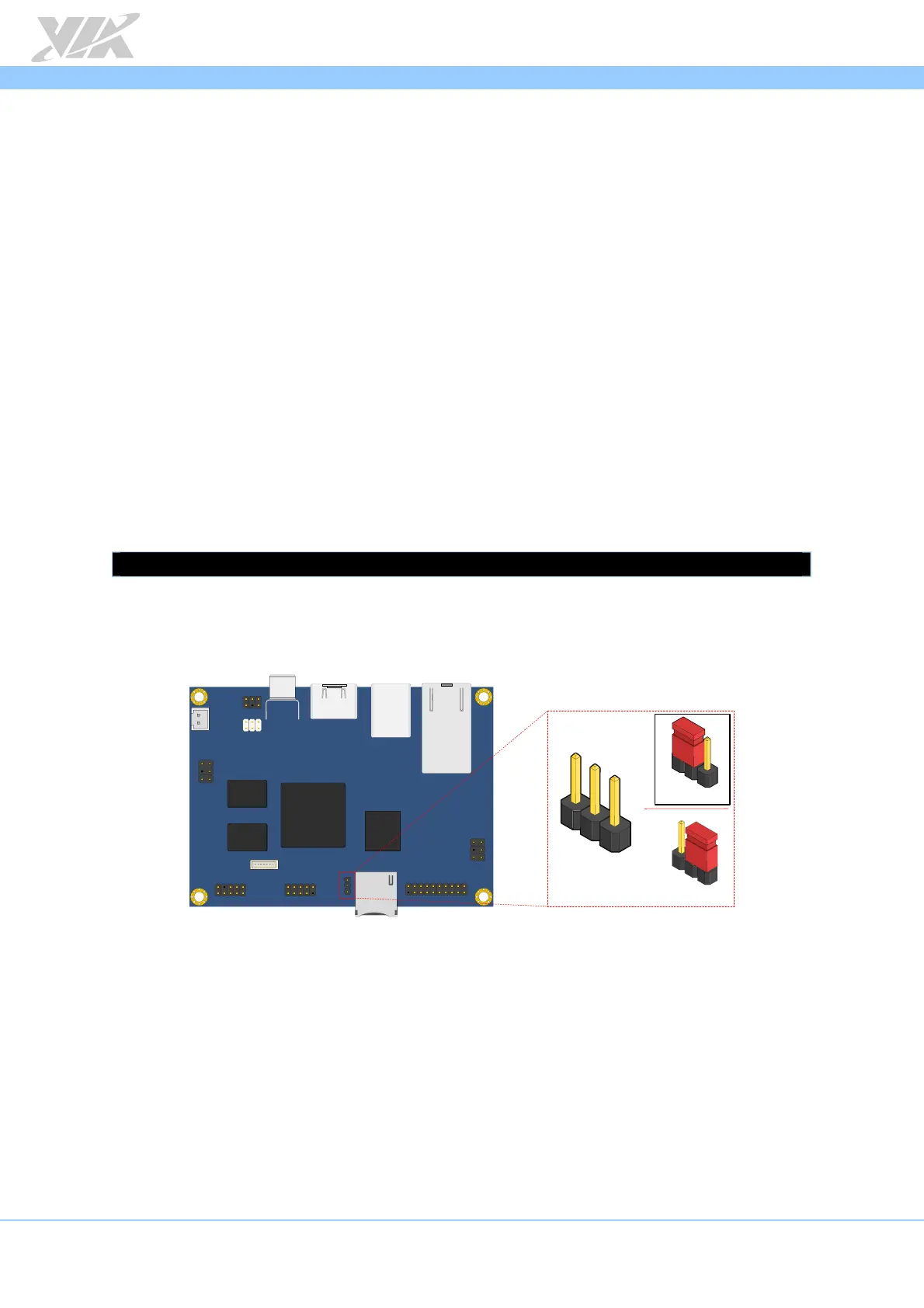
Next, on the VAB-820, set the boot select jumper (J11) to the Micro SD position as
shown below.
Micro SD / SPI boot select jumper diagram
Insert the prepared Micro SD card into the VAB-820, connect an HDMI display, and
power on the VAB-820 to initiate the boot process.
When the boot process is completed, you will see the OpenEmbedded desktop.
VAB - 820
J11
2
3
1
Micro SD
SPI
1
1
1
2
3














 To Next Page