VAB-820 Linux BSP v3.2.0 Quick Start Guide
23
5.6. Configuring the EMIO-1541 miniPCIe Wi-Fi Module
The EMIO-1541 miniPCIe Wi-Fi module supports Wi-Fi function.
5.6.1. Connecting to the Internet
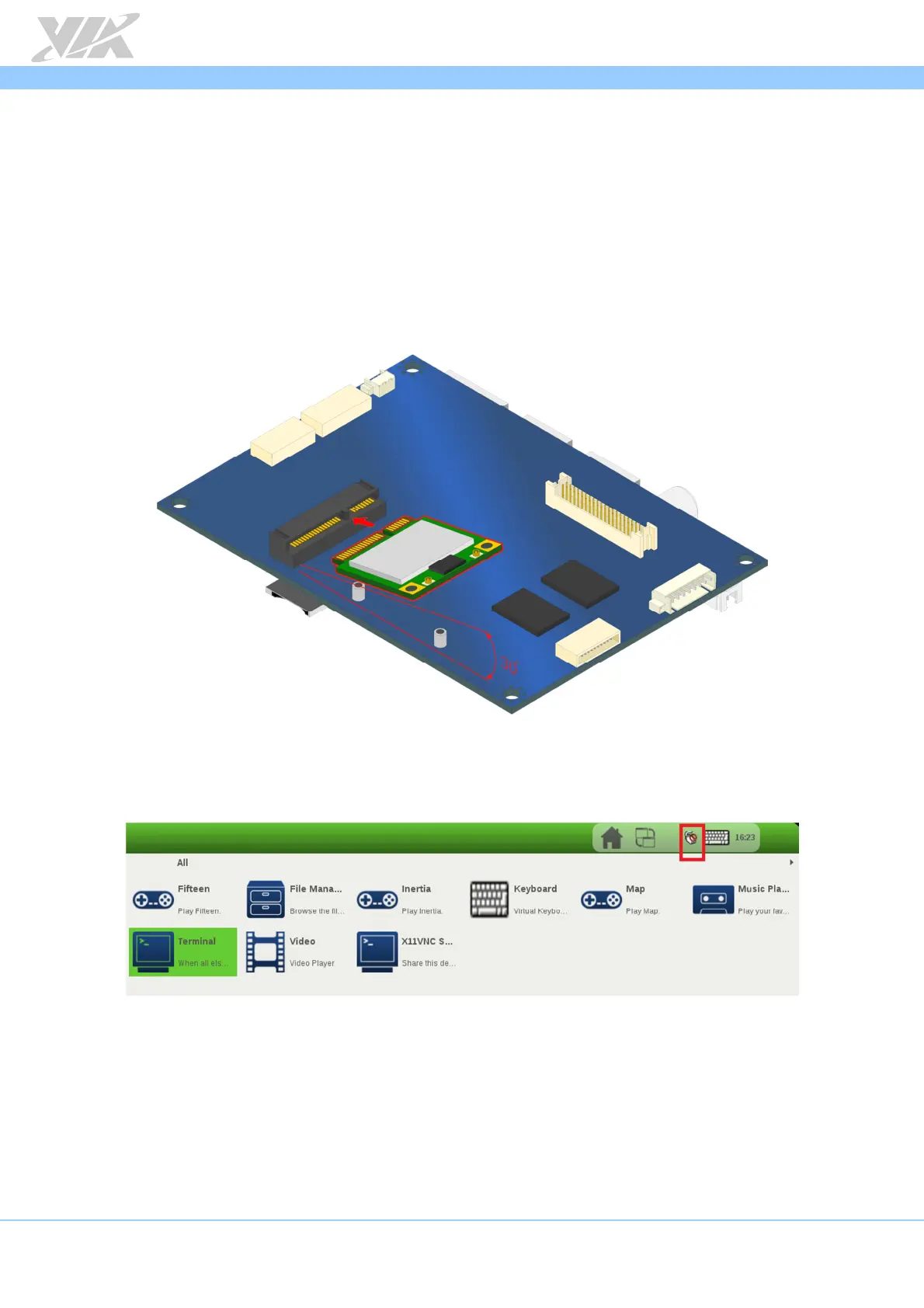
The first step is to insert the EMIO-1541 module into the miniPCIe slot. After installing
the module connect the provided antenna to the module. Next, make sure to unplug
any LAN cables or USB Wi-Fi dongles you have installed. Finally, power on the VAB-820.
Inserting the EMIO-1541 module
When the boot process is completed, click on the
“Connection Manager”
icon to
configure WLAN.
Connection Manager icon diagram
When the connection is created, connect to the internet through your web browser.














 To Next Page