VAB-820 Linux BSP v3.2.0 Quick Start Guide
32
5.10. Setting Up GPIO
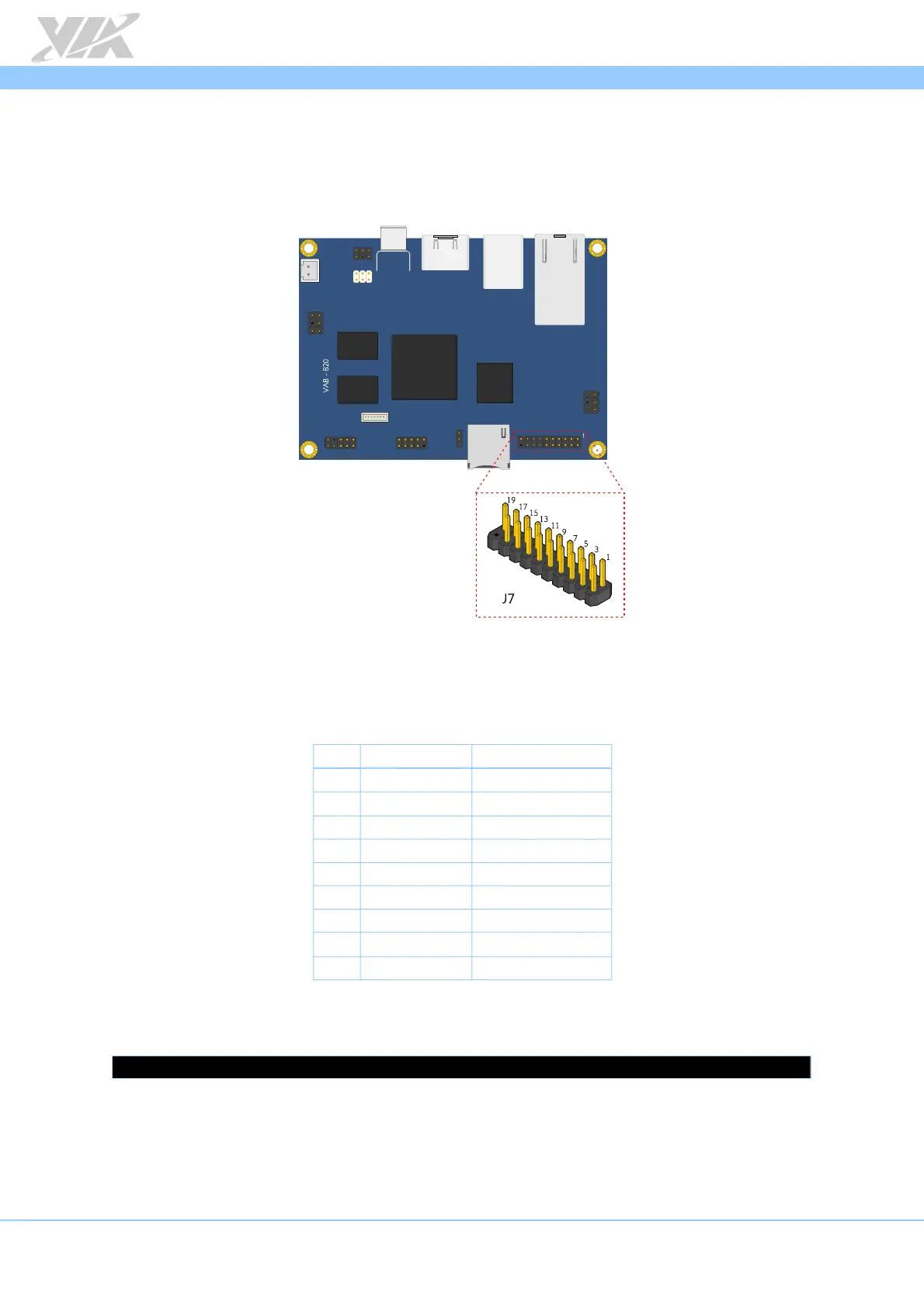
The DIO port on the VAB-820 consists of 9 pins. The following section explains setting
up these pins for input/output communication
J7 Pin Header diagram
5.10.1. Setting Up DIO Port for GPIO Functionality
The echo value of GPIO pins are listed below:
Pin Signal GPIO echo value
1 GPIO_7 7
2 GPIO_1 1
3 GPIO_8 8
4 GPIO_2 2
5 GPIO_9 9
6 GPIO_4 4
7 GPIO_16 203
8 GPIO_5 5
9 GND
GPIO port pinout table
Set the multifunction pin as a GPIO pin. Here is the example for GPIO pin 1:
$ echo 7 > /sys/class/gpio/export
5.10.2. Setting Up GPI Mode
To set a pin to "input" mode (GPI), use the following command (here is the example for
GPIO pin 1):














 To Next Page