VAB-820 Linux BSP v3.2.0 Quick Start Guide
29
5.8. Configuring the EMIO-2550 miniPCIe Mobile
Broadband Module
The EMIO-2550 miniPCIe Mobile Broadband module supports 3G and GPS functions.
5.8.1. Connecting to the Internet
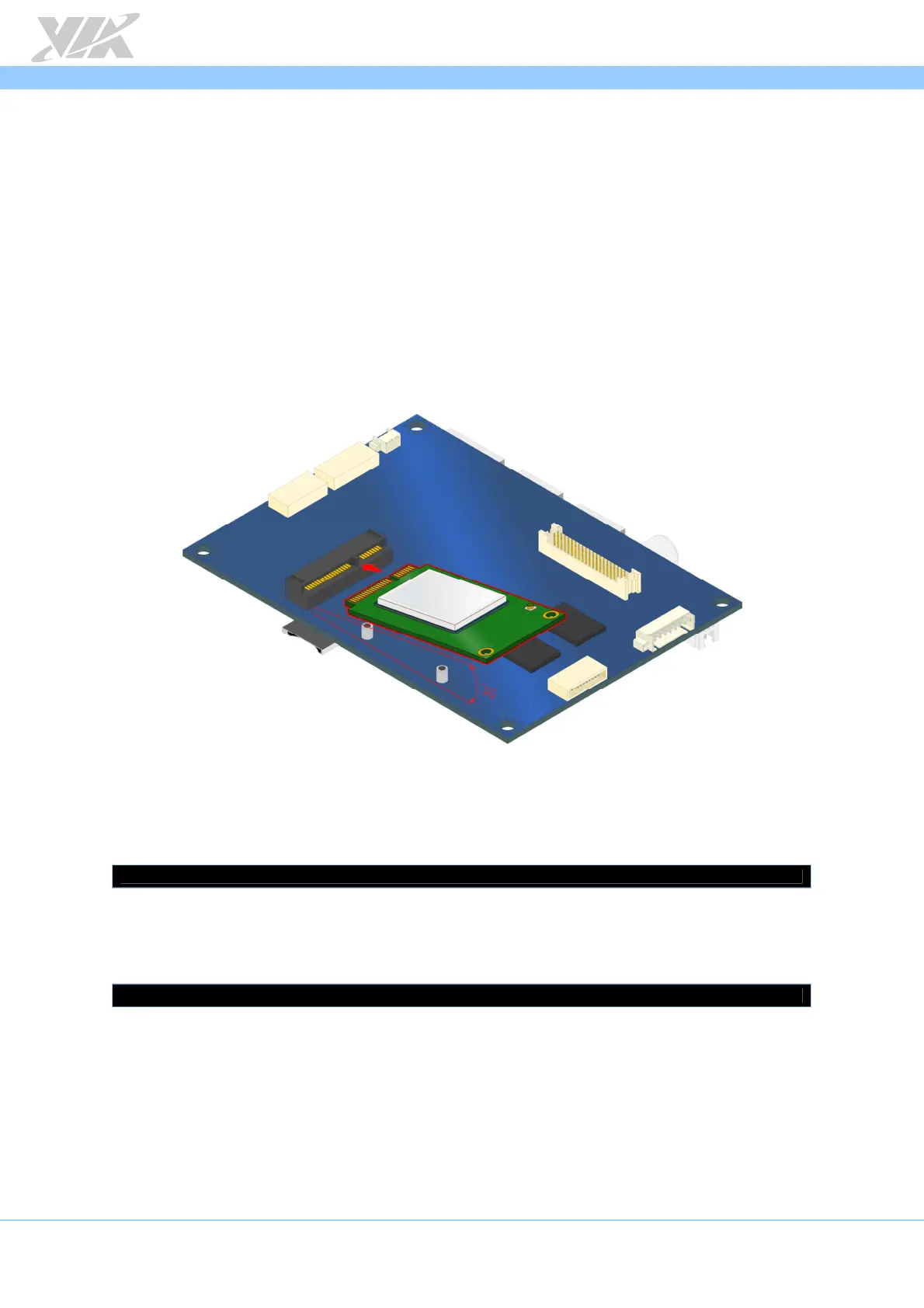
The first step is to insert an active SIM card into the EMIO-2550 module, and then insert
the EMIO-2550 module into the miniPCIe slot. After installing the module connect the
provided antenna to the module. Next, make sure to unplug any LAN cables or USB Wi-
Fi dongles you have installed. Finally, power on the VAB-820.
Inserting the EMIO-2550 module
To check that the system has correctly detected the EMIO-2550 module, use the
following command:
$ lsusb
Make sure the printout message includes “Bus 001 Device 004: ID 1545:1102 U-Blox AG”.
Configure the 3G function by creating a PPP connection with root privilege.
$ pppd call Module-ZU200
Once the PPP connection has been created, connect to the internet through your web
browser.














 To Next Page