VAB-820 Linux BSP v3.2.0 Quick Start Guide
11
5.
Hardware Functions
5.1. Setting Up Display Device
The VAB-820 Linux BSP v3.0.2 supports the following display devices:
HDMI monitor
AUO 10.4” G104XVN01.0 LVDS panel (1024 x 768)
AUO 7” G070VW01 V0 LVDS panel (800 x 480)
5.1.1. Setting Up the U-Boot Display Parameters for a Single
Display
5.1.1.1. HDMI
To set the HDMI monitor as the display output, use the following command:
=> run o_hdmi
=> saveenv
In order to confirm the settings are correct use the following command to list the new
U-Boot parameters:
=> printenv hdmi
hdmi=video=mxcfb0:dev=hdmi,1920x1080M@60,bpp=32
Make sure the display device is HDMI and the resolution matches your monitor's
resolution.
5.1.1.2. LVDS
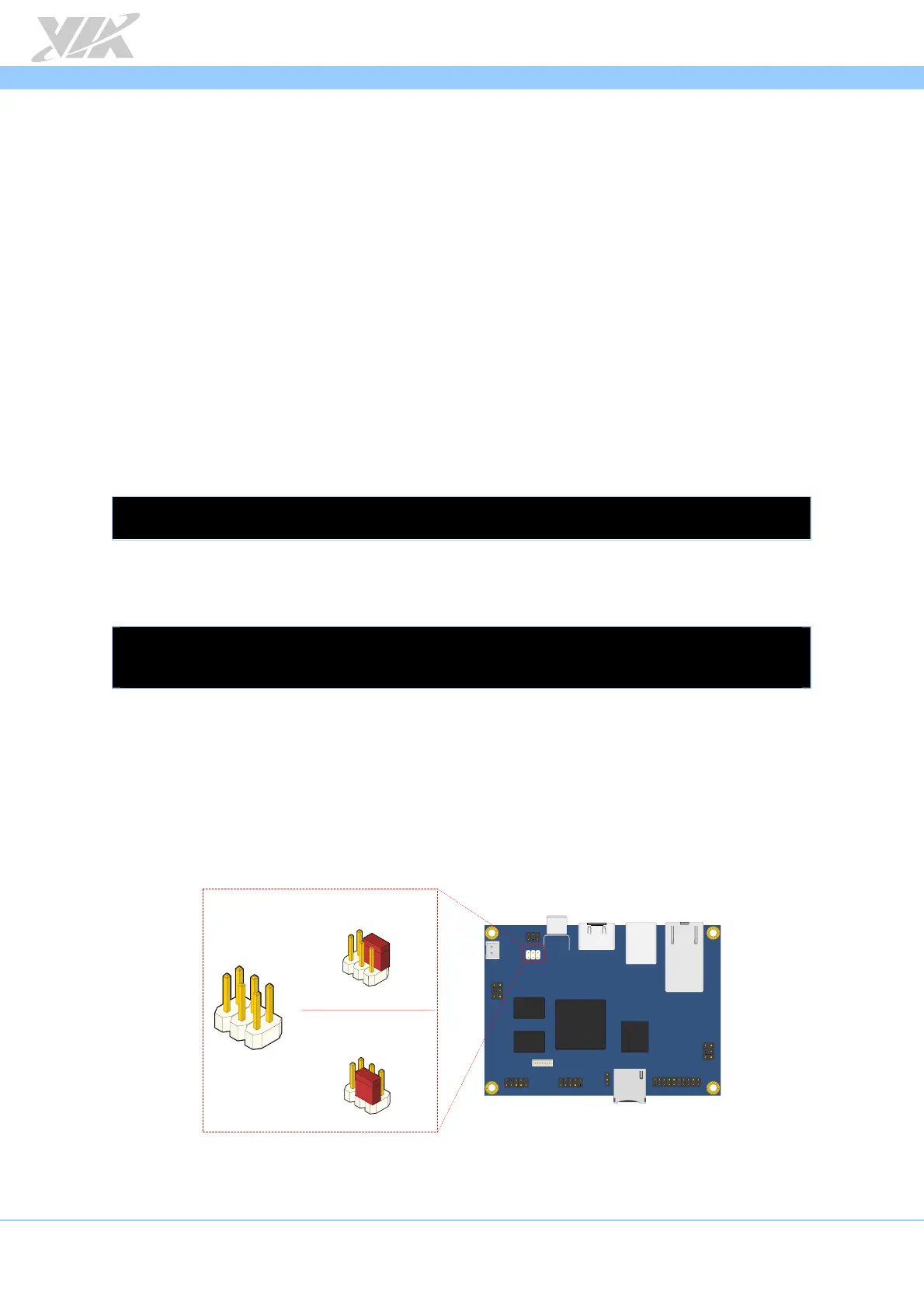
Before setting an LVDS panel as the display output make sure the LVDS backlight power
select jumper is set to +12V and the LVDS panel power select jumper is set to +3.3V as
shown below.
LVDS power select jumper diagram
VAB - 820
J3
1
5
6
2
3
4
+12V (Default)
Backlight power select (IVDD)
jumper settings
+3.3V (Default)
Panel power select (PVDD)
jumper settings
1
1
1














 To Next Page