9
3.2 Operation Check
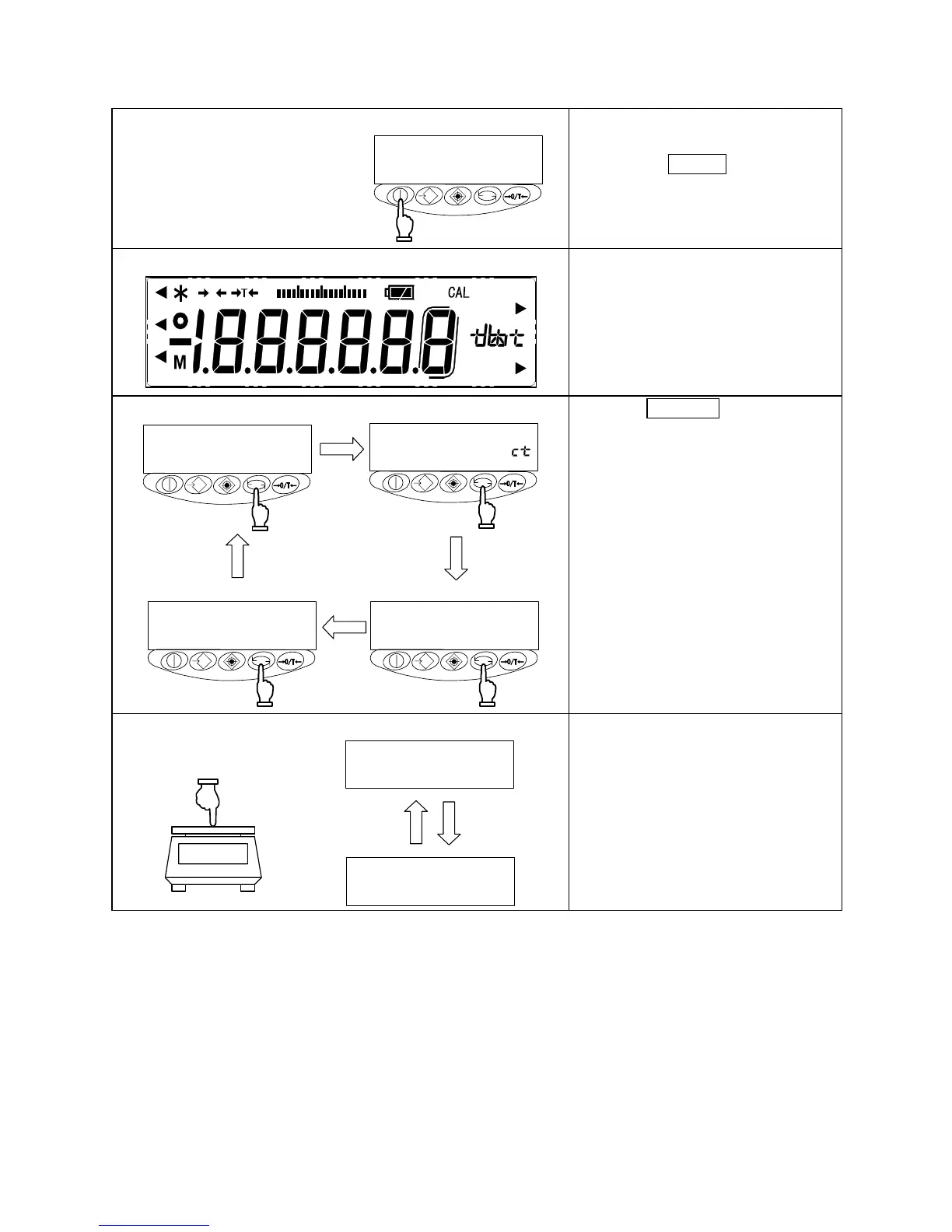
1 Turning on the power
*
When the balance has the AC
adapter connected, it displays [*].
Pressing the On/Off key
The display section lights up, and the
balance is ready for operation.
2 Checking the display
0
0F
Pcs
mom
#
g
%
Check to see if the display has any
missing indications or unlit parts.
A few seconds after startup, the
indication is reset to zero.
3 Switching the measurement mode
g
Pcs
%
Press the Function key.
Each time the key is pressed, the unit
of measurement changes, as
indicated.
※The balance is shipped from the
factory with the following switching
sequence: [g] → [ct] → [Pcs] → [%]
→ [g] → · · ·
4 Verifying changes in the read-out indicator
g
g
Press the measurement pan lightly
and make sure that the read-out
indicator changes.
Also, ensure that the read-out
indicator is reset to zero when you
release your hand.



 To Next Page