22
8. Limit Function
The limit function judges measurements according to a limit value saved in the balance.
The function shows the judgement result by displaying the [
] mark as either HI (excessive), OK
(appropriate), or LO (insufficient). This function is very useful when discriminating between conforming
and nonconforming articles. It is also useful when measuring a given constant quantity consecutively, in
conjunction with a range of reference weights defined by upper- and lower-limit values.
This function can be used in weight mode, counting mode, or percentage mode.
Limit value input methods
Either of the following two methods can be used in the different modes:
(1) Actual quantity setup method ........An actual sample is loaded on the balance and its weight
saved as the limit value.
(2) Numeric value setup method.........The limit value is entered with a key stroke.
※The limit values entered are held in memory, even when the balance is powered down.
※The respective limit values for weight mode, counting mode, and percentage mode are set up
independently.
Indication of judgement result
The [
] mark lights up as either HI, OK, or LO on the left side of the display, indicating the result of
judgement.
Judgement Results Upper/lower-limit setting One-point setting
HI (excessive)
Upper-limit value < measurement
value
No indication
OK (appropriate)
Upper-limit value
≥ measurement
value
≥ lower-limit value
Limit value
≤ measurement value
LO (insufficient)
Lower-limit value > Measurement
value
Limit value > Measurement value
8.1 Limit Function Setup
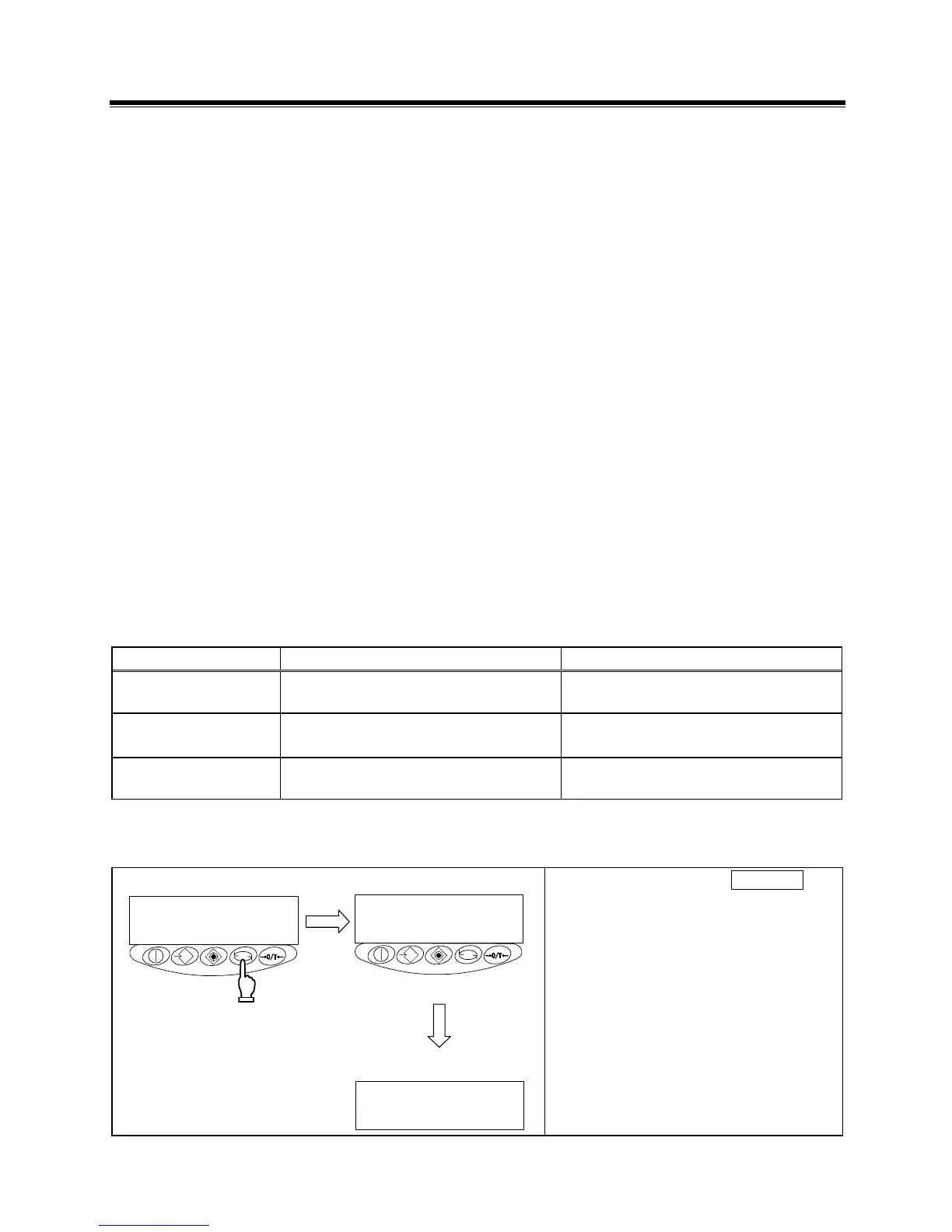
1 Invoking the function
指を離す
長押
し
g
Key
released
Continuous
pressing
Press and hold down the Function key.
Release the key when [
] is
displayed.
The display changes to the function
setup and the first item is displayed.



 To Next Page