20
7. Measuring Percentage
The percentage measurement function operates by weighing an actual sample, selected as the
reference, and saving its weight as the reference value and indexing it as 100%. When a measurement
sample loaded on the balance is lighter or heavier than the reference, its weight is indicated as a
percentage (%) value relative to the reference weight.
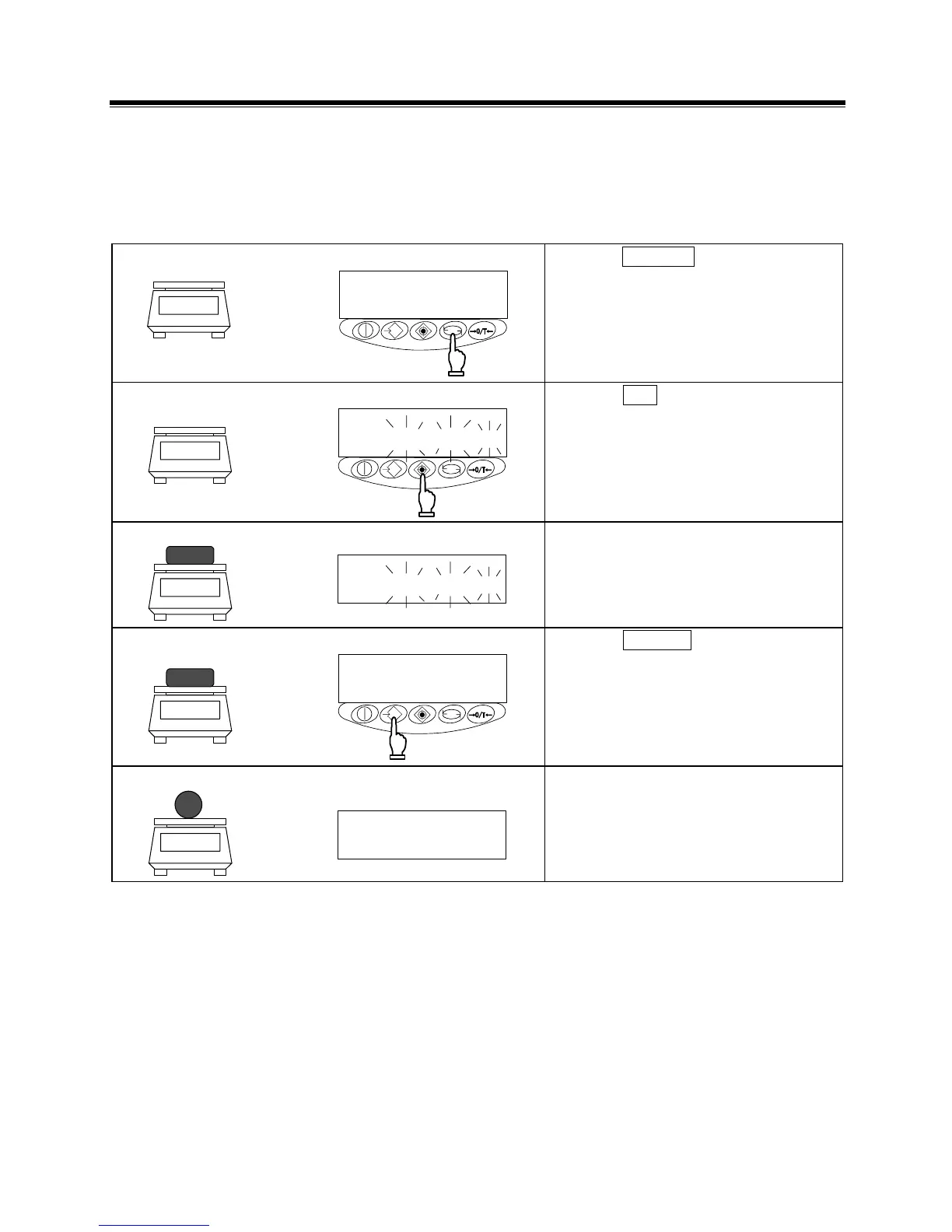
1 Activating the percentage mode
%
Press the Function key to disaplay [%].
2 Setting the reference value
%
Press the Set key.
The display begins flashing
[
]. The balance is now ready
for reference value setup.
3 Loading the sample
%
Load the reference sample.
4 Saving the reference value
%
Press the Memory key.
The balance indexes the weight value of
the reference sample as 100% and
returns you to measurement mode.
5 Loading a sample to be measured
%
The balance now indicates the weight of
the loaded sample as a percentage (%)
value relative to the reference value.



 To Next Page