26
8.3 Setting up Limit Values by Inputting Values (cont.)
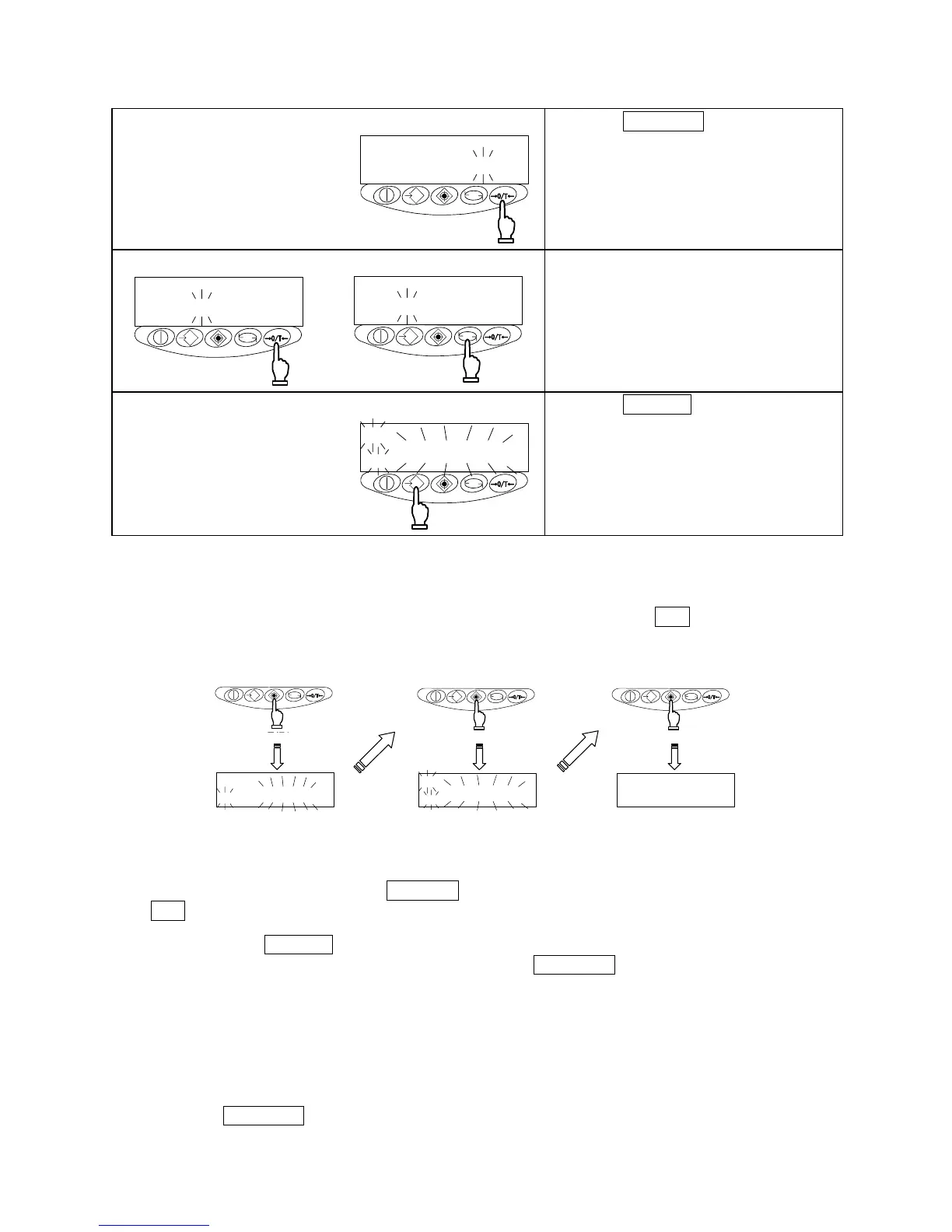
8 Opening the value input screen
M
g
Press the Zero/Tare key.
Follow the same procedure as in “Step
2.”
9 Setting the upper-limit value
M
g
M
g
Follow the same procedure as described
for the lower-limit value and enter the
upper-limit value.
10 Saving the upper-limit value
M
g
Press the Memory key.
After saving the upper-limit value, the
balance displays it briefly and terminates
setup.
☆ Key Points of the Procedure ☆
1. The limit values you have set can be checked each time you press the Set key.
The balance displays the lower-limit value after showing [
], and the upper-limit value
after showing [
].
g
M
g
M
g
長押し
Upper-limit value
displayed
Lower-limit value
displayed
Measurement mode
restored
Continuous pressing
2. If you make a mistake, press the Function key during the setup of actual quantities or the
Set key during the setup of values.
3. If you press the Memory key while a value is flashing, an actual quantity will be set based on the
weight currently loaded on the balance. Pressing the Zero/Tare key at this time displays the
value input screen.
4. If the [
] mark lights up for all three judgement indicators, HI, OK, and LO, the lower-limit value set
exceeds the upper-limit value. Check the values, since mistakes can occur with entries, as in
cases when the upper-limit value is specified with a negative sign.
5. When the [M] mark is flashing on the value input screen, the sign on the left end can be changed.
Press the Zero/Tare key to switch between the positive and negative signs.



 To Next Page