© 2010 Viking Preferred Service
23
Diagnostics
Service Diagnostics and Testing
1. Run all Tests (cont.)
Step Test Result
70 Press LOWER LIGHTS pad Pressing the Lower Lights pad will advance to next test**
71 Press 4 pad Pressing 4 pad will advance to next test
72 Press 5 pad Pressing 5 pad will advance
73 Press 6 pad Pressing Tru Convec pad will advance to next test
74 Press LOCK pad Pressing UP pad will advance to next test
75 Press 7 pad Pressing CONV Bake pad will advance to next test
76 Press 8 pad Pressing 8 pad will advance to next test
77 Press 9 pad Pressing 9 pad will advance to next test
78 Press SETTINGS pad Pressing Settings pad will advance to next test
79 Press ENTER pad Pressing Enter pad will advance to next test
80 Press 0 pad Pressing 0 pad will advance to next test
81 Press CLEAR pad Pressing Clear pad will advance to next test
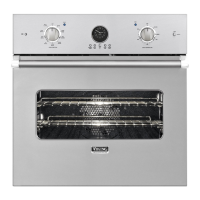
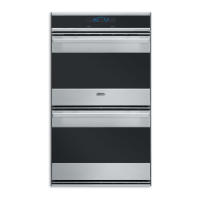
*Single oven model **Double oven model
2. Product Information
This test will allow you to see the model, version, and serial number of the microprocessor. To enter this
test, enter diagnostic mode (see accessing the diagnostic section, page 18). With the unit in diagnostic
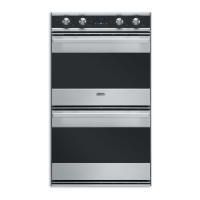
mode, press the “DOWN ARROW” pad to scroll to the PRODUCT INFORMATION test. Once you have
selected this test, the first screen you will see is shown below.
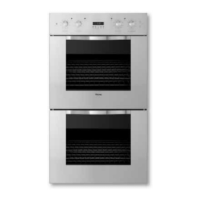
Press the “SET” pad to view the Product Information.
To exit this test, press the “ENTER”, “CLEAR”, or “DOWN ARROW” pad.
TFUUJOHTUFTUT
QSPEVDUJOGPSNBUJPO
NPEFMWFSTJPOTO
QSFTTUIFFOUFSLFZUPFOEUIFUFTU



 To Next Page