19
Section C – Power Unit Mechanism
Ram Screw Assembly
PREPARE TO REMOVE AND REPLACE
The ram screw assemblies transfer power to the ram and
plate. Heavy usage can damage the threaded rod. If it
becomes necessary to replace one or both of the ram
screw assemblies, follow the instructions below.
1. Remove cabinet cover (see Electrical Components,
Access to Components).
2. Remove the drive belt (see Drive Belt, Remove and
Re-install).
3. Remove drive wheels (see Drive Wheels, Remove
and Replace).
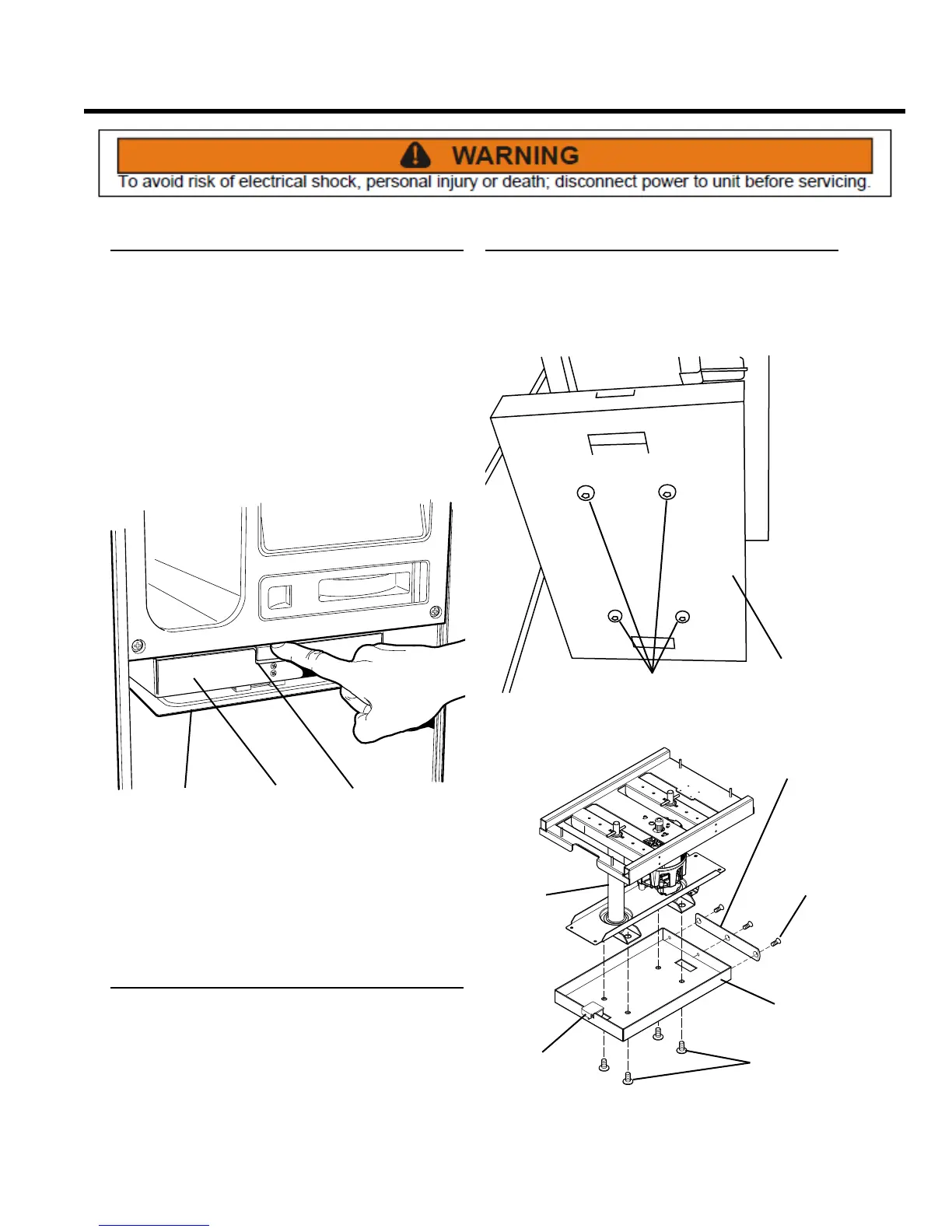
RELEASE
TAB
RAM
COMPACTION
PLATE
4. Remove the compaction plate by releasing the tab
on the front of the ram, and pulling the plate down
and away from the ram. NOTE: When re-installing the
plate, insert the rear tab into the slot at the rear of the
ram, then press up on the front of the plate until it
latches securely in place.
Compression Plate Assembly
REMOVE AND REPLACE
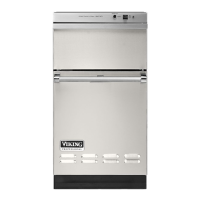
Remove the compression plate assembly from the ram
screw assembly. The compression plate pad may need
replacement if it is damaged or causing trash bag tears.
SCREWS
COMPRESSION
PLATE
ASSEMBLY
4 SCREWS
TAB
RAM
SCREW
ASSEMBLY
COMPRESSION
PLATE PAD
COMPRESSION
PLATE
3 FLAT
HEAD
SCREWS
1. Remove the four hex head screws and the
compression plate from the bottom of the ram screw
assembly.
2. Remove the three at head screws to remove and
replace the compression plate pad.



 To Next Page